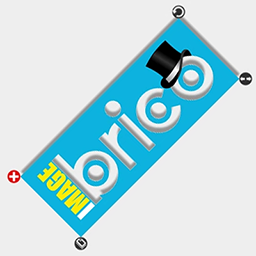

This plugin adds a icon feature to the default wordpress content editor and is the fastest and the simplest way to create combinations of images and text, apply effects to them and send the result both to the edited post/page and to the wordpress media section. With this plugin you can experience a new way of creating content in WordPress, once installed it will add an icon to the default WordPress editor, and when you click it… the magic starts! You will be able to add images, text, rotate them, crop, duplicate, use layers to have overlapping effects, add internal and external shadows simultaneously, change their colors, transparency, angles, blur, …
The plugin has an internal feedback engine to let you get involved into the development process, you can ask for new features as well as report a bug. Since its first release our users asked to add either the layer feature, and the iMageBrico integration and the duplicate features and the cropping image feature… and we already did it! All of them are available, and the iMageBrico version is now in beta phase.
Key Features:
- Install on the default WordPress editor
- Infinite image and text objects combinations
- Multiple effects simultaneously
- Inserts images directly into your post
- Saves images in WordPress media folder too!
- Clone and Crop functions
- Rotate, Resize and Drag every Object
- Overlapping layers management