
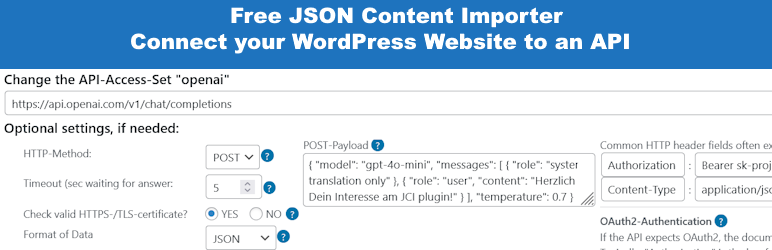
The simplest method to link WordPress with external APIs
JCI simplifies the task of retrieving data from a third-party REST API. The returned JSON-, XML, CSV, TXT-data can be neatly arranged and showcased on your WordPress site via a shortcode, a JCI Block or PHP. The plugin can generate a template for the data display.
20 seconds: Load API and display data
7 minutes: Basic intro to JCI free
Examples, Preview
Check out the live demonstration to explore how we’re interfacing with various APIs LIVE PREVIEW – WordPress and a external API
Video: How to use the Wikipedia API
Main Plugin Features
- Low code usage: Save time and avoid coding using an API
- Insert an API-URL into Step 1: Data is loaded, and and displayed. Save it as API-Access-Set.
- Use the API-Access-Set in Step 2 to create a Shortcode
- Optional for maximum flexibility: Use the API-Access-Set n PHP code
- Insert an API-URL into the JCI Block: Data is loaded, and a template can be generated to display the data.
- Easy to start: Check Installation – Is your WordPress ready for JCI? Most probably!
- Basic Settings: Check SSL, Cacher, Gutenberg and Authentication
- ContactForm7 Integration: Populate CF7 forms with JSON data and forward CF7-submitted data to an API.
- Use the JCI cacher to avoid many API requests
- JCI-Block : Use the simple JCI Block interface to get data! Query the API and check the response. Then utilize the simple template generator inside the JCI Block to use the data!
- Contact Form 7 Integration: Fill form and submit to API
Important Note Starting with Version 2.0.11
Starting with version 2.0.11, any HTML code present in the shortcode or block is filtered to prevent dangerous code (e.g. JavaScript) from being output. However, if you want to allow certain tags or attributes as a deliberate choice: In the plugin’s “Basic Settings” there is a field called “Allow additional HTML tags (advanced)”. There you can enter comma-separated tags that should not be filtered out. For example, “iframe,script” would preserve these two tags in the HTML output. “tr#onclick” would preserve the “onclick” attribute in ”, which would otherwise be removed.
Documentation
There’s a wealth of resources and support at your fingertips. Explore the articles listed below to begin your journey:
- JCI Manual
- Step 1: Access the Data
- Step 2: Using the Data
- Shortcode – Basic structure
- Contact Form 7 Integration
- Free JCI Plugin: Overview Videos
- Free JCI Plugin: Getting Started
You need more?
JSON Content Importer PRO
Both the free and PRO JCI Plugins serve the same purpose: retrieving data, transforming it, and publishing the results. However, while the free Plugin can only handle basic challenges, the PRO JCI Plugin offers nearly full control over WordPress, the database, and applications. Compare: Free vs. JCI PRO Plugin
PRO features: * application building by creating a searchform and connect it to a JSON-API in the background: pass GET-Variables to use a dynamic JSON-Feed-URL (“talk to API / webservice”) * much better and more flexible templateengine: twig * create and use Custom Post Types * store Templates independent of pages * more Shortcode-Parameters * executing Shortcodes inside a template * more features…