Kaldia AEO Manager
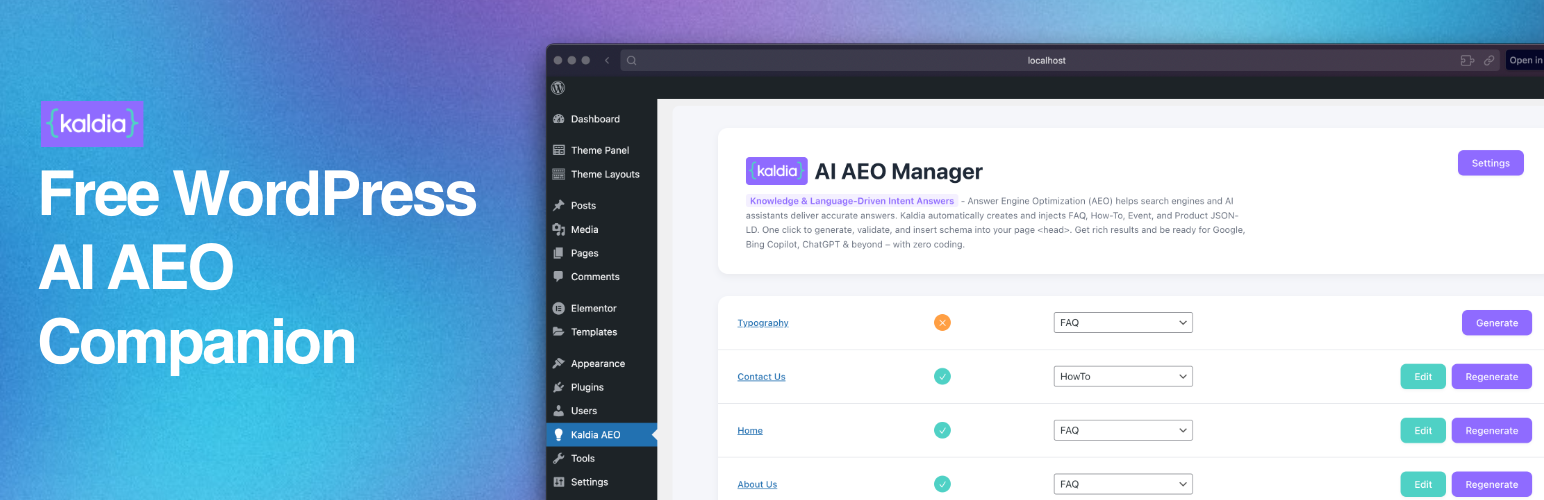
Answer Engine Optimization (AEO) helps search engines and AI assistants deliver precise answers.
Kaldia AEO Manager automates the creation and injection of FAQ, HowTo, Event, and Product schemas (schema.org) in JSON-LD, directly into your page <head> — one click, zero coding.
Why AEO matters
Search engines (Google, Bing) and assistants (ChatGPT, Copilot, Siri…) look for structured answers. Adding JSON-LD schemas (FAQ, HowTo…) boosts your chances of: * Getting rich results (expandable FAQ, step-by-step HowTo) * Being cited as a direct answer by AI systems * Improving overall visibility
What Kaldia makes simple
- AI generation (OpenAI only): pick a schema type, let the AI craft relevant Q/As (FAQ) or steps (HowTo).
- Advanced controls: choose among 4 common OpenAI LLM models, set temperature and max tokens.
- Edit & validate: tweak the JSON-LD in a modal and validate before publishing.
- Automatic injection: the JSON-LD script is inserted into the page
<head>(disable any time). - Friendly interface: clean, easy-to-use UI that follows WordPress UX standards.
Key features
- Generate & inject FAQ, HowTo, Event, Product schemas (JSON-LD)
- Single provider: OpenAI, with 4 selectable LLM models (e.g. gpt-4o, gpt-4, gpt-4o-mini, gpt-3.5-turbo)
- Adjust temperature and max tokens per generation
- Pick schema type per page + regenerate on demand
- Built-in JSON-LD editor (validate & save)
- Clean injection in each page
<head> - Compliant with WordPress coding standards (REST API, permissions, i18n)
KALDIA = Knowledge & Language-Driven Intent Answers Our mission: make AEO simple and accessible.
External services
This plugin uses the OpenAI API (api.openai.com) to validate the API key and to generate JSON-LD when an administrator requests it. For key validation, the API key is sent in the Authorization header to fetch available models. For generation, a prompt with minimal context from the selected post (title, headings, short excerpts) and the chosen parameters (model, max_tokens, temperature) is sent. No data is sent from the frontend, and nothing is transmitted unless an admin initiates it. The API key can be removed at any time in the settings.
OpenAI Terms of Use: https://openai.com/policies/terms-of-use OpenAI Privacy Policy: https://openai.com/policies/privacy-policy
Privacy
Kaldia does not send any user data to third parties, except for the explicit calls you make to the OpenAI API. Those requests may include page content excerpts to generate JSON-LD.