
Share Cart and Save Cart for Later for WooCommerce by LeanPlugins
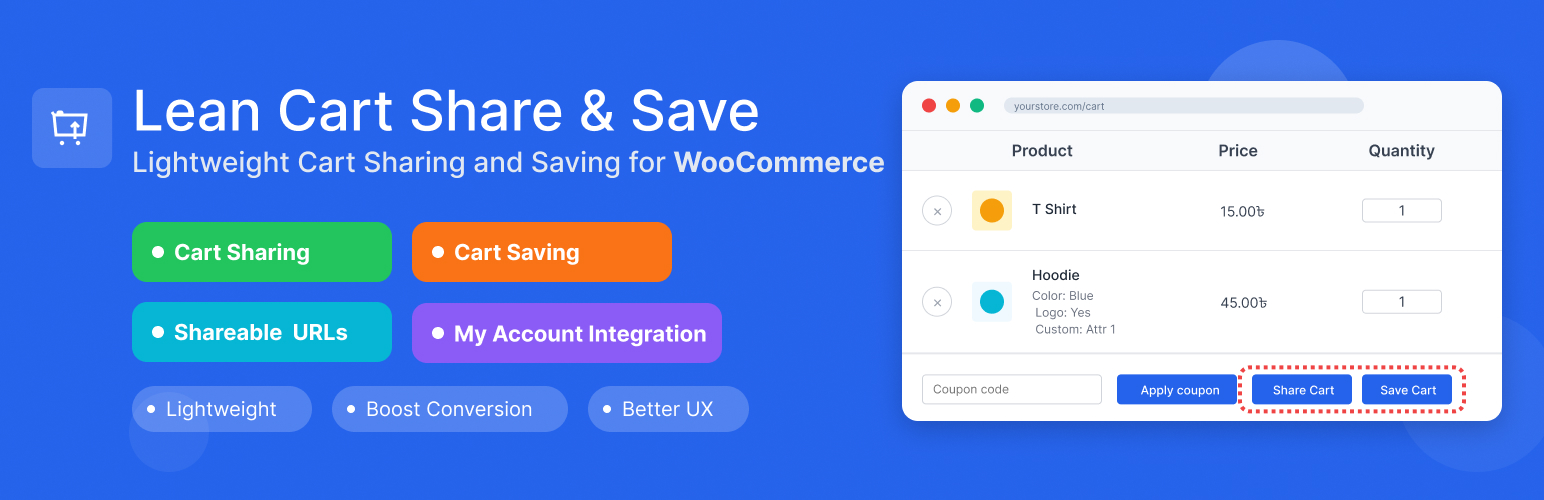
Share cart in one click and save cart for later. Every customer can share cart contents with a unique link, and logged-in users can save unlimited carts with custom names for later purchase.
The share cart feature works for everyone, including guests. One click creates a unique URL that loads the exact cart anywhere, on any device. Perfect for cross-device shopping, getting approval from others, or sharing product recommendations. Logged-in customers can save carts with custom names (like “Birthday Wishlist” or “Monthly Reorder”), viewable in My Account → Saved Carts where they can restore or delete them anytime.
Lightweight, works with classic themes and modern FSE Cart Blocks, and helps reduce cart abandonment while enabling natural product sharing.
🌐 Visit Official Website | ⚡ Upgrade to Pro
Try it yourself, no install needed:
1. Test Cart Sharing (no login required)
- See a pre-loaded shared cart →
- Works instantly, no need to add products yourself.
2. Test Cart Saving (auto login)
- Auto-login with cart ready →
- Click “Save Cart” once logged in to test the save feature.
- Manual login: Username
demo/ Passworddemo
3. View Saved Carts
4. Test Custom Message (Pro)
- See a shared cart with a personal note →
- Notice the message shown to the recipient above the cart.
5. Test Password Protection (Pro)
- Open a password-protected shared cart →
- Password:
demo
Real Business Scenarios Where This Plugin Shines:
- B2B Sales & Consultations: Share product quotes and recommendations with clients instantly
- Gift Shopping & Wishlists: Let customers create and share wishlists with family and friends
- Abandoned Cart Recovery: Customers can save their cart for later and return instead of losing their selections
- Team Purchasing & Approvals: Enable team members to collaborate on group orders and bulk purchases
- Cross-Device Shopping: Let customers start shopping on mobile, save, and complete on desktop
- Event Planning & Bulk Orders: Share product lists for weddings, parties, or seasonal restocking
- Recurring Purchases & Subscriptions: Create and share weekly/monthly item packages – customers can save these lists to their profile and easily reorder or modify quantities or products
Key Features:
- Cart Sharing: Generate unique shareable URLs for any cart
- One-Click Cart Links: Every cart link preloads the exact products and quantities, ready to send to customers or use in promotions and campaigns
- Cart Saving: Allow logged-in users to save carts with custom names
- Custom Message: Let sharers include a personal note shown to the recipient when the cart loads [PRO]
- QR Code: Show a scannable QR code in the share popup so recipients can open the cart on their phone [PRO]
- Password Protection: Let sharers set a password recipients must enter before the cart loads [PRO]
- WooCommerce Integration: Seamlessly integrates with your existing WooCommerce store
- FSE & Block Cart Support: Works perfectly with both classic themes and modern Full Site Editing (FSE) themes with WooCommerce Cart Blocks
- My Account Integration: Saved carts appear in customer My Account area
- Flexible Settings: Configure share expiry, button label, button position
- Data Management: Optional data cleanup on plugin uninstall
- Security First: Proper nonce verification and input sanitization
- Lightweight: Minimal impact on site performance
Cart Sharing Features: * Generate unique share URLs for any cart * Configurable expiration (or never expire) * Custom button label and position * Product variation support (size, color, etc. preserved on the shared link) * Quantities preserved exactly as the sharer selected them * Personal message to recipient [PRO] * Pre-filled default message text [PRO] * QR code in share popup [PRO] * Password-protect share links [PRO]
Cart Saving Features: * Save cart for later with a custom name * View all saved carts in My Account area * Restore any saved cart with one click * Delete saved carts when no longer needed * Perfect for wishlist functionality
Upgrade to Pro
Custom Message – Allow sharers to write a personal note shown to the recipient when the shared cart loads. Set a default pre-filled message so sharers always have a starting point.
QR Code – Display a scannable QR code inside the share popup. Recipients can open the shared cart instantly on any phone camera, no typing required.
Password Protection – Let sharers set a password for their cart link. Recipients must enter the correct password before the cart loads, keeping private shares truly private.
Usage
Sharing a Cart: 1. Add products to your WooCommerce cart 2. Go to the cart page 3. Click the “Share Cart” button 4. Copy the generated URL and share it 5. Recipients can click the URL to load the cart
Saving a Cart: 1. Add products to your WooCommerce cart 2. Go to the cart page 3. Click the “Save Cart” button (requires login) 4. Enter a name for your saved cart 5. Access saved carts from My Account → Saved Carts
Plugin Settings: * Enable/disable cart sharing * Enable/disable cart saving * Set share link expiration (days) * Choose button position: After cart table (default), Default (coupon row), Before cart, Before cart totals, Use shortcode * Choose whether to delete data on uninstall
Shortcode:
Place the buttons anywhere on your website: any page, post, widget, page builder (Elementor, Divi, etc.) or anywhere in WordPress that renders shortcodes.
[lean_cart_share_save]shows both buttons[lean_cart_share_save display="share"]shows only the Share Cart button[lean_cart_share_save display="save"]shows only the Save Cart button
To show buttons only where you place the shortcode, set Button Position to “Use shortcode” in the plugin settings.