
Master Addons For Elementor – 위젯, 확장 프로그램, 테마 빌더, 팝업 빌더 및 템플릿 키트
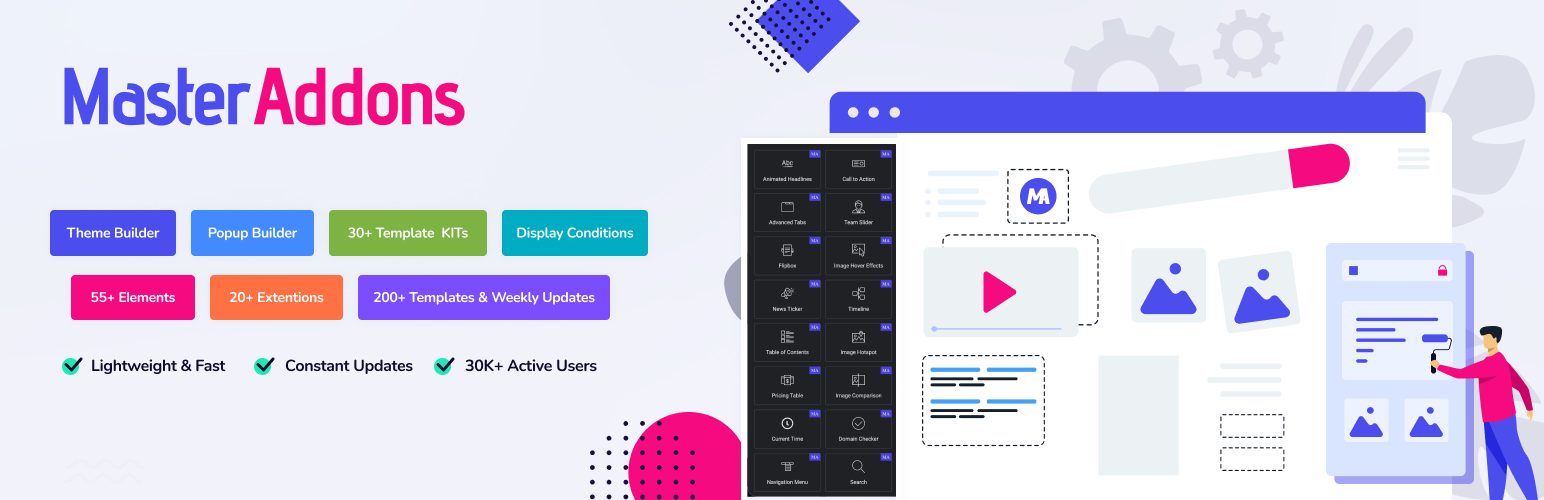
Master Addons for Elementor is a complete Elementor addon plugin that gives you 55+ widgets, 20+ powerful extensions, a full Theme Builder, Popup Builder, Widget Builder, and a growing library of ready-made Template Kits – everything you need to design stunning WordPress websites without writing a single line of code.
Live Demo | Docs | All Widgets | 지원 | Upgrade to Pro | Rate us on WordPress ★ ★★★★★
From animated headlines and image hover effects to mega menus, display conditions, and full theme templates – Master Addons covers every layer of your website. Every widget ships with deep customization: margins, padding, typography, borders, responsive controls, and more. Download free today and start building the website your visitors deserve.
All ⭐ star-marked features require Master Addons Pro.
테마 빌더
Design every part of your site using dynamic templates with Elementor. Build and assign custom templates for:
- Headers & Footers – Fully responsive, with sticky and transparent options
- 단일 게시물 & 페이지 템플릿
- 아카이브, 카테고리, 태그, 작성자, 날짜 페이지
- 404 페이지 및 검색 결과 페이지
- Comment Forms – styled entirely in Elementor
- 표시 조건을 통해 각 템플릿을 특정 페이지, 게시물 유형 또는 사용자 역할에 할당할 수 있습니다.
Learn More about Theme Builder →
팝업 빌더
Create professional popups directly in Elementor – no third-party plugin needed. Choose from 5 smart triggers to control exactly when a popup fires:
- Page Load – with configurable delay
- On Scroll – appears after user scrolls 25%, 50%, 70%, or 90% down the page
- Exit Intent – captures visitors before they leave
- On Click – fires only when a user clicks a specific button or link
- After Inactivity – re-engages idle visitors automatically
Target your popup to any page, post type, or section using built-in Display Conditions.
Learn More about Popup Builder →
위젯 빌더
Turn any custom HTML, CSS, or JavaScript – including AI-generated code or CodePen snippets – into a reusable, fully editable Elementor widget. No PHP required:
- 비주얼 패널에서 텍스트, 색상, 토글, 선택 드롭다운 등의 컨트롤을 추가합니다.
- 자동 생성된 숏코드(예:
{{색상}})는 라이브 편집기 입력을 코드에 직접 매핑합니다. - 한 번 저장하면 네이티브 Elementor 요소처럼 위젯을 어느 페이지에나 끌어다 놓을 수 있습니다.
Learn More about Widget Builder →
템플릿 키트 및 템플릿 라이브러리
Launch complete websites in minutes. Master Addons ships with a growing collection of ready-to-use Template Kits – full site designs with coordinated pages, headers, footers, and inner pages. Import any kit with one click straight from inside your WordPress dashboard.
메가 메뉴 빌더
Build feature-rich mega menus for your site directly in Elementor. Use any Elementor widget inside the menu panel, add 3,000+ icons, configure hover and click events, and style every detail with full color and typography controls.
⭐ 화이트 라벨 브랜딩
Master Addons Pro includes a full White Label system – ideal for agencies and developers delivering client sites:
- 플러그인 이름, 설명, 및 로고을(를) 사용자 정의하세요
- 사용자 지정 개발자 / 에이전시 이름, 메뉴 레이블 및 플러그인 URL 설정
- 클라이언트 대시보드를 더 깔끔하게 만들기 위해 플러그인 옵션 패널 탭을 숨깁니다.
- 관리하는 모든 사이트에서 플러그인 브랜딩을 에이전시 정체성으로 고정.
White Label is available on the Agency plan. See Pricing →
모든 요소 및 위젯
Master Addons gives you access to the following Elementor widgets and elements. Enable only what you need for maximum performance.
제목 및 텍스트 요소
- Animated Headlines – Dynamic text animations with loading bar, customizable delay, color, height, and bar position controls.
- Dual Heading – Two-part headings with independent colors, typography, and description text.
- Gradient Headline – Beautiful multi-color gradient text headings, fully responsive, no coding needed.
- Blockquote – Styled pull quotes with decorative quote marks, author bar symbol, and author typography controls.
콘텐츠 구성
- Advanced Accordion – Nested accordions with toggle icons, expand/collapse controls, border styling, and custom icons per item.
- Tabs – Interactive content tabs with a fully responsive layout.
- ⭐ Toggle Content – Switch between two content sets or more (e.g., monthly/yearly pricing) with a single toggle.
- Table of Contents – Auto-generated, personalized navigation for long-form content and blog posts.
- Timelines Widget – Horizontal or vertical timelines for projects, histories, or step-by-step guides. Supports Post and Custom timeline types.
- ⭐ Source Code – Syntax-highlighted code display for 70+ programming languages with a one-click copy button.
- Changelogs – Structured changelog sections for digital products with full style controls.
- Current Time – Live clock widget with customizable format and style – just like a newspaper masthead.
팀 및 구성원
- Team Member – Showcase team profiles with bios, photos, and social links.
- Team Carousel Slider – Swipeable team member carousel with responsive column controls.
시각적 및 인터랙티브
- Flipbox – Two-sided flip cards that reveal content on hover – 10 flip styles available.
- Infobox – Information boxes in 10+ design variations with icon, heading, and description controls.
- Tooltip – Pop-up info on hover or tap for text, icons, and images.
- Search – Standalone or popup search bar for instant site-wide navigation.
블로그 및 게시물
- Blog Elements – Grid, list, and card blog layouts with category filtering and post query controls.
- ⭐ News Ticker – Swiper-powered scrolling news ticker with thumbnail, title, height, and thumbnail shape controls.
데이터 및 테이블
- Dynamic Table Builder – Drag-and-drop table builder with columns, images, colors, odd/even row coloring, border radius, and non-responsive mode.
- Progress Bar – Single animated skill or stat bar with multiple styles and colors.
- Progress Bars – Multiple progress bars displayed as a grouped, colorful skill set.
마케팅 및 전환
- Call to Action – Eye-catching CTA sections with title, description, and button.
- ⭐ Restrict Content – Gate content behind passwords, user roles, or age verification with styled error messages.
- Counter Up – Animated counters with number prefix/suffix, responsive columns, and color controls.
- Countdown Timer – Event countdown with evergreen and scheduled timer options.
- Pricing Table – Feature-rich pricing tables with toggle switcher, tooltips, gradient buttons, and feature list margin controls.
- Business Hours – Weekly business hours table, placeable anywhere on your site.
- Nav Menu – Fully responsive custom navigation menu for headers and footers.
- Creative Button – 30+ button styles with hover effects, icon support, text alignment, and border radius controls.
- Creative Links – Animated hyperlinks with 3D effects, SVG icon support, and hover state controls.
- Mailchimp – Native Mailchimp form integration with full styling – no Pro plugin needed.
- ⭐ Domain Search – White-label domain search tool for hosting businesses or affiliate marketers.
이미지 및 미디어
- Image Hover Effects — 제목 및 설명 오버레이가 있는 20+ 마우스 오버 애니메이션 효과. Dynamic 태그를 지원합니다.
- Image Comparison — 드래그로 비교하는 이전/이후 이미지 슬라이더. 사진작가와 디자이너에게 완벽합니다.
- Advanced Image — 마우스 오버 시 이미지 교체, 위치 및 테두리 반경 제어가 가능한 스타일리시 리본 추가, 라이트박스 및 틸트 효과.
- ⭐ Image Hotspot — 클릭하거나 마우스 오버하면 툴팁 스타일의 정보 오버레이가 나타나는 이미지 핫스팟입니다. 제품 및 기능 데모에 적합합니다.
- ⭐ 갤러리 슬라이더 — 썸네일 기반 사진 갤러리 슬라이더와 큰 이미지 미리보기.
- 필터 가능한 이미지 갤러리 — 카테고리로 필터되는 이미지 갤러리로 커스텀 레이블과 페이지 링크 지원.
- Image Carousel — 여러 내비게이션 제어 옵션을 갖춘 사용자 정의 가능한 사진 캐러셀.
- 로고 슬라이더 — 브랜드 또는 파트너 로고를 자동 스크롤 스트립에 표시.
제품 및 비교
폼 통합
- Contact Form 7 — Elementor 안에서 문의 양식(CF7)을 10가지 레이아웃으로 스타일링하세요.
- Ninja Forms — Pro 플러그인 없이 전체 Ninja Forms 스타일링.
- WP Forms — Elementor 안에서 드래그 앤 드롭으로 WPForms 스타일링.
- Gravity Forms — Elementor에서 브랜드에 맞춘 Gravity Forms 스타일링.
- Caldera Forms — CSS 전문 지식 없이 모바일 친화적인 Caldera Forms 맞춤화.
- weForms — Elementor 안에서 weForms 레이아웃 및 스타일 사용자화.
확장 기능
Extensions work at the section, column, and container level — adding powerful behavior and visual effects to any Elementor element without touching code.
레이아웃 및 반응형
- Custom Breakpoints — Elementor 기본값을 넘어서는 맞춤형 반응형 중단점(브레이크포인트)을 설정하여 모든 기기에서 픽셀 단위로 완벽한 레이아웃을 구현합니다.
- Container Extras — Elementor의 기본 제한을 넘어 섹션 및 컬럼 크기를 정확한 px 또는 % 값으로 제어합니다.
- Positioning — 요소에 대해 장치별 제어가 가능한 절대, 상대 또는 고정 위치 지정 적용.
- Wrapper Link — 섹션, 컬럼 또는 컨테이너 전체를 단일 URL로 완전히 클릭 가능하게 만듭니다.
- 글/페이지 복제기 — 모든 메타데이터를 포함해 글, 페이지 또는 WooCommerce 상품을 한 번의 클릭으로 복제합니다.
- Reading Progress Bar — 블로그 글과 장문 페이지용 구성 가능한 읽기 진행 표시기.
시각 효과
- Particles — 섹션 배경에서 작동하는 애니메이션 입자 효과(다각형, 눈, 별).
- ⭐ Animated Gradient BG — 섹션 및 컬럼용으로 부드럽게 전환되는 애니메이션 그라데이션 배경.
- 슬라이더(Background Slider) — 켄 번즈 효과와 전환 제어가 있는 다중 이미지 배경 슬라이더.
- Glassmorphism — 현대적이고 레이어드된 디자인 미학을 위한 배경 블러가 적용된 서리 낀 유리 효과.
- ⭐ Floating Effects — 모든 요소에 떠다니기, 위아래 흔들림, 회전 애니메이션을 적용하여 돋보이게 만듭니다.
- ⭐ Entrance Animation — Extended entrance animation library with duration, delay, and repeat controls.
- ⭐ Transforms — CSS transform animations — move, rotate, scale, and skew elements on interaction.
- ⭐ Rellax — Smooth parallax scrolling with speed and layer depth controls for depth and motion.
- ⭐ Reveal — Directional reveal animations with customizable speed, delay, and background color.
개발자 및 고급
- Custom CSS — Write scoped CSS directly on any Elementor element — applied only to that element.
- Custom JS — Add scoped JavaScript to any Elementor element for advanced functionality and interactivity.
- ⭐ Display Conditions — Show or hide any section based on user role, browser, OS, login status, URL parameters, and more.
- Dynamic Tags — Insert dynamic content (post title, author, custom fields, MA Post Content) anywhere in Elementor.
- ⭐ Tooltips (Global) — Add custom tooltips to any section, column, or widget with full content, position, and style controls.
아이콘 라이브러리 (총 8개 라이브러리)
Master Addons extends Elementor’s default icon picker with 8 full icon libraries — all accessible from the standard Elementor icon control:
- Simple Line Icons — Minimal, clean icons for elegant interfaces
- Elementor Icons — The full default Elementor icon set re-enabled and accessible
- Iconic Font — Bold standout icons for maximum visual impact
- Linear Icons — Professional stroke-based icons for business sites
- Material Icons — Google’s bold Material Design icon set
- Remix Icons — Versatile open-source library in both lined and filled styles
- Feather Icons — Neat, friendly stroke-based open-source icons with a consistent style
- Teeny Icons — Ultra-minimal 14×14px icons for dense, compact UI requirements
대시보드 도구
시스템 정보
A built-in system info panel displays your full WordPress environment and server configuration in one place. Color-coded indicators highlight anything that does not meet requirements — a quick troubleshooting tool without opening your hosting panel.
💡 일반적인 문제 및 해결책
Elementor가 로드되지 않나요?
대부분의 경우 wp-config.php 또는 php.ini에서 PHP 메모리 한도를 늘리면 해결됩니다.
전체 튜토리얼 보기 →
🌟 사용자 후기
전문적이고 다양한 레이아웃 옵션 — 모든 사이트에 적합
Master Addons는 Elementor용 최고의 플러그인입니다
Rate us on WordPress → ⭐⭐⭐⭐⭐
더 필요하신가요? 다른 플러그인을 확인해보세요
WP Adminify — The best WordPress Dashboard Customization plugin with 18+ modules: Dark Mode, Menu Editor, Folders, Login Customizer, Admin Columns, Activity Logs, and more.
Image Comparison Elementor — A dedicated plugin with multiple before/after image comparison slider variations.
Master Accordion — A standalone FAQ/accordion plugin for non-Elementor WordPress pages.
WordPress prettyPhoto — Lightbox support for images, video, YouTube, iframes, and AJAX.
왜 Master Addons인가?
가볍고 속도에 최적화됨
Only the assets your active widgets need are loaded. Enable or disable any widget individually to keep your pages lean, fast, and Google-friendly.
완전 모듈식 및 맞춤형
Every element ships with extensive style controls – colors, typography, spacing, borders, and responsive breakpoints – so your design is never locked to a template.
Beyond Widgets – A Full Page-Building System
Master Addons includes a Theme Builder, Popup Builder, Widget Builder, Mega Menu Builder, and Template Kits. It is not just an addon pack; it is a complete website-building platform built on top of Elementor.
화이트 라벨 준비 완료
Rebrand the plugin completely with your own name, logo, and agency identity – ideal for freelancers and agencies delivering client websites.
전문 지원
Get help via the WordPress Support Forum, live chat, or our Facebook Community. Our team is dedicated to fast, friendly responses.
지원
- Support Forum
- Master Addons Facebook Community
- YouTube Tutorials
- Facebook Fan Page
- Pre-Sale Questions
Source Code
The JavaScript and CSS files included in this plugin are compiled from source using npm and Vite.
The complete source code, including all build configuration and unminified files, is publicly available at:
https://github.com/litonarefin/master-addons-public
Build tools used: npm and Vite (Node.js 20.19.0 or newer — see .nvmrc).
To build from source:
- Clone the repository:
git clone https://github.com/litonarefin/master-addons-public.git - Install dependencies:
npm install - Build production assets:
npm run prod
For development:
npm start– builds all admin apps and watches files, rebuilding automatically on change.npm run assets:dev– builds the vanilla JavaScript and SCSS assets in development mode.
External Services
This plugin connects to a few external services from inside the WordPress admin. Each service is listed below with what it does and what data it sends.
Pixar Labs
Templates & Template Kits: Loads ready-made templates, Template Kits and their preview images from the Pixar Labs template service (el.master-addons.com) when an administrator browses or imports them inside the plugin. No personal data is sent.
Dashboard widget: Loads update notices and announcement content shown inside the plugin and on the WordPress dashboard. No personal data is sent for this request, and the widget can be dismissed at any time.
Form submissions: When an administrator voluntarily submits a form inside the plugin (for example, an email address), that submitted data is sent to Pixar Labs for processing. No data is collected from any user unless a form is filled in and submitted.
- Website: https://pixarlabs.com
- Terms of Service: https://pixarlabs.com/terms-of-use
- Privacy Policy: https://pixarlabs.com/privacy-policy
Google reCAPTCHA
Used as optional spam protection on the Theme Builder comment form. …