
MetForm – Contact Form, Survey, Quiz, & Custom Form Builder for Elementor
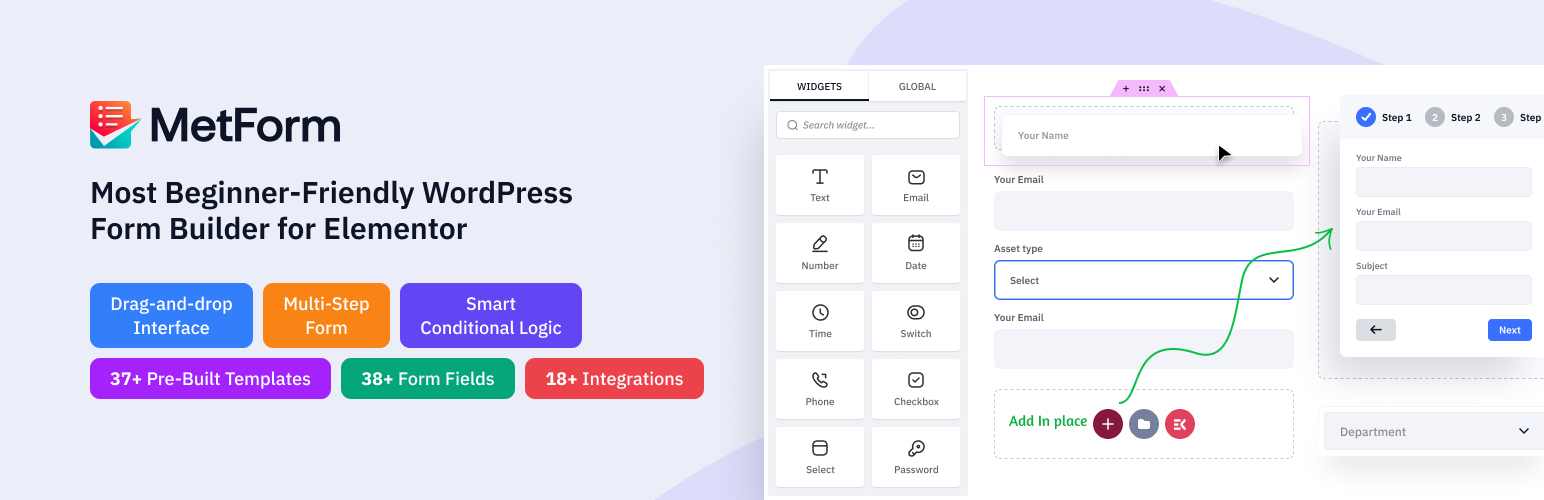
MetForm은 드래그 앤 드롭 워드프레스 문의 양식 빌더로, 엘리멘터용 추가 기능입니다. 이 엘리멘터 문의 양식 빌더 플러그인은 직관적인 실시간 양식 제작 환경을 제공하여, 전문 지식 수준에 관계없이 누구나 전문적으로 디자인된 웹사이트 양식을 생성할 수 있게 합니다.
코드 없이 여러 연락처 폼을 관리하고 맞춤 설정할 때 가장 빠르고 안전한 경험을 제공합니다.
최고의 엘리멘터 문의 양식 빌더 플러그인 사이트 – 600,000+ 워드프레스 사용자 지원
MetForm는 워드프레스의 기능을 확장하여 자원봉사 신청서, 행사 양식, 대출 신청서, 음식점 예약, 계산 양식, 입학 서류, 뉴스레터 구독, 데이터 삭제 요청, 상품 주문, WooCommerce 결제, 구독 양식, 환자 양식, 건의 양식, 설문조사 또는 설문조사 후 양식 등 다양한 맞춤형 양식을 만드는 데 도움을 줍니다.
USEFUL LINKS
기능 살펴보기 | 지원이 필요하신가요? | 문서 확인 | 동영상 튜토리얼 | 로드맵 확인 및 기능 요청 | 프로 버전 구매
워드프레스 문의 양식 빌더 — 최고의 유연성
This WordPress form plugin is built with Elementor, where each field is an Elementor widget you can arrange using drag and drop facility. You can also add images or videos below your form to engage users. Our free contact form builder offers various field input styles to match your brand.
A standout feature of MetFom is the option to create custom field groups and reuse them in any form with one click. The lite version is enough to build forms like referral forms, testimonial forms, and client feedback forms.
You’ll also get demos for multi-step, conditional, feedback, event, job application, booking, custom social signup, and product registration forms—making it ideal for beginners.
Pre-Built Form Templates
MetForm provides a comprehensive library of pre-built templates designed to help you deploy functional forms quickly without having to build them entirely from scratch. The collection covers a wide variety of common use cases, ranging from simple contact and newsletter signup layouts to more complex event registrations, job applications, and multi-step booking systems.
모바일 친화적이고 반응형 폼 빌더
Metform은 Elementor와 문제없이 작동하며, 반응성은 Elementor 페이지 빌더로 제어할 수 있습니다. 이 커스텀 폼 빌더를 사용하면 스마트 주문 폼이나 기타 온라인 폼이 모바일, 태블릿, 데스크톱 등 모든 해상도와 기기에서 훌륭하게 보입니다.
단축코드로 어디에나 임베드
You can use Metform anywhere to create an Elementor contact form. Also, you can use it with any editor with a built-in form shortcode. Utilizing the shortcode support for customization is easy.
Elementor 양식 제출 관리
Your online form submission data can be saved in admin. So, it will send data to the form admin and also send a confirmation email to form users.
스마트 조건형 양식 만들기
조건부 논리는 더 스마트하고 동적인 양식을 만들 수 있도록 도와주는 프리미엄 MetForm 기능입니다. 사용자가 선택하거나 입력한 내용에 따라 특정 필드를 표시하거나 숨길 수 있습니다. 이는 사용자가 특정 작업을 수행하거나 특정 옵션을 선택한 후에만 특정 필드가 나타나도록 하여 양식을 더 깔끔하고 개인화되게 만듭니다.
다단계 양식 만들기
긴 양식을 단계별 프로세스로 나누어 사용자 경험을 개선하세요. 양식을 더 작고 관리하기 쉬운 섹션으로 나누면 사용자가 겁을 먹거나 중간에 포기할 가능성이 줄어듭니다. MetForm을 사용하면 워드프레스의 어떤 양식이든 Elementor에서 쉽게 다단계 양식으로 전환할 수 있습니다.
Schedule Forms
Automate form availability by setting specific start and end dates. This controls exactly when forms are active for time-sensitive events like registrations or surveys without manual publishing.
Convert Form to Post
Automatically turn user submissions into WordPress posts. Map form fields to post titles, content, and custom post types to let visitors submit articles or reviews directly from the front end.
GDPR Compliant Form-Building
Meet privacy regulations by easily adding mandatory consent checkboxes. This ensures you capture explicit user permission before collecting or storing personal data.
Quiz & Survey Forms Module
Create interactive quizzes and detailed surveys. Assign point values to specific questions, calculate total scores, and display custom results based on user responses.
문의 양식 항목을 CSV로 내보내기
폼 항목을 CSV로 내보내고 싶으신가요? 네, Metform Elementor 폼 빌더 애드온으로 가능합니다.
Free HubSpot Integration
HubSpot integration is also available in MetForm. It ensures flawless customer relationship management. With MetForm HubSpot integration, you can store all the data properly in the HubSpot account and get access to any data in the shortest possible time.
Mailchimp 통합
You can use MailChimp in your contact form to collect and send leads from WordPress to MailChimp. Also, create MailChimp signup or lead generation forms and boxes with a custom style and expand your lead list.
✨MetForm의 주요 기능 — Elementor 폼 빌더
- Built with Elementor: MetForm is based on Elementor. This means this contact form builder offers an Elementor-like intuitive drag-and-drop workflow and real-time preview of your customizations. And, this budget-friendly email building tool with impressive form-building functionality powered by Elementor Builder has no learning curve.
따라서 초보자들도 보고 수집을 위한 문의 양식, 연락처 양식, 예약 양식 등의 다양한 양식을 쉽게 생성할 수 있습니다. MetForm으로 워드프레스 예약 양식을 만드는 방법을 알아보세요 👇
- Elementor 폼 입력 필드: 리드 생성부터 설문 조사 폼, 또는 복잡한 스타일의 폼까지, 선호하는 스타일로 구축할 수 있도록 40개 이상의 Elementor 위젯 필드를 설계했습니다.
MetForm 필드
텍스트 필드, 이메일 필드, 숫자 필드, 날짜 필드, 시간 필드, 선택 필드, 텍스트영역 필드, 체크박스 필드, 라디오 필드, 스위처 필드, 범위 슬라이더 필드, URL 필드, 비밀번호 필드, 응답 메시지, 옵트인, reCAPTCHA, 평가, 파일 업로드 등 등이 있습니다.
-
사용자 확인 이메일: 사용자가 등록하거나 데이터를 입력한 후, 또는 캠페인 종료 시 확인 이메일을 보내어 제출자에게 친절한 제스처를 보여줍니다.
-
관리자 알림 이메일: 사용자가 폼 제출을 완료한 후 성공적인 주문 알림을 관리자에게 전송합니다.
-
관리자 패널에 저장된 양식 항목: 사용자가 양식을 작성하기 위해 제공한 모든 데이터를 저장하고 관리자 패널에 표시합니다.
-
양식 항목을 CSV로 내보내기: 사용자가 MetForm에 입력한 여러 데이터를 단일 CSV 파일로 내보내고 스프레드시트로 다운로드합니다.
-
양식을 Google 스프레드시트로 내보내기: 인기 있는 Elementor 양식 생성기 MetForm을 사용하면 모든 사용자의 개인 연락처, 데이터베이스 및 메시지를 Google 스프레드시트로 내보낼 수 있습니다.
-
폼 제출 시 로그인 필요: 필수 필드를 표시하여 안전하고 스팸 없는 연락처 폼을 보장합니다. 해당 필드가 비어 있을 경우 빨간 별이나 오류 메시지로 알립니다.
-
사용자 브라우저 데이터 캡처: 웹 브라우저, 방문한 URL, 제목, 방문 시간, 방문 횟수, 사용자 프로필 등 사용자의 브라우저 정보를 표시합니다.
-
제출 후 폼 숨기기: 사용자가 모든 필요한 필드를 입력하고 제출 버튼을 누른 후 공용 Elementor 폼을 숨깁니다.
-
Limit Total Entries: Enable limit to the number of submission entries to your Elementor form. This Elementor contact form builder feature will also give an error message after getting crossed.
-
Redirect After Successful Form Submission: Simply add the desired destination URL and redirect to that page after successfully submitting the form. It is possible with Elementor form maker MetForm.
-
필수 폼 필드 유효성 검사: 다단계 Elementor 컨택트 폼 빌더는 폼의 필수 필드를 유효성 검사하고, 필요 시 오류 메시지를 제공하여 폼을 표준화하고 더욱 전문적으로 만듭니다.
-
페이지 새로고침 없이 AJAX를 통한 폼 제출: 저희 Elementor 컨택트 폼 메이커는 페이지를 로드하지 않고 AJAX를 통해 간단한 컨택트 폼을 제출할 수 있도록 하여 사용자 친화적이고 시간을 절약할 수 있게 합니다. 따라서 온라인 방문자는 페이지 로딩 없이 AJAX를 사용하여 폼을 작성할 수 있습니다.
-
다중 열 레이아웃 지원: 표시하고 싶은 만큼 여러 열 레이아웃을 지정할 수 있습니다. 다단계 폼 빌더를 사용하여 클릭 한 번으로 열을 간단히 추가하세요.
-
쇼트코드 지원: 기술적이고 복잡하며 긴 코드를 알지 못해도 간단한 쇼트코드를 사용하여 강력한 기능을 추가할 수 있습니다. 이제 사용자 정의 옵션에 대한 쇼트코드 지원을 쉽게 받을 수 있습니다.
-
편집 가능한 성공적인 양식 제출 메시지: MetForm Elementor 양식 빌더는 성공적인 양식 제출 메시지를 편집할 수 있는 기능을 제공하여 사용자 맞춤형 메시지를 작성할 수 있습니다.
-
번역 준비 완료: 저희 워드프레스 컨택트 폼 빌더 플러그인은 여러 언어를 지원하므로 원하는 언어로 쉽게 번역할 수 있습니다.
-
최고의 사용자 지원: MetForm은 문서, FAQ, 튜토리얼, 블로그로 풍부하게 구성되어 있습니다. 이러한 자료에서 문제에 대한 답변을 찾을 수 있습니다. 또한, 지원 팀은 한 통의 전화로 연결할 수 있습니다.
다른 입력란들
-
전화번호 입력 필드: 사용자가 드롭다운에서 국가 코드 접두사를 선택할 수 있도록 하세요.
-
이미지 선택 입력 필드: 제출자가 하나를 선택할 수 있도록 이미지를 수직 또는 수평으로 업로드합니다.
-
토글 선택 입력 필드: 가장 강력한 토글 선택 기능을 사용하여 여러 섹션 중 하나의 섹션을 세로 또는 가로로 동시에 활성화할 수 있습니다. 하나의 섹션을 활성으로 선택하면 다른 섹션은 자동으로 비활성화됩니다.
-
간단 반복 입력 필드: 한 번의 클릭으로 나중에 사용할 필드 그룹을 생성합니다.
-
구글 맵 위치 입력 필드: 사용자가 폼에서 자신의 위치를 정확하게 지정할 수 있도록 합니다.
-
컬러 피커 입력 필드: 컬러 피커에서 색상을 선택하여 폼을 디자인합니다.
-
계산 필드 목록: 사용자가 폼 필드 간 계산을 수행한 후 자동으로 계산된 값을 표시합니다.
-
Payment Method Input Field: Select a payment method like Paypal or Stripe and make a user payment policy.
-
Signature Input Field: Get users’ realistic signatures on your form.
-
Like-Dislike Input Field: Allow users to react using like and dislike fields
MetForm 폼 빌더에는 다음도 포함됩니다
- Multi-Step Form: Divide your large form into multiple sections to make it more user-friendly for customers to increase the completion rate.
- 스마트 조건부 논리: 여기 우리 가장 독특한 입력란인 “조건부 논리”가 있습니다. 사용자는 카테고리를 선택할 수 있으며, 해당 질문은 그 섹션에만 표시되고 그렇지 않으면 보이지 않습니다.
조건부 로직 데모 1 – 조건부 로직 데모 2 – 조건부 로직 데모 3 – 조건부 로직 데모 4
-
REST API Support: Get form submission data and submission notification to Third Party API URL or Webhook by integrating our Rest API very easily.
-
WooCommerce checkout: Shows you the add to cart product and checkout form on a single page, Also, MetForm enables you to complete orders and payments without leaving the page.
-
Auto Populate Field: Show additional fields after someone fills up the form.
- Calculation: Help you to perform your calculations and display the results within seconds in your form.
웹훅: 양식 제출을 기반으로 실시간 데이터 전송을 활성화하고 즉시 동작을 트리거합니다.
**✨** MetForm 통합 기능
🔷 MailChimp 통합: MailChimp를 쉽게 통합하여 메일링 리스트를 생성하고 관리하며, 자동 메일 발송, 뉴스레터, 리드 전송 및 기타 여러 옵션을 제공합니다.
🔷 워드프레스 ZoHo CRM 통합: Elementor 폼 빌더 MetForm의 ZoHo 통합으로 고객 관계를 관리하고 마케팅 및 영업 속도를 높이세요.
🔷 HubSpot 통합: 모든 연락처를 HubSpot 계정 안에 저장하여 잃을 걱정 없이 보관하세요. 결과적으로 방문자 또는 고객의 정보를 쉽게 관리할 수 있습니다.
🔷 결제 방법: 이 워드프레스 폼 빌더 플러그인은 PayPal 및 Stripe 같은 결제 게이트웨이와 통합되어 사용자에게 Elementor 문의 양식에서 결제 옵션을 제공합니다.
🔷 FluentCRM 통합: FluentCRM 내에서 모든 임베드 웹 폼 제출 데이터를 보기 및 관리하여 성공적인 이메일 마케팅과 성장 해킹을 지원합니다.
🔷 HelpScout 통합: HelpScout 문의 양식을 통해 성공적인 유대감을 형성하고 고객과의 관계를 그 어느 때보다 잘 관리하세요. 이 문의 양식의 동적 CRM 통합은 모든 연락처를 티켓이나 사례 번호 없이 분류할 수 있게 해 시간을 절약해줍니다.
🔷 Twilio 통합: Twilio 통합을 통해 고객, 클라이언트 또는 방문자와 통화나 메시지로 연결하세요.
🔷 ConvertKit 통합: 가장 단순한 인터페이스로 구축된 ConvertKit과 통합하여 모든 뉴스레터를 성공적으로 관리합니다.
🔷 ActiveCampaign 연동: ActiveCampaign 연동으로 연락처 목록 관리를 아주 쉽게 하세요.
🔷 Aweber 통합: 이메일 마케팅 서비스 제공업체인 Aweber와 간편하게 통합하여, 구독자와 연락을 유지할 수 있는 Aweber 양식을 생성하세요.
🔷 GetResponse 통합: 이메일 마케팅 목록을 정리하기 위한 다른 뉴스레터 통합 기능 중 하나입니다.
🔷 MailPoet 통합: 가장 쉬운 드래그 앤 드롭 기능으로 간단하고 쉬운 문의 양식을 만들기 위해 워드프레스 사이트를 MailPoet와 연결하세요.
🔷 Zapier 통합: 양식의 Zapier 통합을 통해 코딩 없이 수천 개의 인기 앱과 연결할 수 있습니다.
🔷 Slack Integration: Elementor 폼 데이터를 모두 리다이렉트하여 Slack과 통합하고 고객 정보를 더 빠르게 받을 수 있습니다.
🔷 Google reCAPTCHA 통합: Metform Elementor 폼 빌더는 원치 않는 스팸 및 악성 트래픽으로부터 사이트를 안전하게 보호하기 위해 Google reCAPTCHA를 통합할 수 있습니다.
🔷 reCAPTCHA 통합: Google reCAPTCHA를 사용해 귀하의 웹사이트를 스팸 및 악용으로부터 보호하세요.
🔷 지도 통합: MetForm – 문의 양식 빌더에 Google 지도 API 키를 추가하여 고객 위치를 확인하세요.
🔷 SureTriggers 통합: 서로 다른 웹사이트, 애플리케이션, 소프트웨어 및 워드프레스 플러그인들을 단일 플랫폼으로 통합하세요.
🔷 MailerLite Integration: Streamline lead collection by syncing form submission data directly into your established MailerLite subscriber groups.
Learn How to Install and Activate MetForm
😍 BACKED BY A TRUSTED TEAM
Metform is brought to you by Wpmet, a name trusted by 10,00,000+ satisfied users worldwide.
» SOCIAL MEDIA SUPPORT
🙋🏼♂️ 우리 페이스북 커뮤니티에 가입하세요 👍 우리 페이스북 페이지를 좋아요 해주세요 🌐 X (트위터)에서 팔로우하세요 🌐 인스타그램에서 팔로우하세요 🌐 LinkedIn에서 연결하세요 👉 WordPress에서 평가해주세요
💥 OUR OTHER PLUGINS
If you like using the MetForm form builder, then consider checking out our other products:
⭕ ElementsKit The most popular all-in-one addons for Elementor.
⭕ ShopEngine It is an absolute WooCommerce Solution. You will have a great experience with this WooCommerce Builder for Elementor and Gutenberg.
⭕ GetGenie Ai GetGenie AI is an AI-powered Content & SEO Assistant. You can access it as a WordPress plugin and a SaaS model. The tool also offers a chatbot called GenieChat and an AI image generator named Genie Image.
⭕ Wp Social Power your WordPress site by using WP Social. It will assist you in adding a Social Login, Social Counter, and Social Login to your website.
⭕ GutenKit It helps to transform Gutenberg block editor into a full-fledged page builder.
⭕ PopupKit – PopupKit is a user-friendly WordPress popup builder with customizable blocks and templates.
⭕ EmailKit – To craft stunning and responsive emails for WooCommerce and WordPress, EmailKit is the top email builder.
⭕ Wp Ultimate Review – Check out the quick plugin, and manage and style customer reviews according to your preferences.
⭕ TableKit – Make fully-customizable multipurpose table & generate data table within Gutenberg block editor.
방문하세요 wpmet에서 플러그인을 사용하여 WordPress를 최대한 활용하는 방법에 대해 더 알아보세요. 확인해보세요 튜토리얼, 팁 & 트릭! 👌