
Nginx Mobile Theme
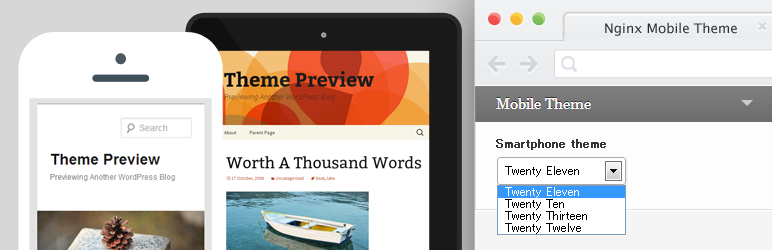
This plugin allows you to switch theme according to the User Agent on the Nginx reverse proxy.
Nginx Mobile Theme’s requirements are as follows.
- PHP 5.3 or later
- WordPress 3.7 or later
- Nginx Cache Controller 2.0.0 or later
Some Features
- You can flush mobile’s and pc’s each caches automatically via Nginx Cache Controller.
- Allow you to switch theme according to the user-agent.
- Allow you to customize multiple mobile device support via filter-hook.
Nginx Configuration
Add mobile device detection to the nginx.conf.
set $mobile '';
if ($http_user_agent ~* '(iPhone|iPod|incognito|webmate|Android|dream|CUPCAKE|froyo|BlackBerry|webOS|s8000|bada|IEMobile|Googlebot\-Mobile|AdsBot\-Google)') {
    set $mobile "@smartphone";
}
Set proxy_cache_key.
proxy_cache_key "$mobile$scheme://$host$request_uri";
Send custom request header to the backend.
proxy_set_header X-UA-Detect $mobile;
Nginx Mobile Theme will switch theme when ‘@smartphone’ is received in the $_SERVER['HTTP_X_UA_DETECT'].
How to use
- Please access to the theme-customizer in the WordPress admin area.
- Please select Mobile Theme in the drop-down.
- Click “Save & Publish” button to save.
Multiple mobile device support
- Add custom mobile detection to the nginx.conf.
- Add custom mobile detection to the WordPress via
nginxmobile_mobile_detectsfilter-hook.
nginx.conf: set $mobile ”; if ($http_user_agent ~* ‘(iPhone|iPod)’) { set $mobile “@smartphone”; } if ($http_user_agent ~* ‘iPad’) { set $mobile “@tablet”; }
In your custom plugin: add_filter(‘nginxmobile_mobile_detects’, function(){ return array(‘@smartphone’, ‘@tablet’); });
- As a result, allow you to select theme for @smartphone and @tablet individually in the theme-customizer.
Amimoto Support
The Amimoto is a full-tuned WordPress AMI on the AWS EC2.
- Uncomment /etc/nginx/conf.d/default.conf in line 17
before: #include /etc/nginx/mobile-detect;
after: include /etc/nginx/mobile-detect;
- Add line to /etc/nginx/nginx.conf like following.
before: proxy_set_header X-Forwarded-For $proxy_add_x_forwarded_for; proxy_set_header Accept-Encoding “”;
after: proxy_set_header X-Forwarded-For $proxy_add_x_forwarded_for; proxy_set_header Accept-Encoding “”; proxy_set_header X-UA-Detect $mobile; # add new line
-
Define constant in the wp-config.php
define(‘IS_AMIMOTO’, true);