
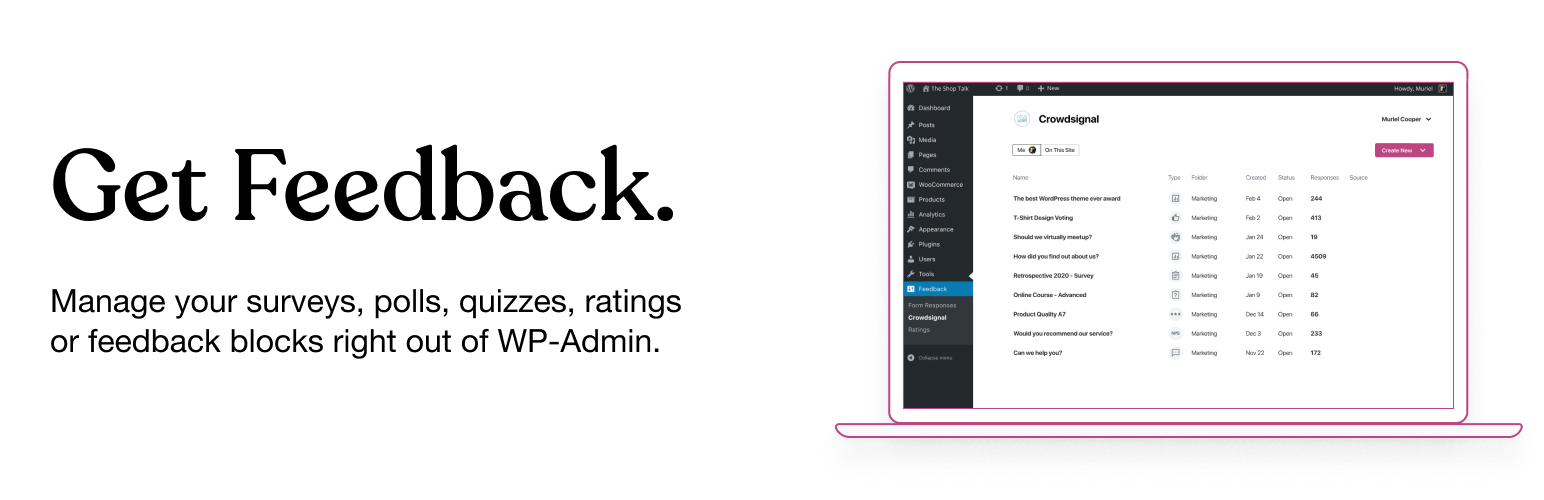
The Crowdsignal Dashboard plugin allows you to create and manage polls, surveys, quizzes, and ratings from within your WordPress admin. See all your projects in one place, be they surveys, quizzes and polls made on Crowdsignal.com or any of our poll and survey blocks using our Crowdsignal Forms plugin. With just one click view all results for your responses as they come in to analyze responses in real time and export your results everywhere!
The Block Editor
Are you using the new block editor for WordPress? Our other plugin, Crowdsignal Forms provides a number of blocks for your post editor that allow you to gather actionable feedback from your audience: * Poll: Create polls and get your audience’s opinion. * Survey Embed: Create surveys in minutes with 14 question types and embed them into your page. * Feedback Button: A floating and always visible button that allows your audience to share feedback anytime. * Measure NPS: Calculate your Net Promoter Score! Collect feedback and track customer satisfaction over time. * Voting: Allow your audience to rate your work or express their opinion. * Applause: Let your audience cheer with a big round of applause.
Learn more about the Crowdsignal Forms plugin here, and on crowdsignal.com.
Want to help translate the plugin or keep an existing translation up-to-date? Head on over to the translation site.
Some strings are not translated when polls and surveys are embedded. You will have to translate them using a language pack on Crowdsignal.com.
Development of the plugin takes place in this GitHub repository. Contributions are welcome!
The Classic Editor
If you are a long time user of this plugin and you still use the classic post editor, the best way to create polls is through your Crowdsignal account where you have a number of different ways to share polls (and surveys). However, up to version 2.2.6, this plugin had an “Add Poll” button above the post editor that opened a very basic poll editor. That “Add Poll” button has since been removed but if you would still like to use it, open up the wp-admin dashboard on your WordPress site. Add “admin.php?page=polls&action=create-poll” to the end of the URL, after “wp-admin/” so it looks like https://example.com/wp-admin/admin.php?page=polls&action=create-poll and you will see the old poll editor. Bookmark that URL if you still want to use that poll editor. We do not recommend using version 2.2.6 of the plugin as you will miss out on many bug fixes and new features added since then.