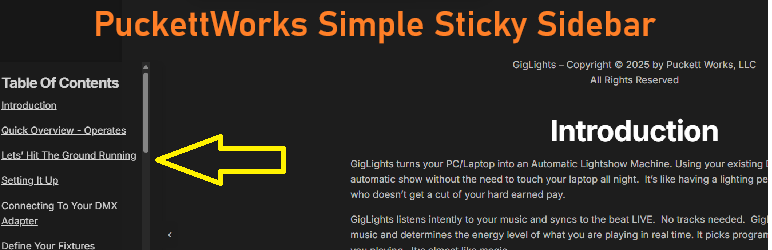
Puckettwork’s Super Simple Sticky Sidebar adds a fixed-position panel to the left or right edge of your site. It stays visible as visitors scroll, making it ideal for calls to action, contact info, announcements, or navigation links. Very Simple but effective for anything that needs a static menu or text links (or ads) attached to the left or right of the screen. I was creating an online manual and wanted the table of contents with section links to stay on the left side of the screen as the user scrolled through the manual. This plugin allows the links to remain on the screen at all times so the user can jump to a particular section in the manual. I thought it may be useful since I couldn’t find anything like it so I created a plugin to do the job.
Puckettwork’s Super Simple Sticky Sidebar has a good selection of configurable settings like color, position, transparency, size and offsets. That should be enough to customize it to your needs. Settings can be found under the menu Settings–>puckettworks simple sticky sidebar.
Features
Visual editor (TinyMCE) for rich content bold, italic, lists, links, images, and raw HTML Left or right side positioning Background color picker Adjustable width (px or %), vertical position, padding, title font size, and opacity Collapsible toggle button with state remembered in local Storage Page visibility rules show on all pages, only specific pages, or exclude specific pages Target by page/post ID or content type (front page, blog, single posts, pages, archives)