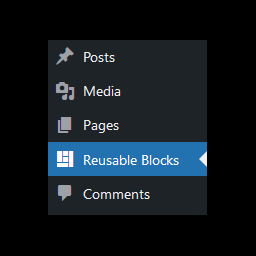
Reusable Blocks Admin Menu Option
·
This plugin will add an option to the WordPress admin menu for quick access to the Manage Reusable Blocks page.
평가
버전
1.0.3
활성화된 설치 항목
400
최근 업데이트일
Oct 11, 2021

You can access the Manage Reusable Blocks page from within the Gutenberg block editor by using the option in the Reusable section of the add block dialog. However, especially when building a new site, I have found this to be quite a lot of clicks just to make a quick change.
This is a simple plugin that adds an entry into the admin menu for quicker direct access to the page.
How To Use
To use the plugin, simply install and activate it. This will add a new ‘Reusable Blocks’ option to the WordPress admin menu.
Clicking on this option will take you to the reusable blocks page.