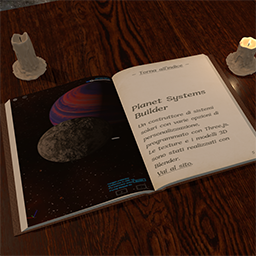

After installing this plugin, you will be able to upload various ebook formats as normal media files and to display them on your site using a shortcode.
Every ebook uploaded on your site will have an “ebook slug” (by default it will be the ebook name) that you can view and edit in the Edit Media page of the Admin Panel.
The full source code of the plugin is hosted on GitHub.
Supported formats At the moment, the plugin will let you upload and display the following file types, provided that they are DRM-free:
- epub
- mobi
- azw
- azw3
- fb2
- fbz
- cbz
Usage
Insert the shortcode [simebv_viewer book="MY_EBOOK_SLUG_HERE"] in any one of your posts.
Styling You can add css styles and classes for the viewer container by adding these attributes to the shortcode:
heightwidthmax-heightmax-widthborderstyleclass
Height, width, max-height, max-width and border accept any valid CSS value for those properties. Style and class accept any valid value for the respective HTML attributes.
Some examples:
[simebv_viewer book="MY_EBOOK_SLUG_HERE" style="height:30em;border:2px inset black"]

[simebv_viewer book="MY_EBOOK_SLUG_HERE" max-height="100vh" height="40em"]

[simebv_viewer book="MY_EBOOK_SLUG_HERE" class="my-container-class my-container-second-class"]

/* You can overwrite the default font family of the Viewer's UI
   with the CSS variable --simebv-ui-font-family */
[simebv_viewer book="MY_EBOOK_SLUG_HERE" style="--simebv-ui-font-family:monospace;"]
Settings
The users of your site will be able to set their preferences about the appearance of the ebook in the Viewer by opening the Viewer menu (the cog icon on the top right) and by selecting the appropriate entries.
The plugin sets some reasonable defaults for these preferences, but if you’re not happy with those defaults, you can change them by adding one or more of the following attributes to the shortcode, with the appropriate values.
Reflowable ebooks
layout- accepted values: “paginated” or “scrolled” (default: paginated)
default-font-size- accepted values: “small“, “medium“, “large“, “x-large” (default: medium)
font-family- accepted_values: “auto“, “serif“, “sans-serif“, “monospace“, “opendyslexic” (default: auto)
page-margins- accepted values: “small“, “medium“, “large” (default: medium)
text-align- accepted values: “auto“, “left“, “center“, “right“, “justify” (default: auto)
line-height- accepted values: “auto“, “tight“, “medium“, “ample” (default: “auto“)
hyphenation- accepted values: “auto“, “yes“, “no” (default: “auto“)
show-page-delimiters- accepted values: “true“, “false” (default: false)
Fixed Layout
zoom- accepted values: “fit-page“, “fit-width” or a number in the range 10 – 400 (default: fit-page)
reading-order- accepted values: “auto“, “ltr“, “rtl” (default: auto)
PDFs and Comic books (cbz)
first-page- accepted values: “left“, “right” (default: right)
All ebooks
show-annotations- accepted values: “true“, “false” (default: false)
color-scheme- accepted values: “auto“, “sepia“, “light“, “dark“, “light-forced“, “dark-forced” (default: auto)
pagination-style- accepted values: “slider“, “pages“, “percent” (default: slider)
max-pages- accepted values: 1, 2, 3 or 4 (default: 2) (3 and 4 are accepted only for reflowable ebooks)
Max-pages is the maximum number of pages (in the “paginated” layout) that the user will be able to see in a single view (if there is enough screen space).
Show-annotations and show-page-delimiters let the user see on the pages the Calibre annotations (as highlighted text, if there are Calibre annotations in the ebook) and the page delimiters (as short vertical bars, if the ebook contains a page list).
The reading-order sets the page progression of the ebook (ltr -> left-to-right, rtl -> right-to-left), not the text direction inside the pages.
Color-scheme: “auto” means that the Viewer will adapt to the preferred color-scheme set by the user on their device or browser (light or dark).
For most ebooks these preferences should be enough, but sometimes there are ebooks with style rules that don’t play well with the styles set by the Viewer, so the users have also the option to apply some filters to the Viewer’s colors (with the menu entry “Color filter…”).
You can set the default values for these filters with the following shortcode’s attributes:
activate-color-filter- accepted values: “true“, “false” (default: false)
invert-color-filter- accepted values: a number in the range 0 – 1 (default: 0)
rotate-color-filter- accepted values: a number in the range 0 – 360 (default: 0)
bg-transparent-filter- accepted values: “true“, “false” (default: true)
bg-color-filter- accepted values: a valid CSS hex color code (default: #FFFFFF)
Setting activate-color-filter to “true” is necessary to enable all the other filters, and setting bg-transparent-filter to false is necessary to enable bg-color-filter.
Bg-transparent-filter and bg-color-filter are available for reflowable ebooks only.
Invert-color-filter inverts the lightness of the colors. With a value of 0 it has no effect, with a value of 1, white become black and black become white.
Rotate-color-filter rotates the hues of all the colors in the ebook, like on a Color Wheel (so, no effect on black and white).
There are some other settings that the users won’t be able to change by themselves. These are:
always-full-viewport- accepted values: “true“, “false” (default: false. If true, return-to-url is also required)
return-to-url- accepted values: a URL with the same hostname as the page that contains the ebook viewer (default: ”)
real-fullscreen- accepted values: “true“, “false” (default: false)
allow-js- accepted values: “true“, “false” (default: false)
math-styles- accepted values: “fonts“, “styles“, “all” (default: ”)
ebook-author- accepted values: any string, max 260 characters (default: ”)
ebook-title- accepted values: any string, max 260 characters (default: ”)
popup-notes- accepted values: “true“, “false” (default: true)
With always-full-viewport set to “true”, the ebook viewer will automatically cover the entire webpage when it is opened, and the “full screen” icon will be replaced by a “close viewer” icon. always-full-viewport=”true” requires that also return-to-url is present, with a valid URL that indicates the destination of the user when they choose to close the viewer. The URL can be relative (e.g., “/” or “/books-gallery”) or absolute. In either case, it must have the same hostname as the webpage containing the ebook viewer (e.g. if the viewer is at https://www.example.com/ebook-viewer, the absolute URL must start with https://www.example.com).
If real-fullscreen is set to “true”, the ebook viewer will cover the entire screen instead of only the viewport of the webpage when the user clicks on the “full screen” icon. With real-fullscreen set to true, always-full-viewport is ignored, since the full screen requires an explicit action by the user.
Allow-js: normally, the plugin forbids, as far as possible, script execution from inside the ebooks. If you set allow-js to true, this restriction is relaxed, and scripts within the ebook can be executed. Caveat 1: you need to be absolutely certain that the code inside the ebook is not malicious, since it can harm your entire webpage. Caveat 2: the ebook viewer is not strongly equipped to deal with dynamic content created or removed after the ebook opening, so you might encounter errors or inaccuracies when jumping from one ebook location to another in such a circumstance.
Math-styles: in recent years all the major browsers have implemented a good deal of the MathML Core specification, so it is now possible to represent natively many mathematical expressions without the use of third party libraries. However, not all browsers and systems load automatically appropriate fonts. With math-styles set to “fonts” or “all”, all the contents of MathML expression will use the Latin Modern font. Another shortcoming in the current support of MathML is that only Gecko based browsers (i.e. Firefox) implement a breaking lines algorithm, so long math expressions within small screens usually don’t fit entirely. With math-styles set to “styles” or “all”, the plugin will use some html+css tricks to try to allow either line breaks or horizontal scrolling.
Ebook-author and ebook-title: you can use these optional values to override the ones that the ebook viewer retrieves from the ebook metadata in order to display them to the users.
Popup-notes: show footnotes and endnotes as popups instead of just links. The notes (and their references) need to be marked with the appropriate epub:type attributes to ensure that they are displayed as popups (the ebook viewer will try to recognize them anyway, but without guarantees).
Warning
Ebooks can contain scripted content that might be executed on your webpage. The plugin does its best to forbid script execution from inside the loaded content, but it can’t guarantee 100% safety. Don’t display ebooks from untrusted sources and/or check your ebooks before uploading and displaying them. If you can, provide a strict Content Security Policy for your site.
Credits
This plugin embeds a modified version of the foliate-js library by John Factotum (https://github.com/johnfactotum/foliate-js), which is distributed under the MIT license.
As secondary dependencies of the foliate-js library, the plugin embeds three other libraries:
- zip.js (https://github.com/gildas-lormeau/zip.js), licensed under the BSD-3-Clause;
- fflate (https://github.com/101arrowz/fflate), MIT licensed.
- PDF.js (https://github.com/mozilla/pdf.js), licensed under the Apache v2.0 license.
Other libraries embedded by the plugin are:
- vite-for-wp by Dzikri Aziz (https://github.com/kucrut/vite-for-wp), licensed under the GPL v2.0 license
- Speech Rule Engine (https://github.com/Speech-Rule-Engine/speech-rule-engine), licensed under the Apache v2.0 license
Embedded fonts:
- OpenDyslexic (https://opendyslexic.org/) by Abbie Gonzales, licensed under the SIL Open Font License v1.1;
- Manrope (https://github.com/sharanda/manrope) by The Manrope Project Authors, licensed under the SIL Open Font License v1.1;
- Latin Modern (https://www.gust.org.pl/projects/e-foundry) by the Polish TeX Users Group, licensed under the GUST Font License.
OpenDyslexic and Latin Modern fonts have been converted from their original OpenType format to the woff2 format for use on the web, without, to the best of my knowledge, modifying their internal parameters and metadata.