
Trusted by 300,000+ WordPress sites, rated 4.9 stars with 430+ five-star reviews, actively developed for 10+ years, and translated into 15+ languages.
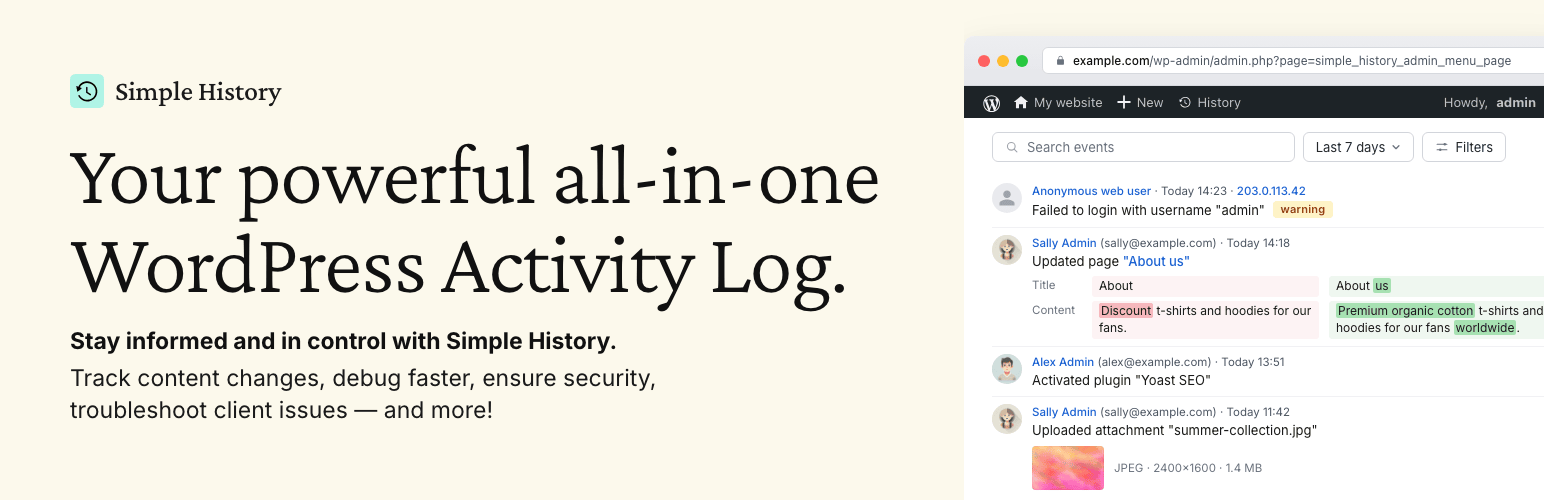
Simple History is the complete audit log for WordPress. It tracks every meaningful change — content edits, user logins, plugin updates, security events, and more — so site owners, teams, agencies, and developers always know who did what and when. Just install and activate; no configuration required.
🔍 심플 히스토리가 실제 상황에서 도움이 되는 방법
사이트에서 일어나는 일을 추적하세요 “오늘 누가 무슨 일을 했을까? 아, 사라가 새 보도자료를 업로드하고 관련 기사를 작성했네. 좋았어 — 이제 내가 할 필요가 없겠군.”
문제를 식별하고 더 빠르게 디버깅하세요 “어제부터 사이트가 느리게 느껴지네요. 누군가 특별한 작업을 했나요? … 아, 스티븐이 ‘나쁜 플러그인-x’를 활성화했군요. 그게 문제였을 거예요.”
프리랜서와 에이전시의 책임성을 확보하세요 “사이트 최적화를 위해 개발자를 고용했습니다. 하지만 실제로 무슨 일을 했을까요? Simple History를 간단히 확인하면 그들이 정확히 어떤 작업을 수행했는지 알 수 있습니다.”
Spot suspicious activity early “I see three failed logins from an unfamiliar IP address overnight. Let me click the IP to check all activity from that address — just those attempts, nothing else. Good to know.”
✨ What Simple History Tracks
Security & Monitoring
- Failed user logins with IP tracking and filtering by type (wrong password vs. non-existent username)
- Core file integrity checks against official checksums
- Forced security auto-updates from WordPress.org
- Site Health status changes
- Admin page access denied events
Content & Users
- Posts, pages, and custom post types — create, edit, delete, and homepage assignment
- Attachments with image edit details (crop, rotate, flip, scale) and thumbnail previews
- Taxonomies with detailed diffs of name, slug, description, and parent
- Comments, menus (with item-level detail), and widgets
- User profiles, logins, logouts, and role changes
- Notes — the collaboration feature in WordPress 6.9
System & Updates
- Plugin lifecycle: install, update, activate, deactivate, delete, and auto-update toggle
- Theme install, update, activate, switch, and delete
- WordPress core updates (manual and automatic)
- Translation and language pack updates
- Available update notifications
- Settings and option screen changes
Privacy & Compliance
- Privacy data export and user data erasure requests
- Privacy page changes
- IP addresses anonymized by default — no cookies, no external fonts
🔌 Built-in Third-Party Plugin Support
Simple History includes built-in logging for:
- Jetpack – Module activations and deactivations
- Advanced Custom Fields (ACF) – Field group and field changes
- User Switching – User switch events
- WP Crontrol – Cron event and schedule changes
- Enable Media Replace – File replacement details
- Limit Login Attempts – Login attempts, lockouts, and config changes
- Redirection – Redirect and group changes, global settings
- Duplicate Post – Post and page cloning
- Beaver Builder – Layout, template, and settings saves
플러그인이 누락되었나요? 플러그인 작성자는 로깅 API를 사용하여 지원을 추가할 수 있습니다.
💬 사용자들의 이야기
430+ five-star reviews on WordPress.org:
- “지금까지 가장 훌륭하고 포괄적인 로깅 플러그인” – @herrschuessler
- “내가 찾은 최고의 기록 플러그인” – Rich Mehta
- “모든 사이트에서 사용하는 환상적인 플러그인” – 던컨 마이클-맥그리거
- “이것은 저희 모든 사이트에 적용되는 표준 플러그인입니다” – Mr Tibbs
🚀 View Your Log Everywhere
Simple History starts tracking instantly after activation — no setup needed. It even imports recent activity so your log isn’t empty on day one. Access your log from:
- Dashboard widget – Activity stats summary and recent events
- Admin bar quick view – Dropdown with latest events on any admin page
- Command palette – Type “Simple History” to jump to the log for the current post
- Dedicated admin page – Full log with search, filters, and insights sidebar
- Email reports – Weekly summary delivered to your inbox
- RSS feed – Password-protected feed for your favorite reader
- WP-CLI – Command-line access for automation and scripting
- REST API – Programmatic access for custom integrations
📧 주간 이메일 보고서 – 로그인 없이도 최신 정보 받기
Weekly email reports deliver a summary of your site’s activity every Monday morning — total activity, daily breakdown, key metrics (logins, content updates, plugin changes), and direct links to the full log.
Perfect for site owners, agencies managing client sites, and teams who need regular updates without logging in. Enable it in settings and see what the email looks like before turning it on.
🛠️ For Developers & Power Users
- WP-CLI – List, search, and export events from the command line — perfect for automation and managing multiple sites
- REST API – Full programmatic access to query the log and add custom events. See the documentation
- Logging API – Log your own events from themes and plugins with a single line of code
- RSS feed – Subscribe to changes using any feed reader
- AI & agent-friendly – The REST API and RSS feed make Simple History accessible to AI agents and automated workflows like Claude Code
- Stealth Mode – Run Simple History completely hidden from the admin interface via code; Premium adds a GUI. Ideal for agencies and client sites
🔆 애드온으로 확장
Simple History Premium
Alerts & Notifications – Get notified instantly via Email, Slack, Discord, or Telegram when important events occur. Start quickly with preset rules for common scenarios or build custom rules filtered by event type, user, role, and log level.
Log Forwarding – Stream events to external destinations: local log files, syslog servers (UDP/TCP/TLS), Datadog, Splunk, webhooks, or external MySQL/MariaDB databases. Perfect for centralized logging, compliance, and backup.
Enhanced Controls – Custom retention periods (or keep logs forever), CSV/JSON export of filtered search results, post activity panel in the block editor, custom log entries for team decisions, stealth mode GUI, logger control to fine-tune which events are recorded, and an ad-free experience.
WooCommerce Logger
Track WooCommerce activity: orders, refunds, stock changes, product updates, pricing adjustments, settings modifications, and coupon usage.
Debug and Monitor
Monitor outgoing HTTP requests and emails, debug API calls, and see what’s happening under the hood. Essential for developers and support teams.
💚 이 프로젝트 후원하기
이 플러그인이 마음에 드신다면 무료 플러그인 개발을 후원해 주시기 바랍니다. 이 플러그인은 10년 이상 무료로 제공되어 왔으며 앞으로도 계속 무료로 제공될 예정입니다.