
Website Feedback Widget – Visual Feedback, Bug Reporting & Content Reviews Made Simple
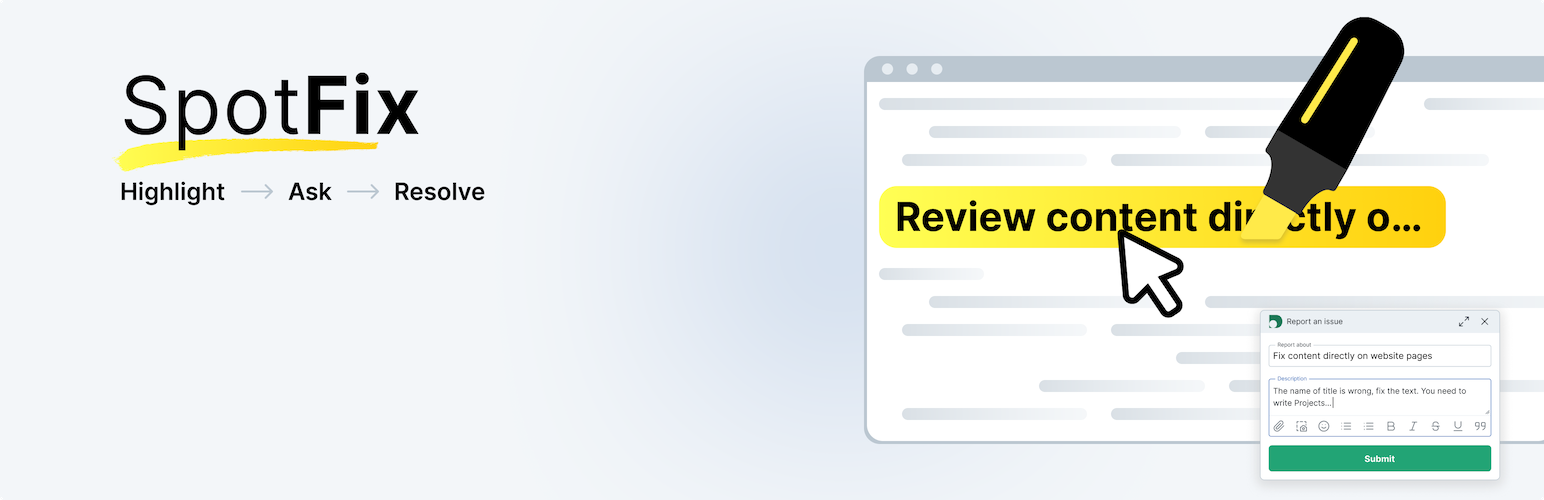
Collect contextual website feedback directly on your pages
Spotfix makes it effortless both to submit visual feedback and to act on it: visitors highlight any element and leave a comment in seconds, while you manage every submission as a structured task in one workspace. No chasing emails, no lost context.
What This Website Feedback Widget Does
Spotfix is a lightweight on-page widget for website feedback and website annotation. It enables contextual visual feedback collection: users (all visitors, or your team members and clients only) highlight any element on your site to leave comments, report bugs, or request changes. Every submission appears as a structured task in your workspace.
Collect website feedback directly on your pages. Visualize and manage visitor feedback in context, right on your site. Let visitors or clients highlight content, report bugs, request edits, and leave comments.
How Spotfix Works
Highlight → Ask → Resolve
1. Highlight User selects any text or element on your page. A pop-up window appears.
2. Submit The user submits a Spot — a bug report, fix request, website annotation or just any comment tied to that exact webpage. Submitting a Spot takes less than 10 seconds. The widget automatically fills the title using the highlighted text or an image’s Title/Alt attribute. The visitor adds a short message, optionally includes their name and email, while the page URL and element reference are captured automatically.Screenshots or files can be attached for additional context.
3. Resolve When a Spot is submitted,the feedback instantly appears in two places:
- In the widget’s on-page list, where visitors can follow progress in real time and reply in “chat next to element” mode.
- In your doBoard – our lightweight project management software – workspace. From there, you can label and organize feedback your way: assign items to team members, set priorities and due dates, discuss details in comments, and mark tasks as done.
You can reply to Spots from doBoard or directly within the widget. Within the widget, conversations appear as a chat thread with visible progress and status updates. If the visitor provided an email address, they’ll be automatically notified when you reply.
Two Feedback Widget Modes for Different Workflows
Private Mode – Client Feedback & Team Reviews
The widget is completely invisible to general visitors. Share a link, add your team or clients to your workspace, and every Spot automatically appears in your shared doBoard workspace, but is invisible to regular website visitors.
Who uses it:
- Web developers, web designers & agencies – Clients highlight exactly what needs changing, every comment lands with context attached. No revision calls, no annotated PDFs, no scattered emails.
- Content & editorial teams – Editors and writers submit corrections precisely where changes are needed.
- QA teams – Internal bug reporting with visual context before launch.
Public Mode – Crowdsource Website Feedback from Visitors
Open the widget to everyone and turn visitors into quality testers. Every bug report or suggestion comes with context already included. Visitors see open Spots and track progress in real time.
Works great for:
- Content websites & media – Readers catch typos, inaccuracies, and outdated information
- SaaS & documentation sites – Users report outdated examples and UX blockers
- E-commerce stores – Customers flag incorrect specs and outdated product details
- Education platforms – Students ask questions right where confusion happens
- Corporate knowledge portals – Employees suggest continuous improvements
Quick Setup
- Install Spotfix from WordPress directory
- Create your doBoard account (it takes 2 minutes)
- Create a project for your website, and generate your widget code in doBoard settings
- Paste code into Spotfix plugin settings
It takes a couple of minutes. No impact on SEO or page speed. Pro Tip: Create separate doBoard projects per site to keep client feedback organized.
Key Features
✓ Highlight any text or element to submit visual feedback in seconds ✓ Attach screenshots or files to any submission ✓ Reply and discuss directly in the widget, tied to the exact element ✓ Every submission lands in doBoard as a task: assign, prioritize, set due dates, and track status ✓ The widget and workspace stay in sync: feedback history and progress visible in both places ✓ Two modes: Private (visible to invited users only) or Public (open to all website visitors) ✓ Anonymous submissions supported — name and email optional ✓ Email notifications when you reply to feedback
External services
This plugin connects to the following APIs — api.doboard.com, api.cleantalk.org, and spotfix.doboard.com — to collect data about open spots and comments for the website and the currently viewed page. This data is displayed in the widget and helps visitors communicate about existing spots and submit new ones. The plugin sends user-generated content, as well as an email address and password (if provided), to the API. It uses JavaScript hosted on spotfix.doboard.com to display the widget to website visitors. This service is provided by CleanTalk Inc, Privacy Policy.
External services
This plugin connects to the following APIs — api.doboard.com, api.cleantalk.org, and spotfix.doboard.com — to collect data about open spots and comments for the website and the currently viewed page. This data is displayed in the widget and helps visitors communicate about existing spots and submit new ones. The plugin sends user-generated content, as well as an email address and password (if provided), to the API. It uses JavaScript hosted on spotfix.doboard.com to display the widget to website visitors. This service is provided by CleanTalk Inc, Privacy Policy.