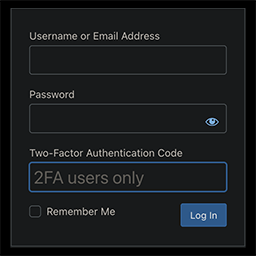
This is probably the 2FA plugin you’re looking for.
Secure, private, and lightweight.
Integrates into WordPress like a native feature.
Proactive vs Reactive Security
Prevents attacks instead of reacting to them. The best breach is the one that never happens.
How it Works
- Install and activate the plugin
- Go to Users > Profile > Two-Factor Authentication (near the bottom)
- Check the box next to “Enable 2FA” and click “Update Profile”
- 2FA and Backup Codes are now enabled
- Scan the QR code or manually enter the secret key into your auth app of choice (and be sure to rename the generic site name “2FA” to something more useful)
- Once successful login with a 2FA code from your app has been confirmed, you should disable Backup Codes
- Brute force protection is enabled by default and can be managed site-wide by admins in profile settings
Backup Codes have been rethought from the usual method you might be used to. Read more about that in the FAQ below.
Need Support?
Ask for help here.