
Custom Thank You Page for WooCommerce
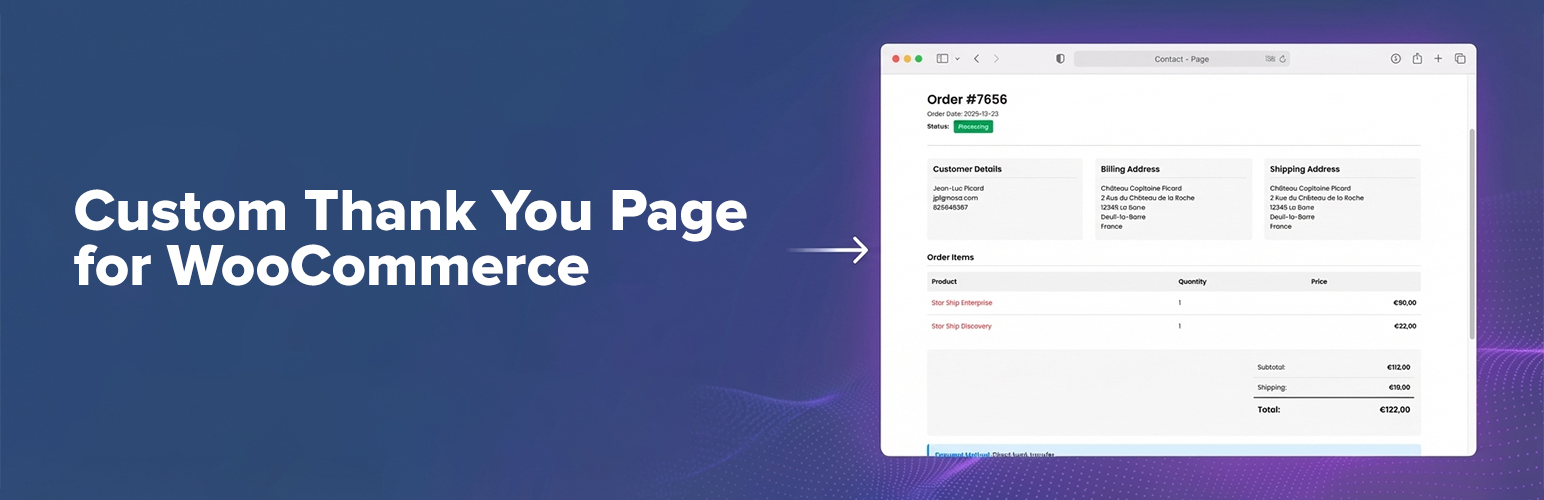
The WooCommerce “thank you” page (order confirmation / order received page) is one of the most important pages in your store: it’s where customers look for confirmation, next steps, downloads, shipping info, and payment instructions.
Custom Thank You Page for WooCommerce lets you replace the default WooCommerce Thank You page with a page you fully control — so you can deliver a branded order confirmation experience that matches your store and your audience.
Attribution
This plugin was originally created and maintained by Nicola Mustone. You should definitely check out his blog “But. Honestly”.
Why you’ll love it
- Choose any WordPress page as your custom WooCommerce Thank You page.
- Automatic redirect after checkout (customers land on your custom order confirmation page).
- Block-based order confirmation: add the included Order Confirmation block (Gutenberg / Site Editor / FSE) to show complete order details.
- Shortcode support: use
[wc_custom_thankyou]if you prefer explicit placement (classic editor, templates, builders, etc). - Compatible by design: uses WooCommerce core logic and the default
checkout/thankyou.phptemplate when needed, so it stays aligned with WooCommerce updates. - Modern WooCommerce compatibility: declared compatible with HPOS (High-Performance Order Storage) and Cart & Checkout blocks.
Use cases (what you can build)
Turn your custom thank you page into a conversion, support, and retention asset:
- Add a personalized thank you message and “what happens next”
- Upsell/cross-sell related products after purchase
- Display delivery timeframes, FAQ, support links, and onboarding steps
- Add download instructions, community invites, or account setup links
- Add custom tracking scripts or conversion snippets (where appropriate)
How it works
- Customer completes checkout.
- WooCommerce redirects to its standard Order Received page.
- This plugin safely redirects them to your configured custom Thank You page (keeping the required order context).
- Your page can display the order confirmation details automatically, via shortcode, or via the block.
Configuration (2 minutes)
- Go to WooCommerce → Settings → Advanced
- Find Custom Thank You
- Select your Thank You Page and save
Block + Shortcode options
- Block (recommended for block themes / Site Editor): On your custom Thank You page, add the Order Confirmation block.
- Shortcode: Add
[wc_custom_thankyou]where you want the order confirmation details to appear.
If you do nothing else, the plugin will append the standard WooCommerce Thank You template output to your page content (for backwards compatibility).
Support
Support is best-effort. If you run into an issue, please include:
- Your WordPress + WooCommerce versions
- Your theme name (and whether it’s a block theme)
- The exact steps to reproduce
Get involved
If you want to help, consider translating the plugin into your language.