WPBetterCodeHighlighting
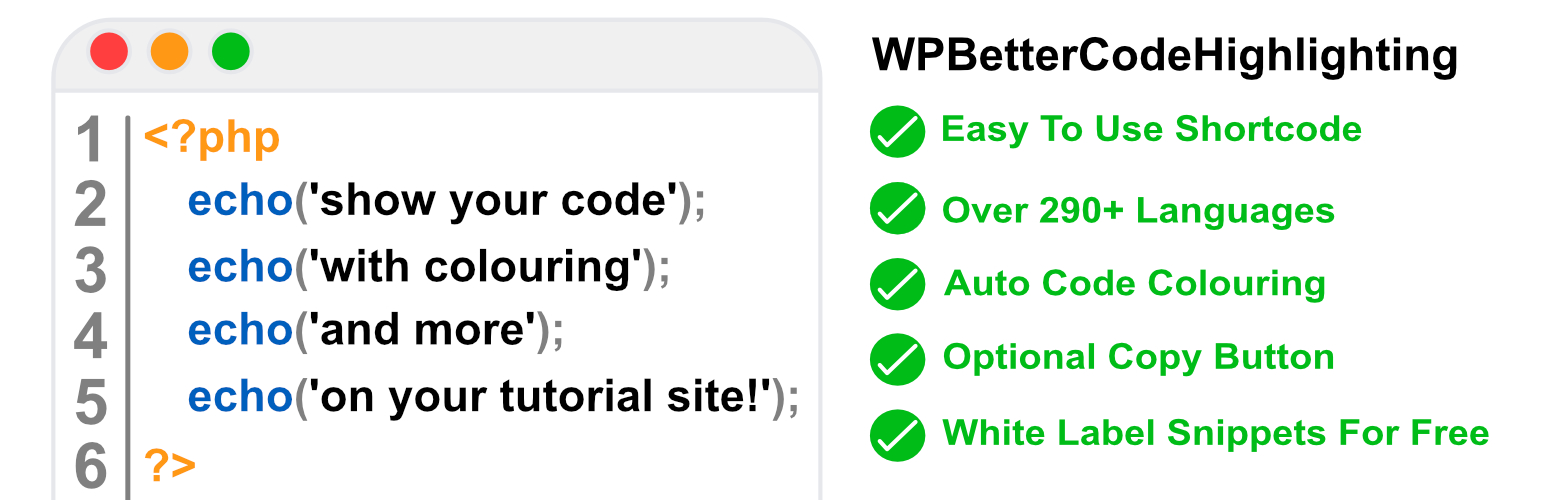
WpBetterCodeHighlighting is built on the popular JS Library PrismJS. Unlike other code snippet plugins this one is completely free and uses a shortcode rather than a Gutenberg block this means it works with themes too. Allowing you to showcase code snippets on your wordpress tutorial site or blog site.
WpBetterCodeHighlighting Key Features
- Built on PrismJS.
- Optional copy button with custom success and error messaging.
- Lightweight.
- Whitelabel it and use it for free.
- Free.
- Embed your code.
- Works well on blogs and tutorial sites.
- Supports over 290 languages.
- Auto syntax highlighting.
- WpBetterCodeHighlighting uses a shortcode allowing greater flexibility over other plugins that use gutenberg blocks.
Example usage (shortcode):
[wpbch language='html']<p>Your code goes here.</p>
<p>This would be another line of code etc etc.</p>
[/wpbch]
Arguments for shortcode:
language – default null, will display an error if a language acronym is not provided, see supported languages section below for a list of supported languages. line_numbers – default true provide false if you wish to disable line numbers. copy_button – default true provide false if you wish to disable the copy button. copy_button_text – default Copy provide a different value if you wish to change the copy button default text. copy_button_success – default Copied! Provide a different value if you wish to change the success copy button message. copy_button_error – default Error provide a different value if you wish to change the error copy button message.
Full Shortcode Example:
[wpbch language='html' line_numbers=true copy_button=true copy_button_text='Copy Me' copy_button_success='Yay you copied me' copy_button_error='Oops you failed to copy me']<p>Your code goes here.</p>[/wpbch]
Replace html with one of the supported languages acronyms below. For example apacheconf for Apache Config.
Full List Of Supported languages:
Language Name | Acronym to be used in language argument
- ABAP — abap
- ABNF — abnf
- ActionScript — actionscript
- Ada — ada
- Agda — agda
- AL — al
- ANTLR4 — antlr4, g4
- Apache Configuration — apacheconf
- Apex — apex
- APL — apl
- AppleScript — applescript
- AQL — aql
- Arduino — arduino, ino
- ARFF — arff
- ARM Assembly — armasm, arm-asm
- Arturo — arturo, art
- AsciiDoc — asciidoc, adoc
- ASP.NET (C#) — aspnet
- 6502 Assembly — asm6502
- Atmel AVR Assembly — asmatmel
- AutoHotkey — autohotkey
- AutoIt — autoit
- AviSynth — avisynth, avs
- Avro IDL — avro-idl, avdl
- AWK — awk, gawk
- Bash — bash, sh, shell
- BASIC — basic
- Batch — batch
- BBcode — bbcode, shortcode
- BBj — bbj
- Bicep — bicep
- Birb — birb
- Bison — bison
- BNF — bnf, rbnf
- BQN — bqn
- Brainfuck — brainfuck
- BrightScript — brightscript
- Bro — bro
- BSL (1C:Enterprise) — bsl, oscript
- C — c
- C# — csharp, cs, dotnet
- C++ — cpp
- CFScript — cfscript, cfc
- ChaiScript — chaiscript
- CIL — cil
- Cilk/C — cilkc, cilk-c
- Cilk/C++ — cilkcpp, cilk-cpp, cilk
- Clojure — clojure
- CMake — cmake
- COBOL — cobol
- CoffeeScript — coffeescript, coffee
- Concurnas — concurnas, conc
- Content-Security-Policy — csp
- Cooklang — cooklang
- Coq — coq
- Crystal — crystal
- CSS Extras — css-extras
- CSV — csv
- CUE — cue
- Cypher — cypher
- D — d
- Dart — dart
- DataWeave — dataweave
- DAX — dax
- Dhall — dhall
- Diff — diff
- Django/Jinja2 — django, jinja2
- DNS zone file — dns-zone-file, dns-zone
- Docker — docker, dockerfile
- DOT (Graphviz) — dot, gv
- EBNF — ebnf
- EditorConfig — editorconfig
- Eiffel — eiffel
- EJS — ejs, eta
- Elixir — elixir
- Elm — elm
- Embedded Lua templating — etlua
- ERB — erb
- Erlang — erlang
- Excel Formula — excel-formula, xlsx, xls
- F# — fsharp
- Factor — factor
- False — false
- Firestore security rules — firestore-security-rules
- Flow — flow
- Fortran — fortran
- FreeMarker Template Language — ftl
- GameMaker Language — gml, gamemakerlanguage
- GAP (CAS) — gap
- G-code — gcode
- GDScript — gdscript
- GEDCOM — gedcom
- gettext — gettext, po
- Gherkin — gherkin
- Git — git
- GLSL — glsl
- GN — gn, gni
- GNU Linker Script — linker-script, ld
- Go — go
- Go module — go-module, go-mod
- Gradle — gradle
- GraphQL — graphql
- Groovy — groovy
- Haml — haml
- Handlebars — handlebars, hbs, mustache
- Haskell — haskell, hs
- Haxe — haxe
- HCL — hcl
- HLSL — hlsl
- Hoon — hoon
- HTTP — http
- HTTP Public-Key-Pins — hpkp
- HTTP Strict-Transport-Security — hsts
- IchigoJam — ichigojam
- Icon — icon
- ICU Message Format — icu-message-format
- Idris — idris, idr
- .ignore — ignore, gitignore, hgignore, npmignore
- Inform 7 — inform7
- Ini — ini
- Io — io
- J — j
- Java — java
- JavaDoc — javadoc
- JavaDoc-like — javadoclike
- Java stack trace — javastacktrace
- Jexl — jexl
- Jolie — jolie
- JQ — jq
- JSDoc — jsdoc
- JS Extras — js-extras
- JSON — json, webmanifest
- JSON5 — json5
- JSONP — jsonp
- JS stack trace — jsstacktrace
- JS Templates — js-templates
- Julia — julia
- Keepalived Configure — keepalived
- Keyman — keyman
- Kotlin — kotlin, kt, kts
- KuMir (КуМир) — kumir, kum
- Kusto — kusto
- LaTeX — latex, tex, context
- Latte — latte
- Less — less
- LilyPond — lilypond, ly
- Liquid — liquid
- Lisp — lisp, emacs, elisp, emacs-lisp
- LiveScript — livescript
- LLVM IR — llvm
- Log file — log
- LOLCODE — lolcode
- Lua — lua
- Magma (CAS) — magma
- Makefile — makefile
- Markdown — markdown, md
- Markup templating — markup-templating
- Mata — mata
- MATLAB — matlab
- MAXScript — maxscript
- MEL — mel
- Mermaid — mermaid
- METAFONT — metafont
- Mizar — mizar
- MongoDB — mongodb
- Monkey — monkey
- MoonScript — moonscript, moon
- N1QL — n1ql
- N4JS — n4js, n4jsd
- Nand To Tetris HDL — nand2tetris-hdl
- Naninovel Script — naniscript, nani
- NASM — nasm
- NEON — neon
- Nevod — nevod
- nginx — nginx
- Nim — nim
- Nix — nix
- NSIS — nsis
- Objective-C — objectivec, objc
- OCaml — ocaml
- Odin — odin
- OpenCL — opencl
- OpenQasm — openqasm, qasm
- Oz — oz
- PARI/GP — parigp
- Parser — parser
- Pascal — pascal, objectpascal
- Pascaligo — pascaligo
- PATROL Scripting Language — psl
- PC-Axis — pcaxis, px
- PeopleCode — peoplecode, pcode
- Perl — perl
- PHP — php
- PHPDoc — phpdoc
- PHP Extras — php-extras
- PlantUML — plant-uml, plantuml
- PL/SQL — plsql
- PowerQuery — powerquery, pq, mscript
- PowerShell — powershell
- Processing — processing
- Prolog — prolog
- PromQL — promql
- .properties — properties
- Protocol Buffers — protobuf
- Pug — pug
- Puppet — puppet
- Pure — pure
- PureBasic — purebasic, pbfasm
- PureScript — purescript, purs
- Python — python, py
- Q# — qsharp, qs
- Q (kdb+ database) — q
- QML — qml
- Qore — qore
- R — r
- Racket — racket, rkt
- Razor C# — cshtml, razor
- React JSX — jsx
- React TSX — tsx
- Reason — reason
- Regex — regex
- Rego — rego
- Ren’py — renpy, rpy
- ReScript — rescript, res
- reST (reStructuredText) — rest
- Rip — rip
- Roboconf — roboconf
- Robot Framework — robotframework, robot
- Ruby — ruby, rb
- Rust — rust
- SAS — sas
- Sass (Sass) — sass
- Sass (SCSS) — scss
- Scala — scala
- Scheme — scheme
- Shell session — shell-session, sh-session, shellsession
- Smali — smali
- Smalltalk — smalltalk
- Smarty — smarty
- SML — sml, smlnj
- Solidity (Ethereum) — solidity, sol
- Solution file — solution-file, sln
- Soy (Closure Template) — soy
- SPARQL — sparql, rq
- Splunk SPL — splunk-spl
- SQF: Status Quo Function (Arma 3) — sqf
- SQL — sql
- Squirrel — squirrel
- Stan — stan
- Stata Ado — stata
- Structured Text (IEC 61131-3) — iecst
- Stylus — stylus
- SuperCollider — supercollider, sclang
- Swift — swift
- Systemd configuration file — systemd
- T4 templating — t4-templating
- T4 Text Templates (C#) — t4-cs, t4
- T4 Text Templates (VB) — t4-vb
- TAP — tap
- Tcl — tcl
- Template Toolkit 2 — tt2
- Textile — textile
- TOML — toml
- Tremor — tremor, trickle, troy
- Turtle — turtle, trig
- Twig — twig
- TypeScript — typescript, ts
- TypoScript — typoscript, tsconfig
- UnrealScript — unrealscript, uscript, uc
- UO Razor Script — uorazor
- URI — uri, url
- V — v
- Vala — vala
- VB.Net — vbnet
- Velocity — velocity
- Verilog — verilog
- VHDL — vhdl
- vim — vim
- Visual Basic — visual-basic, vb, vba
- WarpScript — warpscript
- WebAssembly — wasm
- Web IDL — web-idl, webidl
- WGSL — wgsl
- Wiki markup — wiki
- Wolfram language — wolfram, mathematica, nb, wl
- Wren — wren
- Xeora — xeora, xeoracube
- XML doc (.net) — xml-doc
- Xojo (REALbasic) — xojo
- XQuery — xquery
- YAML — yaml, yml
- YANG — yang
- Zig — zig