
Popup Box – Create Countdown, Coupon, Video, Contact Form Popups
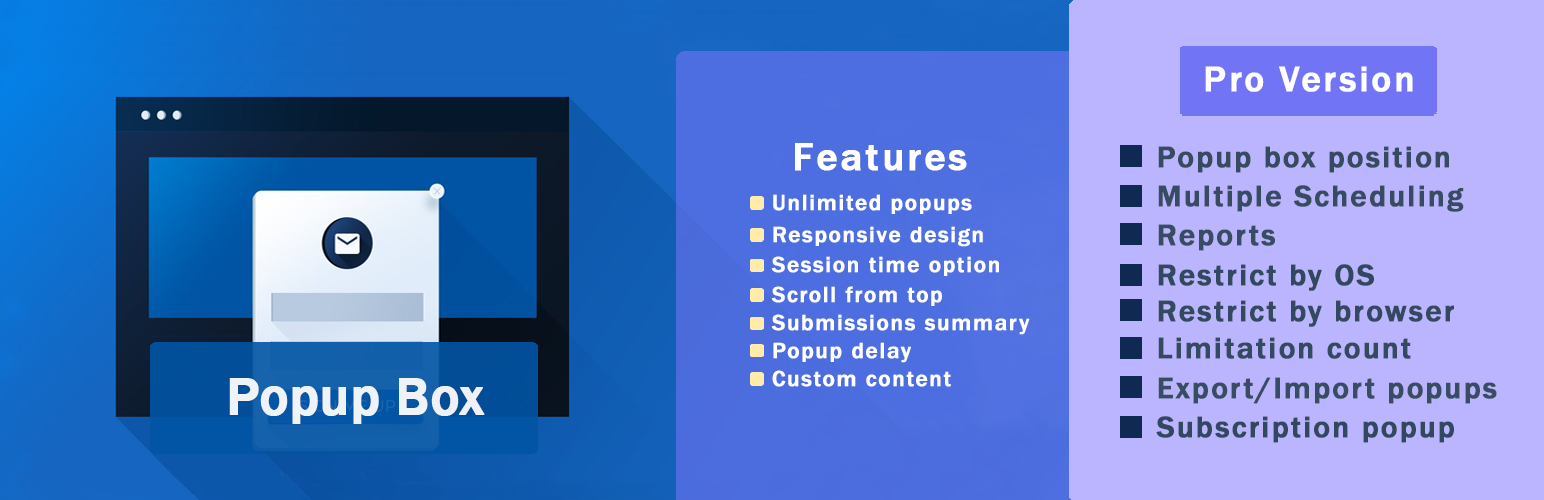
WordPress Popup Plugin – Popup Box
Popup Box is a flexible WordPress Popup plugin that helps you create different types of popups and modal windows with rich customization options and advanced display control. It’s built for website owners who need a reliable popup builder, not just a marketing-only tool.
With Popup Box, you can design popups for content display, user interaction, announcements, forms, or promotions – and control exactly when, where, and how they appear on your website.
In deze korte video vind je een kort overzicht van hoe je een pop-up kan maken in WordPress.
What You Can Build with Popup Box
Popup Box allows you to create a wide variety of modal popups and overlays without limitations:
- Custom HTML popup – build fully custom content from scratch
- Shortcode popup – display content from other WordPress plugins
- Lightbox popup for images, videos, or embedded content
- Subscription popups for collecting emails
- Contact form popups for receiving user messages
- Yes or No popups with custom actions and redirections
- Countdown popups to highlight time-based messages or offers
- Cookie popups to inform users and support privacy requirements
- Notification popups for announcements and important messages
- Login popups without page redirects
- Subscribe and get a file popups to deliver files after email signup
- Iframe popups for embedding external content
- Google Maps popups to display locations directly in a popup
- Facebook popups for social content and page embeds
- WooCommerce popups for products, coupons, or store messages
You can also use Popup Box to create popups for seasonal campaigns and special events, such as Christmas popups, Black Friday popups, Cyber Monday popups, or other time-based announcements and otions.
This flexibility makes Popup Box suitable for blogs, business websites, landing pages, and online stores.
Popup Triggers & Display Rules
Popup Box allows you to control exactly when your popups appear by using different trigger types:
- On page load – show a popup automatically when the page finishes loading
- On click – open a popup when a visitor clicks a selected button or element
- Exit intent – trigger a popup when visitors are about to leave the page
- On hover (Pro version)_ – display a popup when a user hovers over a specific element
- Inactivity (Pro version) – show a popup after a visitor stays inactive for a defined time
- After visiting X pages (Pro version) – display a popup based on the number of pages viewed
- Scrolling to elements (Pro version) – trigger a popup when users scroll to a selected section
Free vs Pro – What’s Included
Free Version
The free version of Popup Box includes everything you need to create and display basic popups:
- Shortcode popup
- Custom content popup
- Video pop-up
- Image popup
- Facebook popup
- Notification popup
- Responsive ontwerp
- Thema’s (5+)
- Scroll naar boven
- Scrolling uitschakelen
- Sessie tijd optie
- Stijl instellingen (10+)
- Tonen op specifieke berichttypes
- Tonen op specifieke pagina’s
- Open bij klik trigger
- Inschakelen voor ingelogde gebruikers
- Inschakelen voor gasten
- Pop-up op mobiel verbergen
- Pop-up een maal tonen
- Live voorbeeld
- Popup position
Popup Box PRO Features
Popup Box Pro extends the free version with advanced popup types and display controls:
- Bevat ALLE functies van de gratis versie en
- Abonnement pop-up
- Ja of nee pop-up
- Video pop-up
- Iframe pop-up
- Contact formulier pop-up
- Bestand verzenden na abonnement
- Pop-upbox positie
- Meerdere planningen
- Sluit triggers
- Omleiding inschakelen
- Rapporten
- Beperken door OS
- Beperk per browser
- Beperking aantal
- Im-/export pop-ups
- Gebruikrol rechten
- Beperk per land
- Mailchimp integratie
- Campaign Monitor integratie
- ActiveCampaign integratie
- GetResponse integratie
- ConvertKit integratie
- Sendinblue integratie
- MailerLite integratie
- Waardebon pop-up
- Aftel pop-up
- Cookie pop-up
- Afsluit intentie pop-up
- WooCommerce product pop-up
- Na het bezoeken van x pagina’s trigger
- Inactiviteit trigger
- Scrollen naar element trigger
WooCommerce & Website Use Cases
Popup Box can be used as a flexible WooCommerce popup and general WordPress popup plugin for different website scenarios. It allows you to create product popups, announcement popups, and promotional popups that support user interaction without disrupting the browsing experience. Whether you’re running an online store, a business website, or a content-driven site, Popup Box helps you display relevant popup content based on user actions and page context.
Popup Box works smoothly with WooCommerce and general WordPress setups:
- Show product popups and special offers
- Display coupon and countdown popups
- Create announcement and notification popups
- Embed forms, videos, or external content
You decide how popups support your website – without forcing a specific workflow.
Customization & Styling Options
Popup Box comes with 5+ pre-built themes to help you get started quickly, while still allowing deep customization for each popup. Every popup type includes its own specific styling and behavior options, so you can fine-tune the design and appearance based on the popup’s purpose.
Customize every part of your popup:
- Popup size, position, and animations
- Colors, borders, and typography
- Custom CSS for advanced styling
- Responsive behavior for desktop and mobile
- Preview changes before publishing
Why Choose Popup Box
Popup Box lets you create unlimited popups without restrictions and gives you the freedom to build popups using custom HTML or shortcodes from other WordPress plugins. You can control popup behavior using flexible triggers, allowing popups to be used for content display, user interaction, or promotional purposes without forcing a specific workflow. Popup Box works smoothly with most WordPress themes and plugins, making it easy to integrate into existing websites.
Integrations & Compatibility
- MailChimp
- Campaign Monitor
- ActiveCampaign
- GetResponse
- ConvertKit
- Brevo
- MailerLite
- reCAPTCHA
Je kan de wijzigingen bekijken voordat je ze opslaat.
PREMIUM | DEMO | DOCUMENTATION
3RD PARTY OR EXTERNAL SERVICE DISCLAIMER
The plugin uses the Facebook SDK (https://developers.facebook.com/docs/javascript) to display Facebook-type popups.
IT DOES NOT SEND ANY DATA AND WE DO NOT COLLECT INFORMATION FROM THE REQUEST
The privacy policy for Facebook can be found at this URL: https://www.facebook.com/policy.php
Vergeet niet, in geval van problemen of vragen kan je contact met ons opnemen via het volgende GRATIS ONDERSTEUNING FORUM.
Other plugins from Ays Pro Team
- Quiz Maker for creating advanced quizzes and exams easily and quickly.
- Survey Maker for collecting data and analyze it.
- Poll Maker for creating powerful and interactive polls.
- Fox LMS to empower educators and trainers to build structured, interactive online learning systems easily for their WordPress website.
- Chartify to build both static and dynamic charts, graphs and diagrams.