
Bit Form – Contact Form, Payment Forms, Multi Step Forms, Calculator & Custom Form Builder
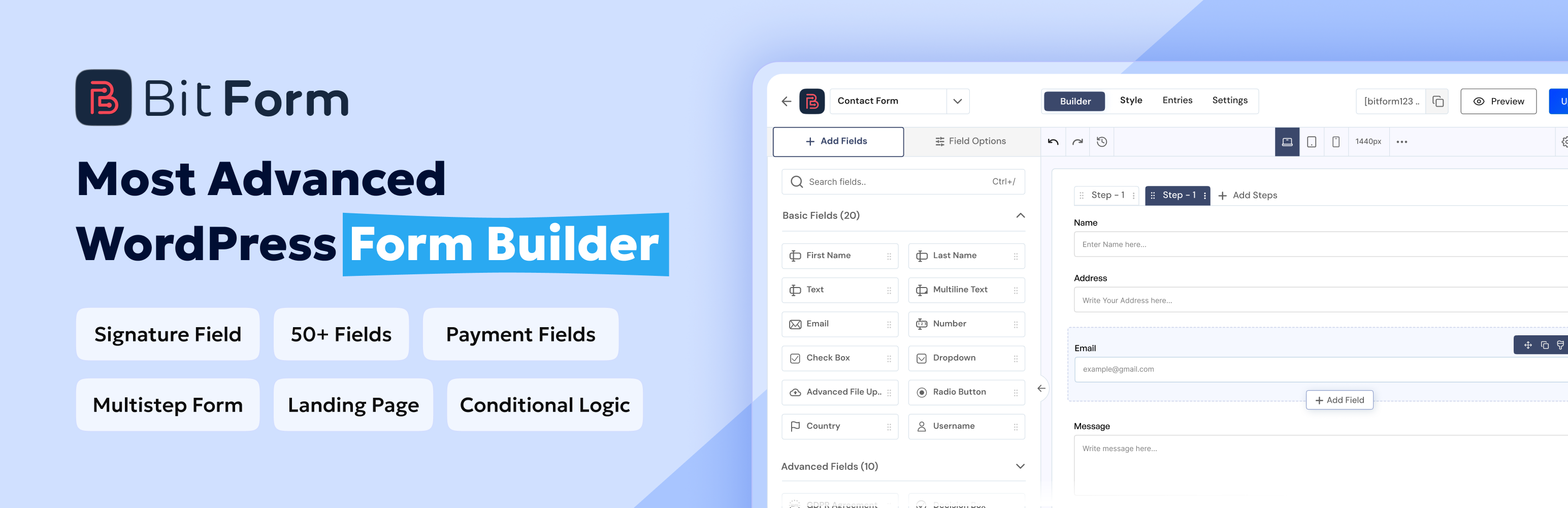
Bit Form WordPress form builder makes form building easy for beginners and flexible for advanced users.
Build mobile-responsive forms with a no-code drag-and-drop builder, powerful features, and highly customizable design controls for any use cases.
You can use Bit Form to build a contact form, support form, lead generation form, registration form, file upload form, order form, booking form, survey form, payment form, calculator form, conversational form, and multistep form from one clean interface.
Bit Form keeps forms lightweight and only loads 20KB JS & CSS for simple contact forms.
Bit Form is built for both beginners and advanced WordPress users. If you need a simple contact form, you can create one quickly.
If you need a complex form with conditional logic, calculations, payment fields, file upload, PDF attachments, email notifications, integrations, and entry management, Bit Form gives you the tools to build it with minimum effort.
Useful Links
Probeer demo | Documentatie | Bit Form Repository | YouTube-kanaal | Ondersteuning chat | Facebook community
Features of Bit Form Free Version
Bit Form Free includes:
- Unlimited forms
- Unlimited form submissions
- Drag-and-drop form builder
- Multi-step forms
- Conditional logic
- 38+ free form fields
- Form templates
- Email templates
- Email notifications
- SMTP support
- Form integrations and webhooks
- Essential Form styling
- Responsive forms
- reCAPTCHA v3
- reCAPTCHA v2 field
- hCaptcha field
- Cloudflare Turnstile field
- Repeater field
- Waarderingsveld
- Image select field
- Hidden field
- File upload field
- Custom JS and CSS editor
- Google Sheets and many other integrations
- Entry collection inside WordPress
Bit Form V3 Highlights
Bit Form V3 brings a cleaner dashboard, redesigned builder, two-column field list, organized field settings, and an inline Add Field button for faster and easier form creation.
It also adds WordPress multisite support, email OTP verification, responsive preview modes, improved entry filtering, and better export control.
For design, V3 improves the style editor with custom theme management, export/import options, organized style layers, and hover/focus styling.
51 Form Fields Available in Bit Form
Bit Form includes a wide range of form fields for simple and advanced form creation. You can build a basic contact form, detailed application form, payment form, file upload form, multistep form, support form, order form, booking form, and more.
Free Form Fields
The following fields are available in the free version of Bit Form:
- Tekstveld
- Multi-Line Text
- Name
- Nummer
- Telefoonnummer
- Gebruikersnaam
- Wachtwoord
- Selecteren
- Drop-Down
- Radio knop
- Selectievakje
- Decision Box
- Country
- Currency
- Datum
- Tijd
- Datum-tijd
- Week
- Maand
- URL
- Slider or Range
- Kleurkiezer
- AVG/GDPR overeenkomst
- Bestand upload
- Image Field
- Afbeelding selecteer veld
- Hidden Field
- HTML Field
- Section Field
- Title Field
- Divider Field
- Spacer Field
- Button Field
- Next Step Field
- Previous Step Field
- Herhaler veld
- Rating Field
- reCAPTCHA v2 Field
- hCaptcha Field
- Cloudflare Turnstile Field
Pro Form Fields
The following fields require Bit Form Pro:
- Advanced Date-Time (Pro)
- Email OTP Verification (Pro)
- Signature Field (Pro)
- Shortcode (Pro)
- Draft Button (Pro)
- Advanced File Upload (Pro)
- PayPal Field (Pro)
- Razorpay Field (Pro)
- Stripe Field (Pro)
- Mollie Field (Pro)
These fields help you create many types of WordPress forms without depending on multiple form plugins.
Bit Form Pro Features
Bit Form Pro is designed for users who need advanced form control, payment collection, user authentication, form abandonment, PDF generation, and more flexible entry management. Bit Form Pro includes:
- Advanced multi-step form controls
- Advanced file upload settings
- Individual field styling
- Advanced email notifications
- PDF support in email notifications
- Email OTP verification
- Payment fields for PayPal, Razorpay, Stripe, and Mollie
- API support
- PDF generation
- Custom Post Type support
- Google Ads GCLID capture
- Form abandonment and partial submission
- Data views and entry editing
- Landing form and standalone form pages
- Custom theme and theme style export/import
- Dubbele opt-in
- Multisite support
- WordPress authentication forms
- Honeypot spam protection
- Signature field
- Shortcode field
- Draft button field
- Advanced date-time field
Note: Bit Form Pro is distributed separately from this plugin. The free version of Bit Form is fully functional with its own feature set.
What You Can Build With Bit Form
Bit Form is more than a basic contact form plugin. You can create many types of WordPress forms for different business, marketing, support, and payment needs. Use Bit Form to create:
- Contact form for websites, blogs, landing pages, and business sites
- Lead generation form for collecting prospects and customer details
- Support form for help desk requests, issue reports, and customer messages
- Order form for products, services, custom requests, and manual sales
- Booking form for appointments, events, consultations, and service requests
- Payment form for collecting payments through PayPal, Stripe, Razorpay, and Mollie
- Multistep form for longer forms that need a cleaner step-by-step flow
- Conversational form for a question-by-question experience
- File upload form for documents, images, resumes, screenshots, and project files
- Registration form and login form using WordPress authentication
- Calculator form for quotes, pricing, loan estimates, tax estimates, and custom calculations
- Feedback form, survey form, application form, donation form, quote form, and onboarding form
Whether you need one simple form or many advanced forms, Bit Form gives you a flexible form plugin that works for real WordPress use cases.
Free Form Integrations
This WordPress form builder plugin includes 50+ free integrations with many platforms. These integrations help you send form data to CRM tools, email marketing tools, spreadsheets, automation platforms, file storage services, messaging apps, WordPress plugins, and webhook-based workflows.
- AutomatorWP
- FlowMattic
- ActiveCampaign
- Acumbamail
- Advanced Custom Fields (ACF)
- Advanced Form Integration
- Automate Hub SperseIO
- FunnelKit
- Brevo
- Dropbox
- Elastic Email
- Encharge
- FluentCRM
- GetGist
- Google Sheets
- Groundhogg
- HubSpot
- IFTTT
- Integrately
- Make
- MailChimp
- MailerLite
- MailPoet
- Meta vak
- OneDrive
- Pabbly
- PODS
- rapidmail
- SendFox
- SureTriggers
- Telegram
- Twilio
- Webhook
- WooCommerce
- Zapier
- Zoho Analytics
- Zoho Bigin
- Zoho campagnes
- Zoho Creator
- Zoho CRM
- Zoho Desk
- Zoho Flow
- Zoho Mail
- Zoho Marketing Hub
- Zoho Project
- Zoho Recruit
- Zoho Sheet
- Zoho Sign
- Zoho WorkDrive
- OttoKit (SureTriggers)
- Thrive Automator
- Uncanny Automator
- n8n
Drag-and-Drop WordPress Form Builder
Bit Form includes an intuitive drag-and-drop form builder. You can add fields, arrange layouts, customize labels, set placeholders, configure validation, apply conditional logic, style your form, and publish it on your WordPress site.
Fast and Lightweight Form Builder
Bit Form is designed to work as a fast form builder for WordPress.
For simple contact forms, Bit Form loads only 20KB JS & CSS. The exact load depends on the fields and settings you use, but the plugin is built to keep form performance clean and lightweight.
Bit Form still handles advanced forms in a well-optimized way. It gives you both: simple form creation for beginners and advanced form control for power users.
Form Settings for Better Control
Bit Form gives you detailed form settings so you can control how your forms behave. Available form settings include: – Allow single entry for each IP address – Require users to be logged in before form submission – Prevent empty form submission – Validate form input when the field loses focus – Disable entry storing in the WordPress database – Enable reCAPTCHA v3 – Enable honeypot spam protection – Disable a form after a limited number of entries – Limit form submission by date and time period – Block or allow selected IP addresses – Capture Google Ads Click ID or GCLID
Conditional Logic and Dynamic Forms
Bit Form includes advanced conditional logic so your form can respond to user input.
You can show or hide fields, enable or disable fields, change values, make fields read-only or writable, update labels, update helper text, and control form behavior based on user choices.
Bit Form supports many condition operators. You can also organize advanced logic using AND and OR rules, groups, nested conditions, Else If branches, and Else branches.
This makes Bit Form useful for quote forms, calculator forms, booking forms, payment forms, order forms, support forms, and advanced lead generation forms, where every user should not see the same fields.
Email Notifications and Email Templates
Bit Form lets you send email notifications after form submission. You can create custom email templates, add smart tags, insert form field values, map all fields into the email body, and send different messages based on form data.
Bit Form Pro also supports advanced email notifications with PDF attachments, giving you more control over documents, receipts, confirmations, and internal records.
Ingebouwde stijl-editor
Bit Form includes a built-in style editor so you can customize your form design easily. You can adjust form layout, background, spacing, field style, colors, typography, buttons, and other visual elements to match your WordPress site.
The free version includes essential form styling, while Bit Form Pro adds deeper control with individual field styling.
Payment Forms With PayPal, Stripe, Razorpay and Mollie
Bit Form Pro lets you create payment forms using PayPal, Stripe, Razorpay, and Mollie.
You can build a payment form, order form, booking form, donation form, service request form, event registration form, or custom checkout-style form.
By using payment fields, you can collect payments through a form easily. You can combine payment fields with contact fields, file upload fields, conditional logic, email notifications, and form integrations.
Multistep Forms and Conversational Forms
Long forms can feel hard to complete when everything appears on one screen. Bit Form supports multistep forms, so you can divide longer forms into smaller sections.
Bit Form also supports conversational forms. A conversational form shows questions in a step-by-step flow, which can work well for lead generation, feedback, applications, and guided form experiences.
Entry Management, Data Views, and Reports
Bit Form stores form submissions inside the dashboard.
You can review form entries, manage submitted data, filter responses, and use entry-related features for internal workflows.
With Bit Form Pro, Data Views & Edit lets you control which users can view or edit entries from the front end. You can allow users to view their own entries, allow selected roles to view others’ entries, and create front-end data views for submitted form data.
Landing Forms and Direct Form Sharing
Bit Form Pro supports landing forms and standalone form pages. You can create a form page with its own direct URL and share it without embedding the form on a normal WordPress page.
You can also share conversational form links or embed forms using HTML embed code.
PDF Templates and Attachments
Bit Form Pro supports PDF templates. You can generate PDF files from submitted form data and use them for records, receipts, invoices, contracts, applications, and internal documents.
PDF template options include:
- Custom PDF template body
- Form field smart tags
- Map all fields
- Custom PDF file name
- PDF password
- Download link control
- Paper size
- Orientation
- Font family
- Font size
- Watermark
- Language direction
PDF support is useful for booking forms, order forms, payment forms, application forms, contract forms, and official form records.
Spam Protection and Email Verification
Bit Form includes multiple spam protection options. You can protect forms using reCAPTCHA v2, reCAPTCHA v3, hCaptcha, and Cloudflare Turnstile for free. Honeypot protection is included in Pro.
Bit Form also supports double opt-in in Pro. Double opt-in can require users to confirm their email before selected actions run. This is useful for newsletter forms, lead generation forms, registration forms, and email-based workflows.
Form Abandonment and Partial Entries (Pro)
Bit Form includes form abandonment support. This feature can save partial form data when users leave before completing the form.
You can show a warning message, save drafts for logged-in users, repopulate previous partial entries, save a draft when the user leaves the form page, and allow empty forms to be saved as drafts when needed.
WordPress Authentication Forms
Bit Form Pro includes WordPress authentication features. You can create forms for:
- User registration
- User login
- Forgot password
- Reset password
You can map form fields to WordPress user fields, assign user roles, set approval methods, send user and admin notifications, redirect users after submission, and map user meta fields.
This makes Bit Form useful for membership sites, course sites, private communities, customer portals, and user onboarding flows.
Why Choose Bit Form?
Bit Form gives you a clean form-building experience without making the workflow feel complicated. Bit Form is useful for:
- Beginners who want to create a contact form without code
- Small businesses that need lead generation forms and support forms
- Agencies that build forms for client websites
- Freelancers who need booking forms, quote forms, and order forms
- Membership sites that need registration, login, and user forms
- Marketers who need CRM, email marketing, and automation integrations
- Developers who need conditional logic, webhooks, PDF output, and custom JS/CSS control
Bit Form keeps simple form creation easy while still giving advanced users enough control to build complex form workflows.
Build Simple Forms or Advanced Form Workflows
You can start with a basic form and later build more complex forms with file upload, conditional logic, multistep form, conversational form, payment form fields, booking form workflows, order form confirmations, support form notifications, CRM integrations, and PDF attachments.
Bit Form gives you a flexible form-building system inside WordPress with a beginner-friendly interface and advanced form-building capabilities.
External services
Bit Form connects to external services only when: – You enable a specific integration (e.g., Zoho CRM, Mailchimp, Google Sheets) – You use a built-in feature that requires external processing (e.g., spam protection, icon search)
Data is sent to external servers only when integrations are active (captcha/icon search are exceptions when those features are used). Enabling an integration sends form data to that service per your configuration — for example, connecting Mailchimp will send subscriber data on form submission.
For a full reference with additional details see: External Services