
Calculate Prices based on Distance For WooCommerce
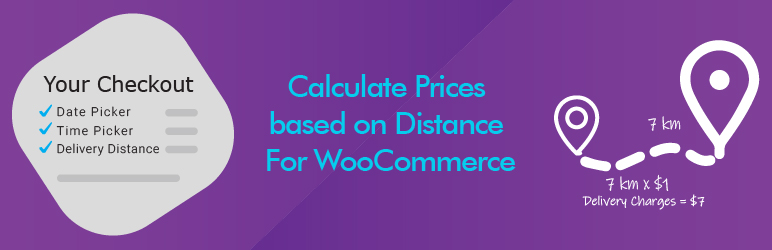
Looking for a free WooCommerce Distance Rate Shipping alternative? Calculate Prices based on Distance For WooCommerce is the ultimate high-performance solution to automatically calculate delivery fees by KM (Kilometers) or Miles using the live Google Maps API.
Stop losing money on flat-rate shipping. Whether you run a local pizza delivery, grocery store, furniture shop, or courier service, this plugin allows you to charge your customers accurate shipping rates based on the exact road distance from your store to their doorstep.
Unlike older plugins, this is fully compatible with the modern WooCommerce Block Checkout and includes a built-in Delivery Date & Time Picker completely free.
🔐 CRITICAL SECURITY NOTICE (API KEYS)
To prevent your Google Maps API key from being stolen and abused by third parties, this plugin uses an advanced Dual-Key security architecture: 1. Public Key (Web Restricted): Used for front-end features like Maps JavaScript & Places Autocomplete API. 2. Private Key (IP Restricted): Used securely on the server side for Geocoding, Routes, & Directions API. 📌 Step-by-Step: How to Get your Google Maps API Keys safely
🔥 Why Switch from Paid Distance Rate Shipping Extensions?
Most distance shipping plugins cost upwards of $150/year. This lightweight, powerful plugin gives you premium local delivery logistics features for FREE, making it the best alternative to official WooCommerce Distance Rate Shipping, WPCargo, and Flexible Shipping.
🌟 Free Version Features
- Accurate Distance Shipping Calculation – Automatically calculates shipping costs based on real-world driving routes via Google Maps.
- Charge Per Kilometer (KM) or Mile – Seamlessly switches between Metric and Imperial units to match your regional delivery setup.
- Google Maps Address Autocomplete – Speeds up user checkout and stops failed deliveries by suggesting verified addresses in real time.
- Free Delivery Datepicker & Timepicker – Let customers schedule their preferred local delivery day and time slot right on the checkout page.
- Live Dynamic Shipping Rates – Customers see their delivery fees adjust instantly as they type their delivery address.
- WooCommerce Blocks & Classic Checkout Support – Works flawlessly with traditional checkout pages and the new modern Gutenberg Cart/Checkout blocks.
🚀 Advanced Features in PRO Version
Take total control of your delivery zones and complex logistics routing: * Tiered Distance Pricing Rules – Set up complex brackets (e.g., $5 flat for 0–5 KM, then $1.50 per additional KM up to 15 KM). * Maximum Delivery Radius Restriction – Set a hard mileage or KM limit to block orders from customers living outside your delivery zone. * Store-to-Store & Custom Dual Addresses – Calculate delivery rates between two completely custom locations (perfect for point-to-point courier services). * White-Label Custom Admin Labels – Change checkout text fields and delivery fee labels to match your store’s branding perfectly. * Free Delivery Threshold by Cart Total – Offer free shipping by distance once a user spends a specific amount (e.g., Free delivery over $100 within a 10km radius). * Force Checkout Address Verification – Prevent orders from processing until an accurate distance rate has been queried. 👉 Unlock Advanced Pricing Brackets – Upgrade to PRO
📽️ Proof & Live Demos
🎬 Watch our 3D Animated Explainer: Watch on YouTube 🚀 Test the Plugin Live (Free vs PRO Comparison): Try Live Demo