
Smart Grid-Layout Design for Contact Form 7
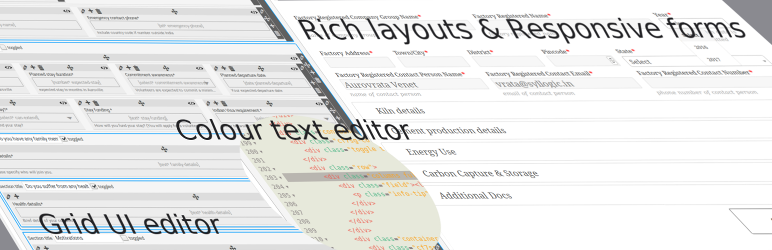
De plugin gebruikt de smart-grid CSS plugin om mooie formulier layouts te maken. Het introduceert een grafische editor om je formulieren te ontwerpen, evenals een gekleurde html syntax editor gebouwd met behulp van de uitstekende CodeMirror editor. Het is nu mogelijk om met gemak slimme lay-outs te ontwerpen.
v4.0 introduceert een tutorial sectie in het dashboard voor een snelle verwijzing naar verschillende YouTube tutorials. Voor een volledige lijst van beschikbare tutorials bezoek deze afspeellijst.
Daarnaast introduceert de plugin ook meerdere slimme invoer functionaliteiten, zoals,
- tabled input sections: these allow you to group several repetitive input fields as table rows, the plugin will automatically add an ‘Add Row’ button to your front end form, giving your users the ability to add multiple rows of your grouped fields.
- tabbed sections: with this plugin you can build tabbed sections of repetitive fields, allowing your users to add additional tabs. It is a similar concept to the tabled input section above, but in a tabbed layout instead.
- collapsible sections: for long and complex forms you can now group your front-end fields into collapsible sections, making it easier for user to see the big picture.
- toggled collapsible sections for optional sections. A toggle with a default Yes/No value is inserted, allowing your users to submit optional fields which within the section can be set to required in your design (See FAQ section for more info).
- Gegroepeerde geschakelde secties voor ofwel/of optionele secties.
- reusable sub-forms: if you have fields which repeat across multiple forms, you can now build a sub-form which you can include in your form, saving you the trouble of redesigning the form each time, but also making large forms much easier to maintain.
- form categories: the plugin introduces form taxonomy to classify your forms for the use of online registration where users may need to be associated with a given set of forms to access.
- dynamic dropdown fields: these are special select fields which you can populate with either existing post titles, or managed lists such as units, or even using a custom filter. This makes dynamic interlinking of existing CMS data in your dashboard a piece of cake, giving you a very powerful tool for data capture.
- plays nice with Post My CF7 Form plugin: and best of all you can map all your forms to custom posts using the now stable Post My CF7 Form plugin.
- redesign the form editor: this plugin now uses the WordPress default post editor page to edit/build forms, therefore making it easier for developer to plugin their functionality on top, while preserving all the hooks of Contact Form 7.
Looking for Collaborators Are you a WordPress developer or an HTML/JavaScript wizard? Want to collaborate on this plugin? There are some really great pieces of functionality that are in the roadmap for this plugin, but I just don’t have the time or resources to get them all on file in a timely manner. So join me on GitHub if you want to collaborate.
For plugin developers If you wish to leverage the in-editor helper code functionality for your CF7 plugin, you need to use the following hooks, cf7sg_ui_grid_js_helper_hooks – include js bind event code helpers. cf7sg_ui_grid_helper_hooks – include php filter/action hooks code helpers. cf7sg_enqueue_admin_editor_scripts – to enqueue scripts on the admin editor page to bind to editor events for further dynamic code helpers.
If you wish to see an example on how to use this, please check the Google Map CF7 extension plugin code. The cf7-google-map/includes/class-cf7-googleMap.php list the above hooks and the function calls are in the cf7-google-map/admin/class-cf7-googleMap-admin.php file.
Bekijk onze andere CF7 plugin extensies
-
CF7 Polylang Module – this plugin allows you to create forms in different languages for a multi-language website. The plugin requires the Polylang plugin to be installed in order to manage translations.
-
CF7 Multi-slide Module – this plugin allows you to build a multi-step form using a slider. Each slide has cf7 form which are linked together and submitted as a single form.
-
Post My CF7 Form – this plugin allows you to save you cf7 form to a custom post, map your fields to meta fields or taxonomy. It also allows you to pre-fill fields before your form is displayed.
-
CF7 Google Map – maakt het mogelijk om Google Maps in te voegen in een Contact Form 7. In tegenstelling tot andere plugins, deze laat kaart instellingen worden gedaan op het formulier niveau, waardoor verschillende kaarten kunnen worden geconfigureerd voor elk formulier.
-
Smart Grid-Layout Design for CF7 – allows responsive grid layout Contact Form 7 form designs, enabling modular designs of complex forms, and rich inter-linking of your CMS data with taxonomy/posts populated dynamic dropdown fields.
Documentatie
This plugin has a substantial set of FAQs and screenshots that is has a lot of information. Please go through the FAQs and screenshot captions to understand how to use the basic functionality.
The plugin has a number of hooks (filters and actions) which can be leveraged to further customise your form layouts and fields. Please refer to the Helper Metabox available in the form post editor when you create/edit a form. The helpers have commented code snippets which you can copy to and paste in your functions.php file to further understand how to use them. (See screenshot #21).
Support Open-source effort
This plugin would not have been possible without the following open-source efforts. Please consider visiting these plugins pages and making a donation to its authors to say thank you. Even small amount of beer money is always appreciated. Alternatively/additionally you can help in the maintenance or translation effort.
- Beautify – een jQuery plugin om html tekst te verfraaien, gebruikt in de teksteditor van deze plugin.
- CodeMirror – een opmerkelijke jQuery teksteditor die het mogelijk maakt voor kleur gecodeerde markering naast vele andere functionaliteit. Gebruikt om formulier broncode bewerken in teksteditor van deze plugin.
- CSS Smart Grid – a CSS plugin that allows for intuitive CSS styling of responsive grid layouts. Used for building the responsive form layouts.
- jQuery Klembord – kopieer tekst naar het klembord, gebruikt voor helperlinks.
- jQuery Nice Select – maakt mooie dropdown velden.
- jQuery Select2 – deze plugin converteert dropdowns in krachtige doorzoekbare dropdown velden.
- jQuery Toggles – maakt mooie toggle-schakelaars mogelijk op invouwbare secties.
- PHP Simple HTML Dom – een php-bibliotheek die het mogelijk maakt html-documenten te doorzoeken en te manipuleren met CSS-selectors zoals jQuery. Dit wordt gebruikt om de modulaire functionaliteit van formulierontwerpen op te bouwen.
- Glider.js slider – a A blazingly fast, crazy small, fully responsive, mobile-friendly, dependency free, native scrolling list with paging controls!
Met dank aan
Birmania @birmania for providing:
- a fix for JS toggles.
- a fix for file fields in tabs as mail attachments
Andrew Browning @altworks for providing:
- an IE polyfill for frontend table fields.
PenhTech @penhtech
- een oplossing voor voortdurende waarschuwingen in php 7.3
Thomas Fellinger @netzgestaltung
- a fix for Really Simple Captcha plugin.
Privacyverklaringen
Deze plugin, op zichzelf, doet dat niet:
- volg gebruikers heimelijk;
- zet alle persoonlijke gebruikersinformatie in de database;
- gegevens naar externe servers sturen;
- cookies gebruiken.