
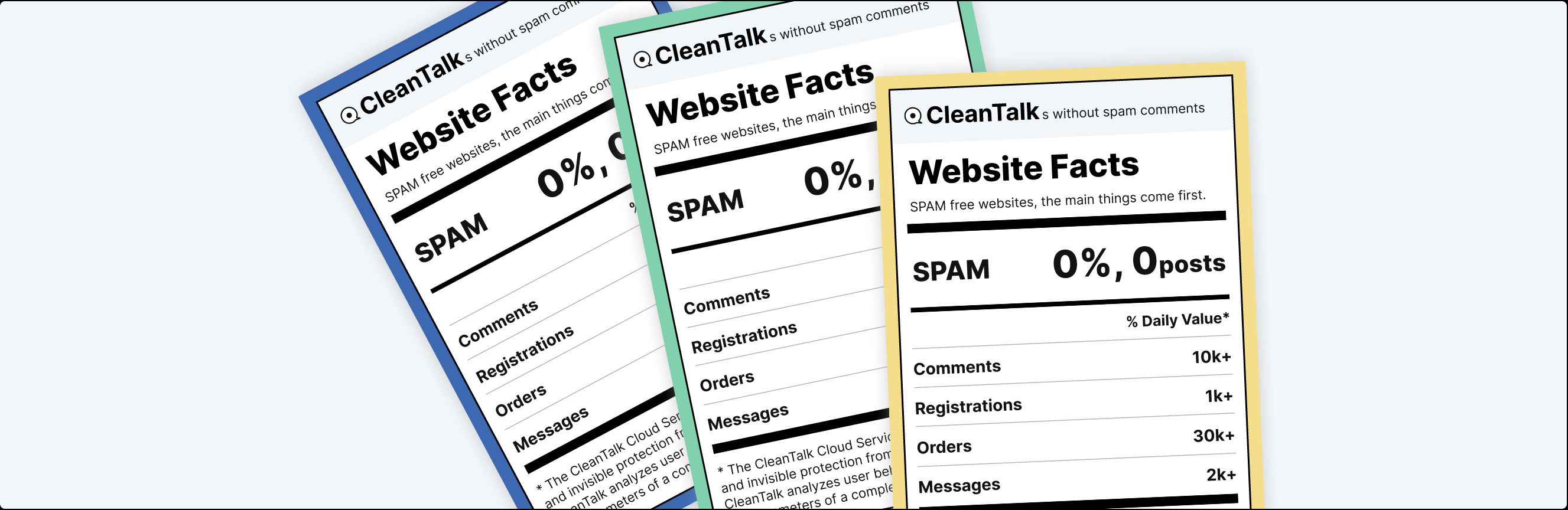
Trusted by over 200,000 websites and rated among the top anti-spam solutions for WordPress in 2026. No CAPTCHAs, no puzzles, and no visitor friction — just automatic spam blocking for forms, comments, registrations, subscriptions, and fake orders. Powered by a global spam detection network that includes over 1,078,000 websites and helps stop spam before it reaches your website. Install it in less than 30 seconds and start protecting your site immediately.
Superpowers
- Stops spam comments.
- Stops spam registrations and logins.
- Stops spam contact emails.
- Stops fake orders eCommerce sites and online stores.
- Antispam for bookings.
- Antispam subscriptions.
- Stopt spam enquêtes, polls.
- Stopt spam in WooCommerce.
- Antispam for Search Form.
- Real-time email validation. Check if an email is real or fake.
- Controleert en verwijdert de bestaande spamreacties en spam gebruikers.
- Het blokkeren van wegwerp & tijdelijke e-mails
- Block messages by languages, countries, networks and stop words.
Public reviews
It’s more than just a tool to combat spam; it’s an integral component that enhances the overall quality and performance of your website. techbusinessnews.com.au
Improve Your Security WordPress Spam Protection With CleanTalk Anti-Spam The Hacker News.
Compare reCAPTCHA & Akismet VS CleanTalk CleanTalk vs Google reRECAPTCHA CleanTalk vs Akismet
Gratis proef dan $12 per jaar
CleanTalk is an anti-spam plugin which works with the premium Cloud Anti-Spam service cleantalk.org. This plugin as a service https://developer.wordpress.org/plugins/wordpress-org/detailed-plugin-guidelines/#6-software-as-a-service-is-permitted
AntiSpam protection for comments
Native spam protection for WordPress, JetPack comments and any other comment plugins. The plugin moves spam comments to SPAM folder or you can set the option to ban spam comments silently. You can also enable the option in the plugin settings to auto-delete comments from SPAM folder.
Contact Form 7 Antispam
Plugin extends spam protection for Contact Form 7 (CF7). It can be used with any other third-party spam filters. How to protect your Contact Form 7 using CleanTalk Anti-Spam plugin
Gravity forms Antispam
Plugin extends spam protection for Gravity forms. It filters spam submisssions for any type of forms.
Leaky Paywall subscription protection
Plugin protects Leaky Paywall plugin (by ZEEN01) against spam subscriptions. It can be used with any other third-party spam filters.
HubSpot protection for embedded forms
Plugin protects HubSpot embedded forms against any spam submissions. Guide to start using embedded forms https://knowledge.hubspot.com/forms/how-can-i-share-a-hubspot-form-if-im-using-an-external-site
Contact Form by WPForms Antispam
Plugin extends Contact Form by WPForms to provide spam protection. It filters spam submissions for each type of forms – simple contact form, marketing form, request a quote and etc.
Antispam for WooCommerce & fake orders filter
Anti-spam by CleanTalk filters spam registrations, spam reviews, and fake orders for WooCommerce (any eCommerce plugin as well). The plugin is fully compatible with WooCommerce 2.1+ and online stores.
Spam filter for theme contact forms
The plugin blocks spam emails via any theme (built-in ones included) contact forms. The plugin filters spam emails silently (without any error notices on WordPress frontend) in AJAX forms as well.
bbPress spam filter
Spambeveiliging voor alles over bbPress: logins, registraties, forums , onderwerpen en antwoorden.
Many other great contact, signups and all kind of forms that supported by Anti-Spam plugin by CleanTalk
- Asgaros Forum
- Avada Forms
- AWeber form builder
- Awesome Support – WordPress HelpDesk & Support Plugin
- Back In Stock Notifier for WooCommerce | WooCommerce Waitlist Pro
- Brave Popup Builder – Popup, Optins, Lead Generation, Survey & Interactive Content
- Calculated Fields Form
- Chatway Live Chat – AI Chatbot, Customer Support, FAQ & Helpdesk Customer Service & Chat Buttons
- Contact Form Clean and Simple
- Contact Form by BestWebSoft – Advanced WP Contact Form Builder for WordPress
- Contact Form Plugin by Fluent Forms Ninja forms
- Contact Form by Supsystic
- Contact Form Email
- Constant Contact Forms
- Customer Reviews for WooCommerce
- Floating Chat Widget: Contact Chat Icons, Telegram Chat, Line Messenger, WeChat, Email, SMS, Call Button – Chaty
- Forminator Forms – Contact Form, Payment Form & Custom Form Builder
- Easy Digital Downloads – eCommerce Payments and Subscriptions made easy
- eForm – WordPress Form Builder
- Elementor – Build, Design & Manage Forms From One Place
- Elfsight Blocks for Elementor — 80+ Widgets
- Events Manager – Calendar, Bookings, Tickets, and more!
- Everest Forms – Contact Form, Payment Form, Quiz, Survey & Custom Form Builder with AI
- FiboSearch – Ajax Search for WooCommerce
- Flamingo
- Fluentbooking.com
- Formidable Forms – WordPress Form Builder for Contact Forms, Calculators, Quizzes & More
- Form Maker by 10Web – Mobile-Friendly Drag & Drop Contact Form Builder
- GeoDirectory – WP Business Directory Plugin and Classified Listings Directory
- GiveWP – Donation Plugin and Fundraising Platform
- gravityforms.com – Powerful data capture fueled by Gravity Forms
- Gwolle Guestbook
- Ninja forms
- Newsletters – MC4WP: Mailchimp for WordPress
- WS Form Lite
- WP User Frontend, UserPro
- WordPress Landing Pages
Protection for the forms above works as a built-in feature of Anti-Spam by CleanTalk without requiring any additional actions from the user.
Controleer bestaande commentaren op spam. Bulk spam commentaar verwijderen. Spamcommentaar opschonen.
With the help of anti-spam by CleanTalk you can inspect through existing comments to find and quickly delete spam comments at once. To use this function, go to WP Console -> Comments -> Find spam comments.
Controleer bestaande gebruikers op spam. Bulk spamaccounts verwijderen. Spam gebruikers opschonen
Met behulp van anti-spam door CleanTalk kun je inspecteren via bestaande accounts om spam gebruikers in één keer te vinden en snel te verwijderen. Om deze functie te gebruiken, ga naar WP Console – > Users – > Check for spam. Ook kan je een lijst met spam gebruikers naar CSV exporteren.
Private black lists for anti-spam service
Automatically block comments and registrations from your private black IP/email address list.
Hide «Website» field for comments
This option hides the «Website» field from standard WordPress comments forms. After that spammers won’t be able to send spam links using «Website» field in the bottom of the comments form.
Low false/positive rate
This plugin uses multiple anti-spam tests to filter spam bots having as low false/positive rate as possible.
Spam FireWall
Spam FireWall allows blocking the most active spam bots before they get access to your website. It prevents spam bots from loading website pages so your web server doesn’t have to perform all scripts on these pages. Also it prevents scanning of pages of the website by spam bots. Therefore Spam FireWall significantly reduces the load on your web server. Spam FireWall also makes CleanTalk the two-step protection from spam bots. Spam FireWall is the first step and it blocks the most active spam bots. CleanTalk Anti-Spam is the second step and checks all other requests on the website in the moment of submitting comments/registers etc. How does it work?
- The visitor enters to your web site.
- HTTP-aanvraag gegevens worden gecontroleerd in de bijna 5,8 miljoen van de geïdentificeerde IP-adressen van spambots.
- If it is an active spam bot, the bot gets a blank page, if it is a visitor then he receives a normal page. This process is completely transparent for the visitors.
All the CleanTalk Spam FireWall activity is being logged in the process of filtering.
Spam FireWall: Anti-Flood & Anti-Crawler
Spam FireWall: Anti-Flood and Anti-Crawler options are intended for blocking unwanted bots, content parsing, shop goods prices parsing or aggressive website scanning bots. Learn more https://cleantalk.org/help/anti-flood-and-anti-crawler
By default, well-known good bots — including AI crawlers such as GPTBot (ChatGPT), ClaudeBot (Claude), Google-Extended (Gemini), and Copilot — are allowed. You can choose which of these bots to block individually in your private lists. Blocking a bot will stop the corresponding AI service from accessing your content.
How to protect sites from spam bots without CAPTCHA?
CleanTalk Anti-Spam protects websites from spam bots without using traditional CAPTCHA, reCAPTCHA, or other visitor challenges. Instead of showing CAPTCHA puzzles, the service uses behavioral analysis, invisible JavaScript tests, and a global spam database to detect spam automatically in the background. This CAPTCHA-free anti-spam protection works for contact forms, comments, registrations, and WooCommerce checkouts without creating friction for real visitors. By replacing CAPTCHA with automated spam detection, CleanTalk helps improve usability, accessibility, and conversion rates while still blocking spam effectively.
Sometimes CAPTCHA reminds us of the doodles of a two year old child. For users with vision problems CAPTCHA is an insurmountable obstacle. Users hate captcha. Captcha for users means “hate”. Unreadable CAPTCHA stops about 80% of site visitors. After 2 failed attempts to decipher CAPTCHA 95% of visitors reject further attempts. At the sight of CAPTCHA and after input errors, many visitors leave the resource. Thus, CAPTCHA helps to protect the resource spam both from bots and visitors. CAPTCHA is not a panacea from spam. Doubts concerning the Need for CAPTCHA?
“Ultimately, CAPTCHAs are useless for spam because they’re designed to tell you if someone is ‘human’ or not, but not whether something is spam or not.” Matt Mullenweg
Real-time e-mail validatie. Is e-mail echt of niet.
Het is erg belangrijk om er zeker van te zijn dat de gebruiker zijn echte e-mailadres gebruikt. Spambots gebruiken vaak valse e-mailadressen, d.w.z. welke adressen er niet bestaan.
CleanTalk zal het bestaan van e-mailadressen in real time controleren.
Ook niet-bestaande e-mailadressen brengen voor site-eigenaren een aantal andere problemen met zich mee.
- Je kunt nooit per e-mail contact met hen opnemen,
- de klant zal nooit meldingen van je ontvangen (activeringsbrief, wachtwoord herstel, e-mail distributie, meldingen, etc.),
- als je e-mailmarketing voor je klanten gebruikt, kan een groot aantal niet-bestaande e-mails op de mailinglijst ertoe leiden dat je IP-adres wordt toegevoegd aan verschillende zwarte lijsten van e-mailservers.
Improve your email list with email validation without fake emails.
Het blokkeren van wegwerp & tijdelijke e-mails
Blokkeer nep- en verdachte gebruikers met tijdelijke e-mails om de aflevering van e-mails te verbeteren. Het voorkomt dus ook kwaadaardige activiteiten, spam bots en internettrollen.
Stops Spam in Search Form
Spam bots kunnen je zoekformulier gebruiken om een GET aanvraag te doen met spam tekst. CleanTalk Anti-Spam heeft de mogelijkheid om je site zoekformulier te beschermen tegen spam bots. Elke keer genereert de zoekopdracht een nieuwe pagina en als er veel verzoeken zijn, kan dit een extra belasting veroorzaken. Dus, onder bepaalde voorwaarden, kunnen spam-zoekopdrachten worden geïndexeerd, wat van invloed is op SEO,
- Anti-Spam protection for website search forms repels spam bots.
- Als je zoekformulier te vaak gegevens krijgt, zal de CleanTalk Anti-Spam plugin een pauze toevoegen en deze bij elke nieuwe poging om gegevens te verzenden verhogen. Het bespaart je webserver processor tijd.
- Spam protection allows you to not forbid indexation for the crawler bots if you really need it but simultaneously you will get protection from spam bots.
Je weet altijd waar gebruikers op je site naar op zoek waren.
Reacties uitschakelen
This option disables comments on your site. You can choose one or several options:
- Schakel reacties uit voor berichten
- Schakel reacties uit voor pagina’s
- Schakel reacties uit voor media
When using Disables comments, existing comments will not be deleted and will remain on the pages.
Email, Phones Address Encoder
CleanTalk Anti-Spam offers a feature called “Encode contact data” that is designed to encode all email addresses on the website pages. Encoding email, phontes addresses increases the level of protection of contact data from being abused, parsed, getting spammed and used in spam mailing lists by bots and online criminals. To reveal the encoded email address simply click on it and it will be decoded instantly.
Honeypot field
The option helps to block bots. The honeypot field option adds a hidden field to the form. When spambots come to a website form, they can fill out each input field. Enable this option to make the protection stronger on these forms. Learn more about supported forms here.