
Download Monitor
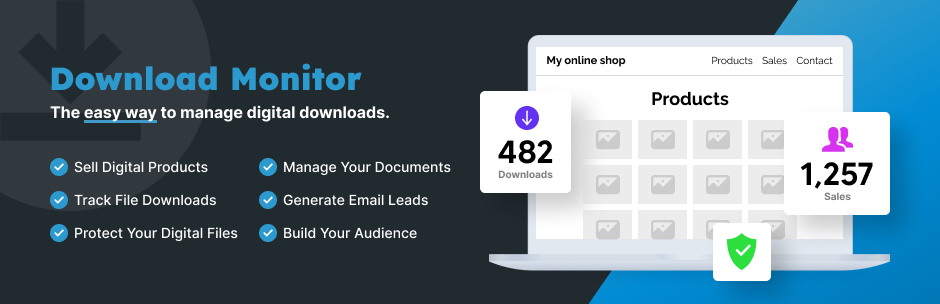
Powerful Download Manager Plugin for WordPress
Download Monitor is a powerful download manager plugin for handling downloadable files, adding download links to your posts or pages, and tracking downloads.
Download Monitor is uitgelicht op de websites van enkele van de meest populaire en toonaangevende bedrijven in het WordPress ecosysteem, zoals WPBeginner, Pagely, Jilt, WP Fusion & Kinsta.
See how easy it is to list a download on your WordPress site
Download Monitor Extensions available when purchasing a Pro plan
- Buttons: Create beautiful, fully customizable download buttons for your files.
- Downloading Page: Serve your downloads from a separate page.
- Google Drive: Lets you use the files hosted on your Google Drive as Download Monitor files.
- Advanced Access Manager: Create advanced download limitations per download and on a global level.
- Email Notification: Trigger an email notification whenever one of your files is downloaded.
- Document Library Manage: Display files in fast, searchable tables or grids with sorting, filters, and flexible styling. Your documents, easy to find.
- Lock downloads option: Set restrictions to your download functionality using MailChimp Lock, Email Lock, CAPTCHA,
- Gravity Forms Gated Content: easily create a download gate with Gravity Forms. Require users to fill-in a form before accessing a download.
- Ninja Forms Lock: if you are an user of Ninja Forms, you can also use this to require users to fill-in of a form before accesing a download.
- WPForms Gated Content: gate your downloads by first requesting users to submit a form build using WPForms.
- Contact Form 7 Lock: request the submission of a Contact Form 7 form before providing access to the download.
Documentatie
We hebben een grote kennisbank op onze Download Monitor site die documentatie bevat over hoe je Download Monitor instelt en gebruikt.
How-to Guides
Are you a new Download Monitor user? Read these articles on how to get your files ready for download with Download Monitor: How to install Download Monitor How to add your first download in Download Monitor How to list your first download on your website with the download shortcode
More advanced topics that a lot of people find interesting: Learn more about the different ways you can style your download buttons Learn more about how to customize your download buttons Learn more about what actions and filters are available in Download Monitor
Bijdragen en rapporteren van bugs
You can contribute code to this plugin via GitHub: https://github.com/WPChill/download-monitor You can contribute localizations via Transifex https://www.transifex.com/projects/p/download-monitor/
Help & Support
- Search our extensive knowledge base for documentation about installing the plugin/the extensions, available settings and how to use them.
- Browse Download monitor’s WordPress forum to find answers to your queries or create a new topic.
- Contact us directly for support.
3rd party or external service disclaimer
The plugin connects to our website through an API call (https://download-monitor.com/?dlm-all-extensions=true) in order to request a list of available extensions.
IT DOES NOT SEND ANY DATA NOR DO WE COLLECT INFORMATION FROM THE REQUEST
Our privacy policy can be found at this URL https://download-monitor.com/privacy-policy/