
FluentSnippets – High-Performance Code Snippets, Header & Footer Code, Custom CSS & PHP Code Manager
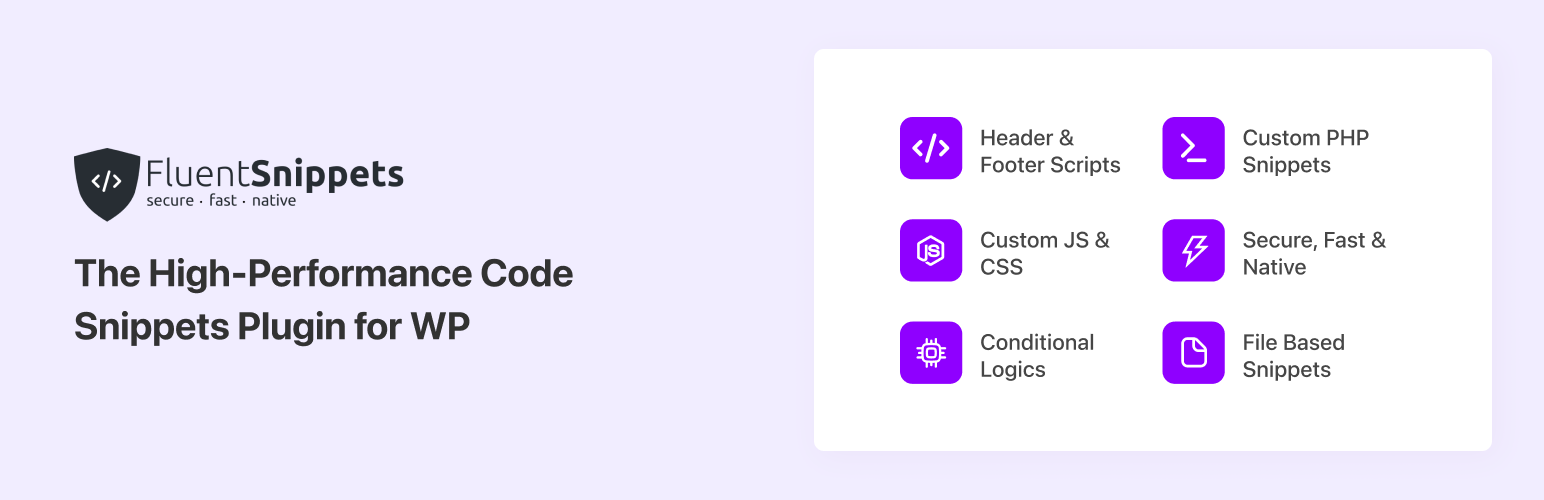
FluentSnippets is the fastest and most secure code snippets plugin for WordPress — a high-performance way to add custom code to your site without editing your theme’s functions.php file. Easily insert header and footer scripts, run PHP code snippets, and add custom CSS, JavaScript, and HTML with powerful conditional logic.
⭐ 100% free and open source — no “Pro” version, no upsells. Read, audit, or contribute to the full source code on GitHub.
Unlike every other code snippet plugin, FluentSnippets stores your snippets in flat files and loads them natively — so it runs zero database queries and never slows down your site. No bloated database tables, no extra SQL injection surface, just safe, native, lightning-fast code execution.
Whether you want to add Google Analytics, a Facebook Pixel, ads.txt or banner ad codes, conversion tracking scripts, custom CSS tweaks, or complex PHP functionality, FluentSnippets makes it safe, secure, fast, and hassle-free. It is the perfect lightweight alternative to editing functions.php or using heavier, database-driven code snippet managers.
Simple for Beginners, Powerful for Developers
Adding a snippet takes seconds: open the editor, paste or write your code, choose where it should run (everywhere, admin only, front-end only, or based on conditional logic), and save. A built-in syntax highlighter and smart error handling guide you along the way — and if a snippet ever causes a fatal error, FluentSnippets automatically deactivates it so your site stays online instead of breaking. You can organize snippets with tags, switch them on or off with a single click, and export or import them between sites in seconds.
100% Free & Open Source — No Upsells, No “Pro” Version
FluentSnippets is completely free and fully open source under the GPL. There is no premium version, no locked or “Pro-only” features, no upsells, and no email-gated downloads — every single feature is included for everyone, on every site, forever. The full source code lives on GitHub, so developers can read the code, audit it for security, request features, report bugs, or contribute directly via pull requests. It is built and actively maintained by the team behind FluentCRM, Fluent Forms, and FluentSMTP.
From Quick Tweaks to Advanced Customizations
From simple tweaks to advanced development, FluentSnippets handles it all. Use it to add Google Tag Manager and tracking pixels, register custom shortcodes, create custom functions, disable comments or emojis, remove unwanted admin notices, add JSON-LD schema markup, or run any PHP snippet you would normally drop into functions.php. CSS snippets even support the WordPress Block Editor (Gutenberg), so you can style your site with a familiar editing experience. Every snippet runs only where you tell it to, thanks to granular conditional logic based on post type, page URL, user role, login status, and more — so your custom code stays fast, targeted, and easy to manage.
Waarom FluentSnippets?
FluentSnippets slaat de codesnippets op in een flat file en gebruikt codeblokken in elk snippet bestand om metadata toe te voegen, zoals een beschrijving, titel, voorwaardelijke logica, snippettype en andere zaken. We parseren deze gegevens ook één keer en cachen deze in index.php, zodat we deze codeblokken niet bij elke aanvraag hoeven te parseren. Tijdens uitvoering worden deze bestanden vervolgens toegevoegd aan de geselecteerde action hook. Gedurende het hele proces voert FluentSnippets geen enkele databasequery uit. Sterker nog, we hebben geen enkele databasequery gedurende de gehele runtime van de plugin. Met dit native ontwerp is FluentSnippets native, veilig van ontwerp en de meest performante codes nippets in deze categorie.
Functies
- File-based Snippets: Your snippets are safely saved in your file system and load natively with zero database queries, so it’s safe, secure, and ultra-fast.
- Aangepaste code snippets: schrijf je eigen aangepaste codesnippeten, waaronder PHP, JS, CSS, HTML en meer. categoriseer je snippets met groepen, tags, enz
- Geavanceerde voorwaardelijke logica: voer codesnippeten uitsluitend uit onder opgegeven voorwaarden, zoals berichttype, datum, URL, gebruikerstype en nog veel meer.
- Automatische foutbehandeling: de automatische foutbehandeling voorkomt veelvoorkomende fouten bij het toevoegen van aangepaste snippets, zodat ze je site nooit kapotmaken.
- Aangepaste shortcode: met een aangepaste shortcode van je snippets kun je aangepaste dynamische inhoudsblokken maken en deze op je site gebruiken en beheren.
- Stand-alone Mode: The most interesting feature is the Stand-alone Mode. With this feature, you can add your snippets, activate the standalone mode, and then you can uninstall and delete the plugin and your snippets will still run via mu-plugins architecture and when you reactivate the plugin you can manage your snippets as before.
Krachtige slimme voorwaardelijke logica
We hebben slimme voorwaardelijke logica toegevoegd, zodat je precies kunt kiezen waar je je code wilt uitvoeren. Deze voorwaardelijke logica omvat
- User’s Login State or Role
- Paginatypes
- Berichttypen
- Taxonomie of termgebaseerde regel
- Op pagina/bericht URL
- Doelspecifieke pagina/bericht/CPT
- Datum gebaseerde voorwaarden
- FluentCRM tag/lijsten op basis van de regel van het huidige contact
Deze voorwaarden zijn gegroepeerd, wat betekent dat je meerdere groepen met een reeks voorwaarden kunt toevoegen. Als een van de groepen aan de voorwaarden voldoet, wordt het snippet uitgevoerd.
Snippet typen
FluentSnippets heeft vier soorten snippets. Je kunt het snippet type kiezen uit de selectie van snippet typen.
Functies – PHP-snippet: dit snippet bevat alle PHP-code die je moet uitvoeren in specifieke gebieden, zoals je zou schrijven in het bestand functions.php van je thema. Je kunt dit snippettype gebruiken om functies/klassen te maken, te koppelen aan andere acties en filters, en meer.
Inhoud – PHP + HTML-snippettype: dit snippettype wordt gebruikt om inhoud op verschillende plaatsen in te voegen, zoals in header, footer, inhoud na een bericht, inhoud voor een bericht, enz. Je kunt php-/html-/js-/css-code in dit snippettype schrijven.
CSS Snippet Type: You can use this snippet type to add custom CSS to your site.
JS Snippet Type: You can use this snippet type to add custom JS to your site.
Intern ontwerp van de FluentSnippets plugin
Het ontwerp is supersimpel en dat is precies wat het moet zijn! FluentSnippets slaat de code snippets op in een flat file en gebruikt codeblokken in elk snippetbestand om metadata toe te voegen, zoals een beschrijving, titel, voorwaardelijke logica, snippettype en andere zaken. We parseren deze gegevens ook één keer en cachen deze in index.php, zodat we deze codeblokken niet bij elke aanvraag hoeven te parseren. Tijdens uitvoering worden deze bestanden vervolgens toegevoegd aan de geselecteerde action hook. Gedurende het hele proces voert FluentSnippets geen enkele databasequery uit. Sterker nog, we hebben geen enkele databasequery gedurende de hele runtime van de plugin. Met dit native ontwerp is FluentSnippets native, veilig van ontwerp en de meest performante code snippets in deze categorie.
Populaire gebruiksscenario’s van deze Code Snippet plugin
- Aangepaste PHP code toevoegen om functionaliteiten uit te breiden
- Kop en footer codes toevoegen (Google Analytics/Pixel/Ads codes)
- Aangepaste CSS voor specifieke bericht/pagina typen
- Aangepaste javaScript codes
- Dynamische inhoud naar verschillende soorten plaatsen, zoals voor/na berichtinhoud of footer
- Dynamische shortcode
Other Plugins By The Same Team
- FluentCRM – Email Marketing, Newsletter, Email Automation and CRM Plugin for WordPress
- Fluent Forms – Snelste WordPress formulier bouwer plugin
- Ninja Tables – Beste WP DataTables plugin voor WordPress
- Ninja Charts – Beste WP Charts plugin voor WordPress
- WPPayForm – Stripe Payments plugin voor WordPress
- Mautic Integration For Fluent Forms
- Fluent Forms PDF – PDF Entries voor Fluent Forms
- FluentSMTP – WordPress Mail SMTP, SES, SendGrid, MailGun Plugin
BIJDRAGEN
If you want to contribute to this project or just report a bug, you are more than welcome. Please check repository from Github. FluentSnippets was known as Easy Code Manager before. We have rebuild & rebranded it to FluentSnippets.