
Easy Optimizer – PageSpeed, Cache & Core Web Vitals (Unused CSS, Delay JS, Lazy Load)
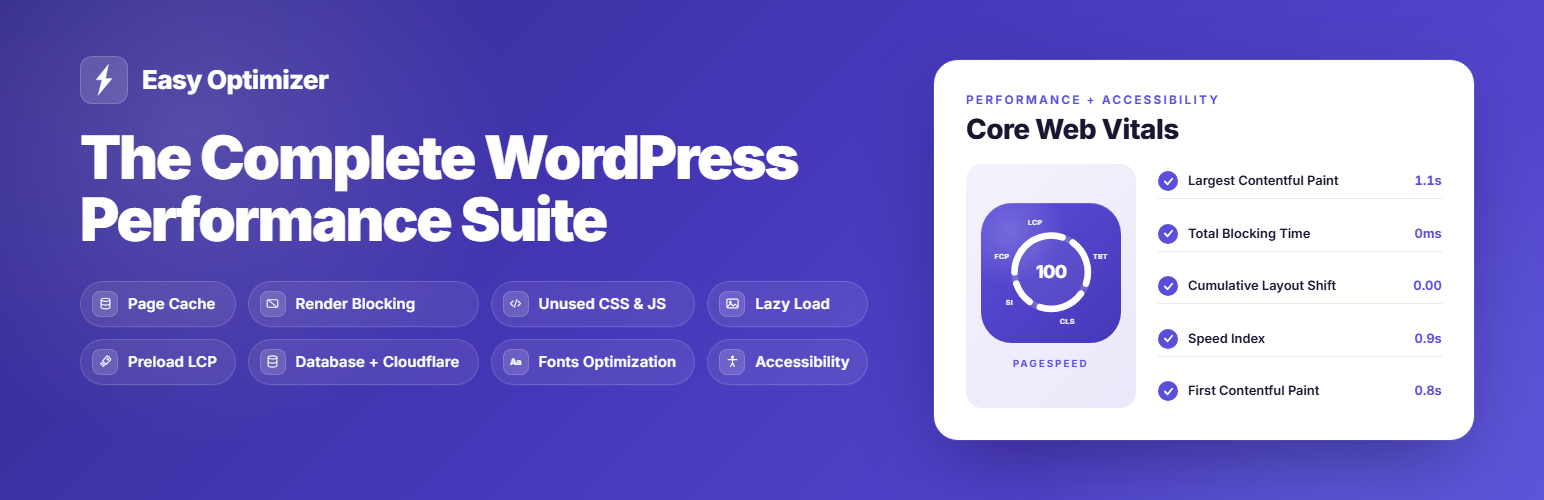
Speed up your WordPress site and improve your Google PageSpeed score from a single dashboard. Easy Optimizer is a free, all-in-one performance plugin that can replace the 3–5 separate speed plugins most sites run today — page caching, unused-CSS removal, JavaScript delay/defer, image lazy loading, LCP preloading, WebP/AVIF delivery and more — to help you pass Core Web Vitals: Largest Contentful Paint (LCP), Cumulative Layout Shift (CLS) and Interaction to Next Paint (INP). It runs on Apache, Nginx, LiteSpeed and OpenLiteSpeed, and is fully WooCommerce-aware.
One cache plugin, one dashboard, no premium upsells for core features. Prefer to keep your current cache plugin? Turn off the modules that overlap and use only the tools you want (see the FAQ).
Every toggle maps to a specific Google Lighthouse recommendation — enable it, save, and your Core Web Vitals improve immediately. Features you don’t enable never touch your page load or your admin.
Core Features
- Full Page Caching: Serve static HTML with sub-millisecond TTFB, with separate mobile and desktop caches and automatic sitemap-based preloading that warms your pages in the background.
- Compression & Browser Caching: Turn on Gzip or Brotli text compression and long-lived browser-cache (Expires) headers to shrink transfer size and stop repeat visitors re-downloading the same assets — resolving Lighthouse’s “Enable text compression” and “Serve static assets with an efficient cache policy”.
- Redis Object Cache: Add a persistent object cache that keeps repeated database and option lookups in Redis, cutting MySQL load on dynamic, logged-in and WooCommerce pages. Works with Relay, PhpRedis or the bundled Predis client (no PHP extension required) and reads your host’s
WP_REDIS_*constants automatically. It defers to any object-cache drop-in already installed instead of overwriting it, never editswp-config.php, and includes a one-click flush plus a live status panel (connection, memory, Redis version). - Remove Unused CSS: Fix Lighthouse’s “Reduce unused CSS” by serving a slim, per-page-type stylesheet — eliminating render-blocking CSS and lifting your LCP. A built-in fail-safe keeps your original styles until a valid stylesheet is generated, so pages never render unstyled.
- Minify CSS & JavaScript: Strip comments and whitespace from your local CSS and JS files, caching each minified file on disk so it is processed only once. Already-minified files are skipped, and relative
url()/@importpaths are rewritten so assets keep resolving. Works independently of Remove Unused CSS and Delay JS. - Delay & Defer JavaScript: Cut Total Blocking Time and improve INP by delaying script execution until user interaction, or by deferring scripts natively. jQuery is excluded by default, and you can exclude any script that needs to run early.
- Smart Lazy Loading: Defer offscreen images, iframes, videos and CSS background images, and add missing width/height attributes to prevent layout shift (CLS).
- Automatic LCP Preload: Detect each page’s Largest Contentful Paint image and preload it — including responsive
srcset,<picture>and CSS background heroes — stored per URL so every page preloads its own correct hero for faster visual loading. - Image CDN (WebP & AVIF): Rewrite your image URLs to a global CDN that serves modern WebP/AVIF formats and every responsive size, addressing Lighthouse’s “Serve images in next-gen formats”. Optional and off until you enable it.
- Prefetch Pages: Pre-fetch links as visitors hover — with rate limiting and automatic back-off on a struggling server — making navigation feel like an instant single-page app.
- Font Optimization: Add
font-display: swapso text stays visible during webfont loads, with optional per-device font preloading learned from a lightweight beacon. - Bloat Removal: 15 independent toggles to safely switch off unused WordPress core scripts and features (emojis, embeds, XML-RPC, jQuery Migrate, Dashicons, Block Library CSS and more).
- Database Cleanup & Optimization: Schedule cleanups of revisions, auto-drafts, trashed posts, spam and transients — each with a pre-cleanup snapshot so you can restore safely. The built-in Autoload Health auditor finds the heaviest autoloaded options and lets you switch off the ones you don’t need, directly resolving the Site Health warning “Autoloaded options could affect performance.”
- Heartbeat & Cron Manager: Limit WordPress Heartbeat frequency and throttle WP-Cron from the dashboard (no
wp-config.phpedits), and view, run or delete scheduled cron events. - Cloudflare Integration: Purge your Cloudflare edge cache (tag-based or full zone) whenever the page cache clears, and test your API connection instantly without saving credentials first.
- Hosting Integrations: Detect your environment and purge server-level cache on managed hosts including Kinsta, WP Engine, SiteGround, Cloudways, GridPane, RunCloud, SpinupWP, Rocket.net and WordPress.com.
- Accessibility & SEO Fixes: Resolve common Lighthouse accessibility warnings in real time — missing form labels, ARIA names, iframe titles and un-crawlable links — without editing your theme.
- PageSpeed Speed Test: Run a Google PageSpeed test from your dashboard and compare your score with and without Easy Optimizer, for both mobile and desktop, including Core Web Vitals (LCP, CLS, INP). Works out of the box, or add your own free Google API key for unlimited tests.
- Debug Issues Panel: If a page ever looks wrong, switch individual optimizations off for a single page load and find the cause in a couple of clicks — no settings changed, no cache cleared, and no private browsing window needed. It tells you which feature caused it and takes you straight to the exclusion field that makes the fix permanent.
- Find Slow Plugins & Themes (Backend Analyzer): Profile any page or your admin area on demand to see exactly which plugins, themes and database queries take the most time — so you can pinpoint what is slowing your site down. Nothing runs for real visitors, so there is no added overhead.
PageSpeed Insights & Lighthouse Recommendations Addressed
Lighthouse 13 renamed and merged many performance audits. Where the name changed, the previous wording is shown in brackets so you can match either against your report.
Performance
- Render blocking requests (was: Eliminate render-blocking resources)
- Reduce unused CSS
- Minimize main-thread work
- Improve image delivery (was: Serve images in next-gen formats / Properly size images)
- Layout shift culprits (was: Image elements do not have explicit width and height)
- LCP request discovery (was: Preload Largest Contentful Paint image)
- Font display (was: Ensure text remains visible during webfont load)
- Use efficient cache lifetimes (was: Serve static assets with an efficient cache policy)
- Document request latency (was: Enable text compression / Reduce server response time)
- Network dependency tree (was: Preconnect to required origins)
Accessibility
- Form elements do not have associated labels
- Links do not have a discernible name
- Buttons do not have an accessible name
- [user-scalable=”no”] in viewport or [maximum-scale] < 5
- Frame or iframe elements do not have a title
- ARIA progressbar elements do not have accessible names
- Some elements have a [tabindex] value greater than 0
- Image elements do not have [alt] attributes
SEO
- Links are not crawlable
- Image elements do not have [alt] attributes.
Works With Your Setup
- WordPress & PHP: WP 6.4+ and PHP 7.4+
- Web Servers: Apache, Nginx, LiteSpeed, OpenLiteSpeed
- WooCommerce: Fully compatible. Cart, checkout, and my-account pages are automatically excluded from caching and optimization to protect the purchase flow.
- Page Builders: Elementor, Beaver Builder, Divi, Gutenberg, Bricks, Oxygen, Breakdance.
A Free Alternative to Premium Speed Plugins
Easy Optimizer is a genuine free alternative to paid performance plugins such as WP Rocket, FlyingPress and Perfmatters: page caching, Remove Unused CSS, Delay/Defer JavaScript, LCP preload, lazy load, Cloudflare and hosting-cache purging, database cleanup and the Backend Analyzer are all included, with no premium-locked features and no upsells. Run it as a complete all-in-one, or use just the tools you need alongside your existing setup — the only rule is to never run two of the same optimization (especially two page caches) at once.
External Services
Easy Optimizer can connect to the external services below. Each is optional and used only for the feature noted.
- FluxPress Adaptive Images (paid, optional) — when Smart Images is connected with a license key, your public image URLs are rewritten to your personal CDN endpoint (CDN + an image-processing service) for AVIF/WebP conversion, resizing and delivery. URLs are cryptographically signed; only public image URLs are requested by visitors’ browsers; your original files are never modified or uploaded. During connect, and roughly hourly afterwards, the plugin contacts fluxpress.io (endpoints: /provision on connect, /usage for the bandwidth meter and license check, /preflight during connect, /deprovision on disconnect, /purge after settings changes), sending only your license key and site URL. Terms & Privacy
- SureCart (licensing for Adaptive Images) — validating and activating/deactivating your license contacts api.surecart.com with your license key and site URL. Only used when you connect, disconnect, or the license is re-validated. Terms · Privacy
- Cloudflare API — when Cloudflare is connected, your edge cache is purged (by URL or full zone) as the page cache clears. Only the URLs to purge and your zone ID are sent. Terms · Privacy
- Google PageSpeed Insights — when you run a speed test with your own API key, your site’s public home URL is sent to Google. Terms · Privacy
- FluxPress PageSpeed proxy — the default speed-test path; your site registers once, then its public home URL is tested via Google so no API key is needed. Terms & Privacy
- FluxPress usage analytics — opt-in, off by default; sends technical, non-personal data (plugin/WordPress/PHP versions, theme, locale, host, multisite/WooCommerce flags, and your site URL). It never sends your email, visitor IPs, user data, or page content. Terms & Privacy
Privacy
Easy Optimizer’s usage analytics are opt-in and disabled by default. When enabled, it sends the data listed under External Services over an encrypted connection. It never collects your email address, IP address, user data, or site content.