
Expandable Menus
·
Allows you to collapse and expand the WordPress admin theme menus (Appearance > Menus).
Beoordelingen
Versie
2.1
Actieve installaties
100
Laatst bijgewerkt
Feb 23, 2013
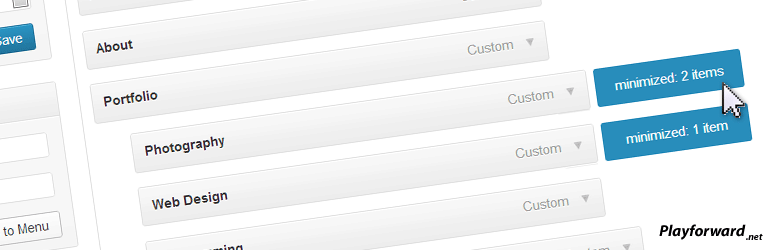
When creating a menu under the “Appearance -> Menus” tab it allows you to double click to expand and collapse a menu tree.
This is particularly useful for large menus or menus with many different sub trees that take up screen space.
Minimized menus will be saved as a cookie so when you return they should be minimized again.
Requirements
- Javascript is required.
- A browser that supports the :after CSS selector is required to show the minimized indicators (IE7 and IE8 may not show them).
Future releases:
- Images to show collapsed menus rather than just a blue marker.
- Double-click visual feedback.
- your ideas!