
Jquery Validation For Contact Form 7
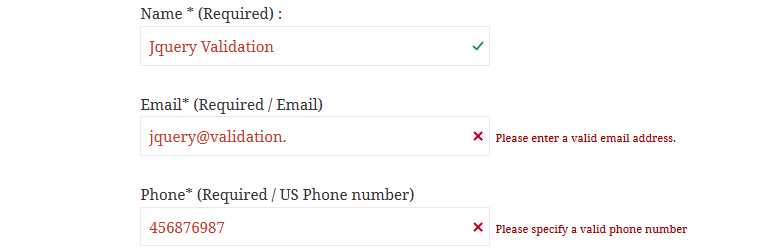
This plugin adds jquery form validation to your contact form 7. You will be able to validate extra validation rules like: url, date, credit card, phone number in the contact form 7 fields.
Benefits you get from this plugins.
- Adds Jquery Validation to Contact Form Fields.
- More faster validation than of contact form core validation.
- Allows field to be validated for url, date, credit card, number and more.
- Field Highlight features for invalid field data types.
- Error message for individual fields.
- Easy to to add validation rules. Just add class in contact form 7 fields.
- Interactive validation that your users love.
- Works with multiple forms now.
Validation Methods available in lite version.
- Vereist
- URL
- Datum
- Nummer
- Digit only
- Creditcard
- US Phone number
- Letters Only
- IBAN (International Bank account number)
Documentation How To Use | Validation Methods
Additional Validation Methods available in PRO version.
- Multiple Custom Code Validation with One time Code option.
- Custom RegEx Validation – Define any validation rules you need.
- Username validation check (Demo : https://bit.ly/2BueOn2).
- Email Code Verification (Demo : https://bit.ly/3gOJuiS).
- Alpha Numeric – Letters, numbers, and underscores only
- Bank or Giro account number.
- BIC Code – Accepts Valid BIC Code Only.
- Giro Account – Accepts Giro Account number only.
- Integer – Accepts positive or negative non-decimal number.
- IPv4 / IPv6 – Accepts IPv4/IPv6 IP address only.
- Mobile UK – Accepts UK Mobile number only.
- Phone UK – Accepts UK phone number only.
- US State – Accpets US state only.
- Minimum Number – Makes the element require a given minimum.
- Maximum Number – Makes the element require a given maximum.
- Minimum Length – Makes the element require a given minimum length.
- Maximum Length – Makes the element require a given maximum length.
- Range Length – Makes the element require a given value range.
- Range – Makes the element require a given value range.
- Equal To – Requires the element to be the same as another one
- Extension – Makes the element require a certain file extension
- Require Group – Ensures a given number of fields in a group are complete.
Additional Features in Pro version.
- 4 different validation error theme to choose from.
- Change validation error message.
PRO VERSION DEMO | BUY PRO VERSION
For Support Please Visit https://wordpress.org/support/plugin/jquery-validation-for-contact-form-7/.
Don’t forget to check the instructions in the setting page of the plugin.
jQuery Validation for Gravity Form available Need javascript based validation for Gravity Forms ? Check out our jQuery Validation For Gravity Form plugin here.