LolaCore for Forms

WPForms already gives you a form builder, entry storage, and payment records. The friction is opening the right screen, remembering where a form is embedded, and piecing together whether submissions dropped because of traffic, a broken embed, or something else.
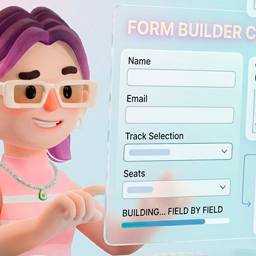
LolaCore for Forms moves that work into a sentence inside wp-admin. You describe what you need. Lola reads what WPForms already stores, co-creates forms field by field, and tells you what deserves attention.
Same plugin. Same data. You stopped clicking and started asking.
When something matters across domains, Lola can connect a form finding with traffic from Statistics, content placement, or SEO on the same site. Her memory lives inside your WordPress install, including form purpose and submission baselines.
This is an addon. It needs LolaCore and WPForms active on the same site.
For walkthroughs and example conversations, see lolacore.com/lolacore-for-forms.
Third-party addon, not affiliated with WPForms
WPForms is a trademark of Awesome Motive, LLC. LolaCore for Forms is an independent addon built by LolaCore. It is not affiliated with, endorsed by, or sponsored by Awesome Motive. You install WPForms separately from WordPress.org or your WPForms account.
15 base abilities (+9 when WPForms Pro entry storage and payments are active)
Overview
- Forms dashboard: list forms with field counts and submission totals.
- Plugin status: Lite or Pro, LiteConnect, entry storage, payments, and available field types.
Conversational form builder (works on WPForms Lite)
- Create a form shell with optional initial fields and notification settings.
- Add, update, or remove allowlisted fields without opening the visual builder.
- Update notification, confirmation, and anti-spam settings with dry-run preview.
- Get embed code: shortcode, block name, and edit URL after save.
- Built-in form coach skill so Lola routes builder questions and asks for purpose before closing.
Form health and placement
- Form summary: human-readable field list and settings highlights.
- Audit form health: actionable findings for notifications, confirmation, anti-spam, and placement.
- Notification routing: who receives each notification rule.
- Form placement: where a form is embedded on the site.
Submission trends
- Week-over-week submission trends per form (Lite uses weekly meta; Pro can honor date ranges).
- Detect submission anomalies: drops, spikes, spam surges, traffic without submissions, dominant forms. Includes baseline reference when memory data exists.
- Compare form performance across forms, with optional conversion proxy when LolaCore for Statistics is active.
WPForms Pro entry storage (registered only when active)
- Inbox summary: unread, starred, spam, and trash counts.
- Search recent entries with field labels; PII masked by default.
- Entry detail with optional full PII when you explicitly ask.
- Find unread entries that need attention.
- Spam, partial, and abandoned breakdown.
- Mark entries as read and delete entries, always with dry-run preview and confirmation. Deletes require per-entry permission.
WPForms Pro payments (registered only when payments are active)
- Payment summary by form and date range.
- Failed and pending payment rows.
Cross-domain context
- Registered affinity with Statistics, content, and SEO domains.
- Memory bootstrap records form purpose and submission baselines for smarter answers over time.
Builder and settings writes use dry-run previews and confirmation. Destructive entry deletes are flagged explicitly. Lola uses her own LolaCore abilities, not the host WPForms MCP tools.
Analyst companion, not a replacement
Lola co-creates forms and interprets submission patterns. She does not replace WPForms, Stripe, PayPal, or your email delivery stack. When a notification email is missing or a form is not embedded, she tells you and suggests the fix.
Privacy
Entry reads mask email, phone, and IP by default. Pass full PII only when you explicitly request unmasked values. Entry data stays on your server through the official WPForms PHP API.
You stay in wp-admin
You chat with Lola in the LolaCore panel inside WordPress admin. Your AI provider is configured once in WordPress (Settings -> Connectors, WordPress 7.0+). This addon adds no API keys and no usage quotas of its own.