Notifications for Collapsed Admin Menu

In the WordPress admin, when the left sidebar menu is expanded WordPress presents you with a highlighted number within the menu itself indicating the number of pending comments (i.e. comments in moderation) and a separate number for the number of plugins with updates.
However, if you collapse the sidebar menu, then there are no visual indications that either types of updates are available. You can view the count of updated plugins by hovering on the plugins icon (or, for comments, by hovering on the comments icon), but you must manually do that to learn of updates.
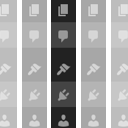
This plugin enhances the sidebar menu to display a visual indication that comments are in moderation and/or there are plugin updates available. It does so by using a different-colored background for the icon (see the screenshot). The visual indication is also updated when AJAX-based requests are made (so doing an in-line approval of the last pending comment will cause the comments icon background color to return to its non-highlighted color).
By default, the plugin utilizes WordPress’s pending/update count background highlight color, which varies depending on the admin color scheme in use by the user.
NOTE: As the plugin’s name suggests, this plugin only takes effect if the admin sidebar menu is collapsed. Also, the admin user must have JavaScript enabled.
Links: Plugin Homepage | Plugin Directory Page | GitHub | Author Homepage