PubExa – Ad Manager, Ad Inserter & Website Monetization

PubExa is an ad manager and an ad network in one plugin. Build and place your own ads with no account at all — or connect to the PubExa network and get paid for the space you already have. Most WordPress ad plugins only manage code you bring yourself. PubExa can also be the one paying you, which makes it a genuine AdSense alternative rather than another way to insert someone else’s tags.
Demo (open it on a phone to see the scroll-in ad tabs) · Plugin home · Support forum · Watch the 16-second demo
See it working in about a minute
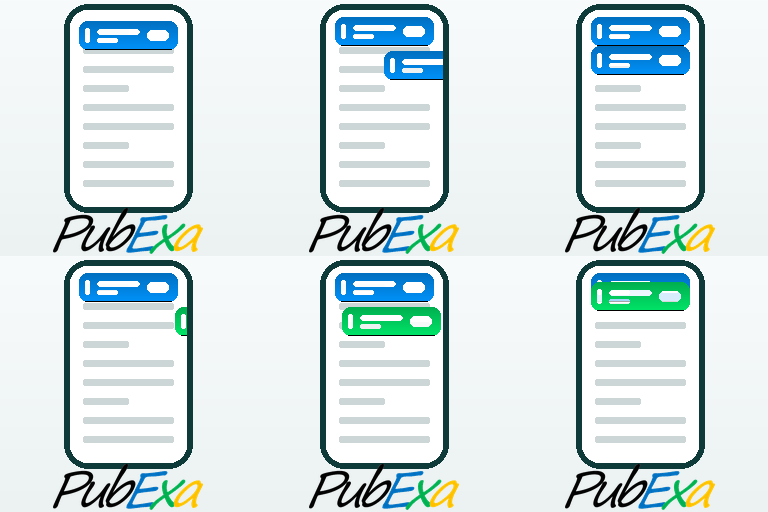
Activate the plugin, then open your own site on a phone. You will see the ad tabs sliding in as you scroll — three demo ads, running in Preview Mode, so you can judge the format, the animation and the colours before you create a single ad or open any account. Nothing is served to your readers until you say so.
Your own ads, no account required
Open My Ads and create as many as you like. There are two kinds, and they are different on purpose:
- Tab banners — the mobile format. Either a text ad (a headline up to 30 characters, a description up to 160, and your link) or a single 320×100 image, or 640×200 for a sharper result on modern phones.
- Cards — a picture with a separate title and description, shown in rows inside your content and in sidebars.
Drag them up and down to change the order they appear in, set any of them active or paused, and preview each one before it goes live.
These are your ads, so they can be anything you want promoted: your own best article, a product you sell, an affiliate offer including Amazon links, another site of yours, or a friend’s site. An ad manager and a monetization tool in the same screen.
Choose what runs on your site
The tabs and the cards are separate units with separate settings, so a decision about one never quietly changes the other. Each has its own source:
- Mine only — nothing but the ads you created yourself. No account needed.
- Network only — ads from the PubExa network, which you are paid for.
- Mixed — alternating: one of yours, then one from the network, then yours again.
- Off — that unit does not appear anywhere, automatically or by shortcode.
- The tabs additionally offer Preview Mode — demo ads, for judging the look before anything real runs.
Each unit also has its own list of where not to appear: the home page, posts, pages, archives, or any list of addresses. And any single post or page can opt out of either unit from the editor sidebar.
Mobile-first ad tabs
The signature format is a slim ad “tab” that slides in as the reader scrolls, shows a single clean ad, and can be dismissed with one tap. It never takes over the page and it never blocks what your reader is about to read.
You control how it behaves:
- how far down the screen it sits
- how much space there is between one ad and the next
- the background colour of text ads
- the animation: none, slide down from the top, slide in from the left or the right, diagonally in from either top corner, or rising up from below on either side
- and, if you want a more aggressive setup, a second set of ads at the bottom of the screen as well
Cards inside your content
Cards are rows of picture-and-text units that sit inside an article. You can let the plugin place them for you, paste them exactly where you want, or both at once.
Automatic placement offers four positions, each with its own number of cards: before the article, after the second paragraph, at the end of the article (directly under your last paragraph, above the comments), and before the footer (at the very bottom of the page, below everything). A practical pattern for an established site: let automatic placement handle your older posts, so you never have to reopen and redesign them, and use the shortcode on new pages where you want exact control.
Wherever a row appears, you choose how many cards it shows — up to 12 — and it sizes itself to the width of your content or your page.
Where ads can appear
- Scroll-in ad tabs at the top of the screen, and optionally a second set at the bottom
- Rows of cards inside your content, at up to four positions
- A column of cards in a sidebar
- A single card anywhere you want one
- A leaderboard banner, 970×90, on desktop screens
- Anywhere you like, using a shortcode — including sidebars and widget areas
- Anywhere you like, using an Elementor widget
Shortcodes
Paste these anywhere, including sidebars, widgets and page builders:
[pubexa_row]— a row of cards[pubexa_column]— the same cards stacked vertically, for a sidebar[pubexa_ad]— a single card[pubexa_leader]— a leaderboard banner, 970×90, hidden on narrow screens
A shortcode you paste yourself is never overridden by a setting: pasting one is how you decide a unit belongs there. Each accepts options, so you can set the width, the card shadow and how many cards to show without writing any CSS.
Elementor
Three native Elementor widgets — Ad, Column and Leaderboard — drag straight onto the canvas. Card shadow and corner radius are controlled from Elementor’s own Style tab, so ads match the rest of your design instead of fighting it.
See what your ads are doing
The Reports screen shows impressions, clicks, CTR and dismisses for every one of your own ads, month by month. You can see which of your ads people actually respond to, and which one is quietly wasting the space.
Run more than one site?
The Transfer screen exports everything you configured on one site — settings and your own ads together — to a single file. Import it on the next site and you are done. Nothing has to be set up twice.
Optional: earn with the PubExa network
When you are ready to monetize, create a free publisher account, add your Site ID under General, and set the tabs or the cards to Network or Mixed. Network ads use the placements you already set up — the tabs, the card rows, the leaderboard — matched to the topic of each page, and you earn a revenue share on every click.
You stay in control of what runs on your site: block ads by keyword, by topic, or by whole verticals such as gambling, alcohol or politics, and they will never be served to your readers.
Privacy and consent
PubExa includes a built-in cookie mode, so you decide whether ads run before, after, or regardless of a visitor’s consent, and you can point it at your own privacy policy. If you ever uninstall, the plugin can remove every trace of itself from your database.
Why the ad tab exists
Mobile is where most of your readers are, and mobile is where advertising works worst. A phone screen has almost no room to spare: a banner at the top gets scrolled past in half a second, a banner inside the text interrupts the reading, and anything larger covers what someone came to read. So publishers add more units, readers get more irritated, and the ads perform worse — which leads to still more units. That spiral is why so many mobile sites are unpleasant to use, and why so many readers install an ad blocker.
The ad tab is a different answer to the same problem. It uses the space beside the content instead of the space inside it, appears only after the reader has already read something, moves in a way the eye notices, and disappears with one tap if it is unwanted. An ad that respects the reader gets looked at, and an ad that gets looked at is worth more to the advertiser and to you.
That is the whole idea: better use of the little space a phone has, rather than more of it.
External services
This plugin connects to the PubExa ad network, an external service operated by PubExa LLC, in order to request ads and record ad events. This connection is required for the plugin’s core function of serving network advertising.
What is sent, and when:
- When a page that contains a PubExa ad unit is viewed, the plugin sends an ad request to the PubExa ad server. The request includes: the page URL, page title, page language, the visible page headings (H1–H6), an anonymous first-party visitor identifier (stored in the
pubexa_vidcookie), your site host, and the visitor’s IP address (used for fraud prevention and coarse country reporting). - When an ad is shown, clicked, or dismissed, the plugin sends an event (impression, click, or dismiss) with the associated delivery identifier so the event can be recorded.
- If you choose “Remove and delete data” when deactivating, and optionally give a reason, the plugin sends a one-time anonymous feedback message to PubExa (
https://pubexa.com/api/plugin-feedback). It includes only: the reason you typed, the plugin/WordPress/PHP versions, whether the site is multisite, and a random anonymous install identifier. No personal data, site URL, or account data is sent. This is optional telemetry and never blocks deactivation.
The ad server endpoint is the URL you configure in the plugin settings (the PubExa ad server). Use of the PubExa service is governed by the PubExa Advertiser and Publisher Terms of Service and Privacy Policy:
- Publisher Terms of Service: https://info.pubexa.com/publisher-terms-of-service/
- Advertiser Terms of Service: https://info.pubexa.com/advertiser-terms-of-service/
- Privacy Policy: https://info.pubexa.com/privacy-policy/
- Cookie Notice: https://info.pubexa.com/cookie-notice/