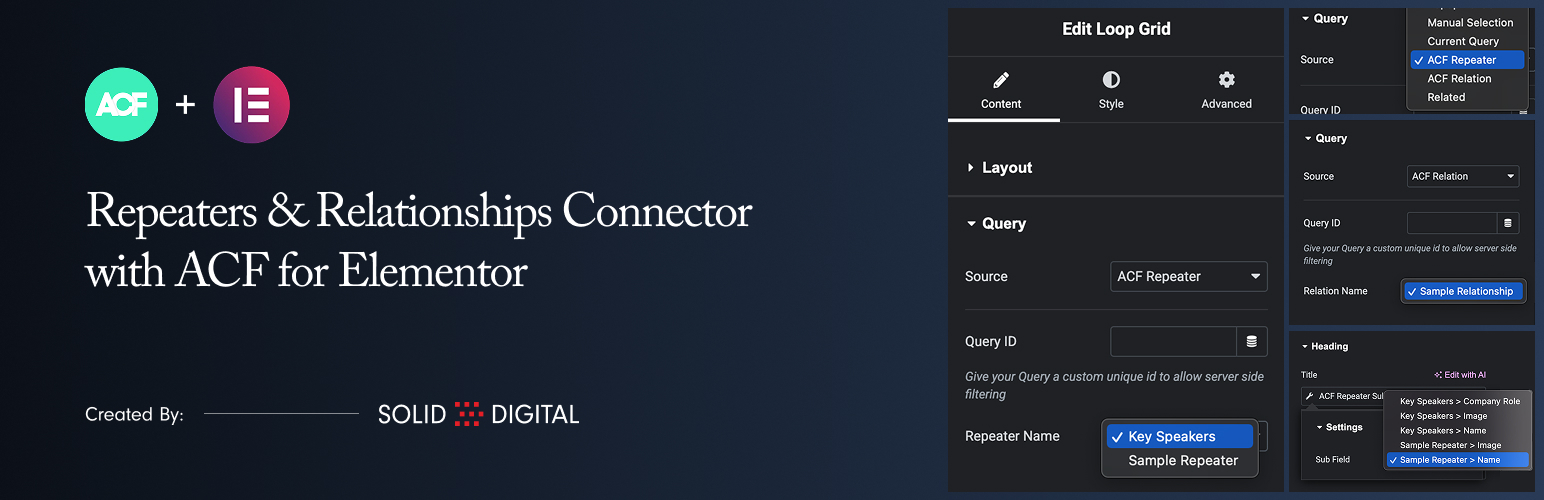
Met deze plugin kan je ACF Repeater en ACF Relationship velden gebruiken als gegevensbronnen voor de Loop Grid widget van Elementor.
Belangrijkste functies:
- New Data Sources: Adds “ACF Repeater” and “ACF Relationship” to the Source dropdown in the Loop Grid’s Query tab.
- Gebruik Repeater gegevens: Selecteer een ACF Repeater veld uit het huidige bericht/de huidige pagina om je Loop Grid van gegevens te voorzien.
- Relationship gegevens gebruiken: Selecteer een ACF Relationship veld om een raster van gerelateerde berichten in je Loop Grid te maken.
- Repeater Sub-Field tag: Een speciale dynamische tag om eenvoudig gegevens (tekst, afbeeldingen, enz.) uit elk subveld binnen je repeater op te halen en weer te geven.
- Relationship subveldtag: Een dynamische tag om gegevens van de gerelateerde berichten weer te geven, zoals de titel, inhoud, uitgelichte afbeelding en permalink.
- Taxonomy Archive Support: Use ACF Repeater and Relationship fields on category, tag, and custom taxonomy archive templates.
- Author Archive Support: Use ACF Repeater and Relationship fields on author archive templates.
Vereisten
- Elementor
- Elementor Pro
- Advanced Custom Fields Pro (De Repeater en Relationships velden zijn ACF Pro functies)
Gebruik
1. Configureer het loop raster
- Voeg een Elementor Loop Grid widget toe aan je pagina.
- In the widget settings, go to the Query tab.
- “ACF Repeater” of “ACF Relationship” uit de Bron dropdown selecteren.
- A new dropdown will appear below the Source. Select the specific ACF field you wish to use as the data source for the grid.
- Create or select a template for your loop item.
2. Displaying Data in Your Loop Template (ACF Repeater)
- Edit the Elementor template you are using for your loop item.
- Voeg een willekeurige standaardwidget toe, zoals een koptekst widget, teksteditor widget of afbeelding widget.
- Klik op het Dynamic Tags icoon naast een veld.
- Scrol naar de groep “ACF Connector” en selecteer de tag ACF Repeater subveld.
- Klik nogmaals op de tagnaam om de instellingen te openen.
- In the Sub Field dropdown, select the specific sub-field you want to display. The fields are grouped by repeater name for clarity.
Note that the preview within the template will not display the sub-field data. This is expected behavior because no applicable preview data can be set in Elementor.
3. Displaying Data in Your Loop Template (ACF Relationship)
- Edit the Elementor template you are using for your loop item.
- Your template will be supplied with a standard WordPress Post object, so just create your template as you normally would.