Ruby Mega Menu
·
A powerful mega menu builder replacing the default navigation with dropdowns, mega menus, and content tabs — no code required.
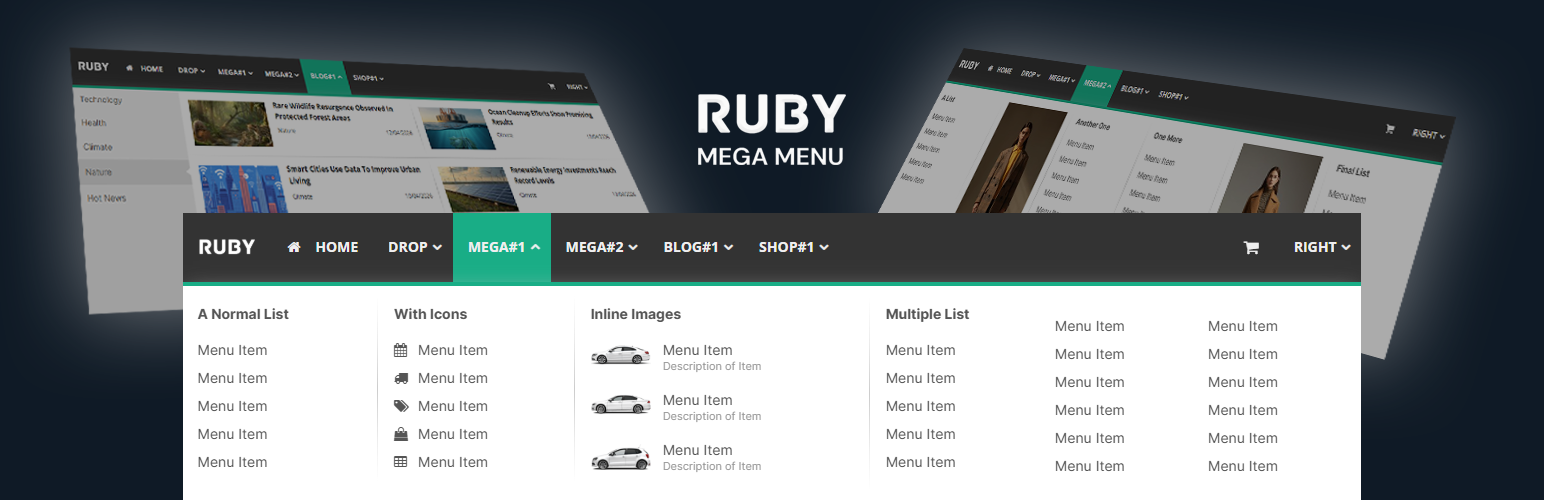
Ruby Mega Menu replaces your default navigation with a fully-featured menu builder — no page builder required, no CSS hacks.
Build three types of menus side-by-side in the same menu bar:
- Classic Dropdown — Up to 3 nested sub-levels with icons, link targets, and custom URLs.
- Classic Mega Menu — Multi-column layouts with lists, images, image-link cards, and image+list combinations.
- Content Tabs (Vertical) — Auto-pulls your latest blog posts by category into a tabbed reading experience.
Features
- Drag-and-drop menu builder in the WordPress admin
- 5 mega menu column types (normal list, list with images, multiple lists, image link, image + list)
- 4 blog layouts for the vertical tabs menu (4-col grid, 3-col grid, 2-col grid, flat list)
- 300+ Font Awesome icons
- Full typography control — Google Fonts, size, weight per menu region
- Full color customization — every element has its own color picker
- Responsive design — mobile hamburger menu with slide-in navigation
- Content separators, dividers, right-aligned menu items
- Header mode with custom height, background color, or image
- FSE theme support via
[rubymm_rubymenu]shortcode - Replace the theme’s default navigation in specific menu locations or globally
- Compatible with popular themes (Avada, The7, Astra, GeneratePress, and most others)
Documentation
Full documentation available at docs.rubymegamenu.com. Full video tutorial available at Youtube