Dynamic Header & Navigation for Block Themes
Options:
- Set height for header
- Set height for shrinking header
- Set Logo shrinking factor
- Set shrinked Logo left (added in Version 1.3)
- Set Animation duration (seconds) for shrinking header
- Option to set a breakpoint for navigation (added in Version 1.1)
- Option to set Off-Canvas (added in Version 1.2)
- Option for the speed of the Off-Canvas fade-in (added in Version 1.3.1)
- Option to disable inner spacing (padding) in header (added in Version 1.4)
- Option to enable Text below mobile Icon and display larger mobile menu Icon (Hamburger) – better for accessibility reasons (added in Version 1.4)
- Option to Label Text (added in Version 1.4)
- Option: Menu does not appear as sticky on mobile devices – may be better for accessibility reasons (added in Version 1.4.1)
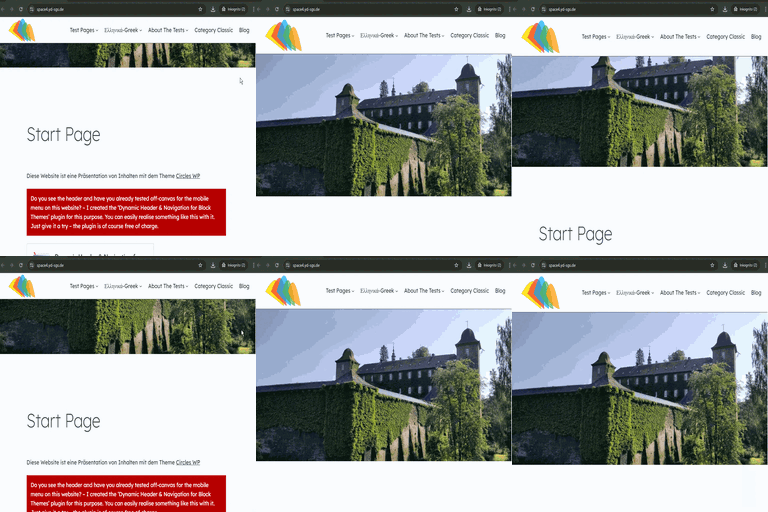
Dynamic Header & Navigation for Block Themes (Previous name of the plugin: Shrinking Logo Sticky Header) is a lightweight WordPress plugin developed specifically as a navigation solution for most Block Themes. It adds a modern sticky header with smooth, animated shrinking effects for both the header and the site logo. As users scroll down the page, the header and logo automatically reduce in size, maximizing on-screen space and keeping navigation easily accessible without disrupting the browsing experience.
The plugin allows you to individually configure the heights for the header and logo in both their normal and shrunken states, giving you full control over your site’s appearance. These settings can be easily adjusted to match your branding or design preferences.
One of the key advantages of Dynamic Header & Navigation for Block Themes is its simplicity: After activation, the sticky and shrinking effects work in principle immediately – no additional setup or configuration is required. This makes it ideal for users who want a professional, dynamic header effect without dealing with complex options or custom code.
Translations
- (French): Thanks to Patricia BT