
Super Web Share – Native Social Sharing Button
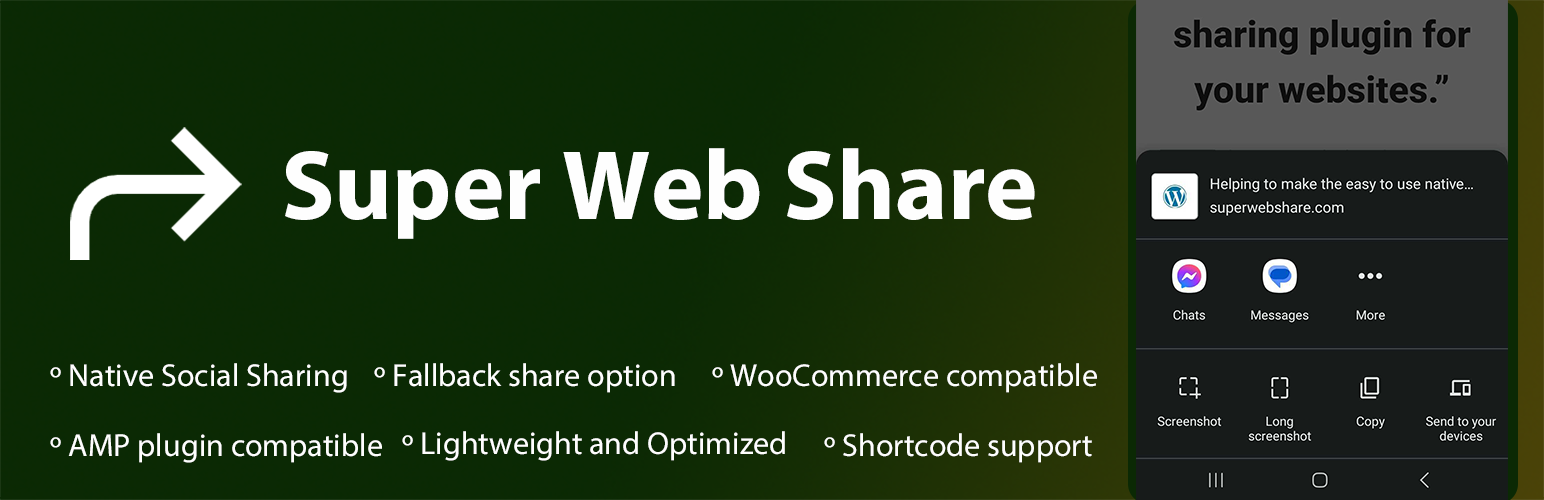
Super Web Share is a WordPress-based native share plugin that prompts the native share action and helps users easily share a page or post with others.
We developed from the ground up with simplicity and performance in mind to increase your shares. As SuperWebShare only shows the apps installed within the device upon the share prompt, the rate of sharing of posts/pages will be higher than showing all the social share icons on a page. Due to this key reason, website developers can skip the usage of other social media icons on their website and make the share more prominent.
De Super Web Share plugin voor WordPress helpt je verkeer en betrokkenheid te verhogen met een enkele snelle klik om de site te delen met je vrienden en sociale media. Super Web Share werkt op alle ondersteunde browsers zoals Chrome voor Android, Edge voor Android, Brave voor Android en Opera voor Android. Het toont de native apps die op het apparaat zijn geïnstalleerd zodra je het artikel met anderen deelt; hierdoor kunnen gebruikers de pagina/bericht super eenvoudig met anderen delen met slechts een klik. Bij de native share, die verschijnt als een native iOS of Android share sheet, kunnen gebruikers eenvoudig de link van de sitepagina kopiëren als ze die optie willen.
Het duurt minder dan een minuut om Super Web Share in te stellen, en we zorgen voor een schone de-installatie door de hele gegevensinvoer die het maakt te verwijderen. We slaan ook geen instellingen op in je database totdat je de instellingen handmatig opslaat. We bieden ook een fallback native pop-up als de Native Web Share niet wordt ondersteund door de browser.
Momenteel biedt de Super Web Share plugin een sociale deelknop voor en na de bericht/pagina inhoud en een hoverende deelknop waar je de kleur, de tekst van de deelknoppen en de positie van de hoverende knop kunt instellen; het kan ook de pagina’s of berichten instellen waarop je de deelknoppen wil weergeven via onze instellingenpagina, om eenvoudig de deelfunctie aan je sites toe te voegen. Als een plugin die zich richt op eenvoud, zijn we volledig compatibel met de AMP plugin, wat betekent dat je de native share kunt toevoegen aan je AMP pagina’s die worden geleverd door de AMP plugin.
Social Platforms supported
1) On Web Sharing API supported devices: You will notice the social share prompt (also called as sharesheet) where you can share the page via all applications installed on your device that accept the sharing (mobile – Android and iOS devices, tab, desktop – for Microsoft Edge browser). This means all the social sharing platforms on your website visitor’s devices can be selected from the list to share the page in a simple click! 2) If the device or browser won’t support the native share: If the website is viewed from a browser or device that won’t support native sharing, our fallback modal works. Within the fallback modal, you can select the social platforms you want to show for your website via our settings page (SuperWebShare > Fallback). The social share platforms that are interested to show on the WordPress website can be selected. Right now, we are providing social media like Facebook, X (Twitter), LinkedIn, Pinterest, Mastodon, Telegram, Pinterest, and Email. We’re expanding with more social platforms.
Voordelen van Super Web Share
- Fast and lightweight social sharing plugin for your WordPress that won’t slow down your site
- Verhoog het delen van pagina’s en berichten door gebruikers
- Ontwikkelaars/Bloggers kunnen gemakkelijk het aantal sociale pictogrammen overslaan dat op de pagina of bericht moet worden gebruikt
- Volledig AMP ondersteunde native share plugin
- Support on all content types like Posts, Pages
- Fully compatible with WooCommerce Product pages
- You can hide or show the sharing button based on each post/page and all via the content types
Wil je testen hoe SuperWebShare werkt op een site?
- Open SuperWebShare.com in een ondersteund apparaat. Bekijk FAQ voor informatie over ondersteunde browsers
- Je ziet een zwevende knop in de rechter benedenhoek
- Tik erop; direct kun je de native Web Share prompt zien met de applicaties, die je op de pagina kunt delen.
- Tikken op het icoon van de applicatie vanuit de prompt en verstuur.
- If the website does not support the Native Share option, you will notice the fallback popup where you can add the social media platforms via our Fallback settings, which we created to make an intuitive share plugin with a copy link option for your website.
Vereisten om te werken met SuperWebShare?
- De site moet volledig worden bediend via een beveiligde oorsprong, d.w.z. het groene hangslot moet in het adres staan voor een werkende Super Web Share.
- Anders zal standaard onze fallback pop-up worden getoond op browsers waar gebruikers kunnen delen via grote sociale deelplatforms zoals WhatsApp, Facebook, LinkedIn en Twitter. Het komt ook met de optie Link kopiëren (op https sites).
How to contribute?
You can easily contribute to the plugin by translating it into your language. Click on the link below, choose your language, and translate the strings into Development (trunk).
- Translate plugin to your language
- Do you know coding? Then you can also contribute to this plugin via our GitHub repository to make this the best one.
Super Web Share aanpassen
Je kunt eenvoudig de kleur, positie en pagina’s aanpassen waarop je de knop wil tonen voor en na de pagina- of berichtinhoud, de zwevende deelknop en de fallback kleur via onze plugin. Om aan te passen, ga naar Super Web Share vanuit het WordPress beheer dashboard.