
The Post Grid – Shortcode, Gutenberg Blocks and Elementor Addon for Post Grid
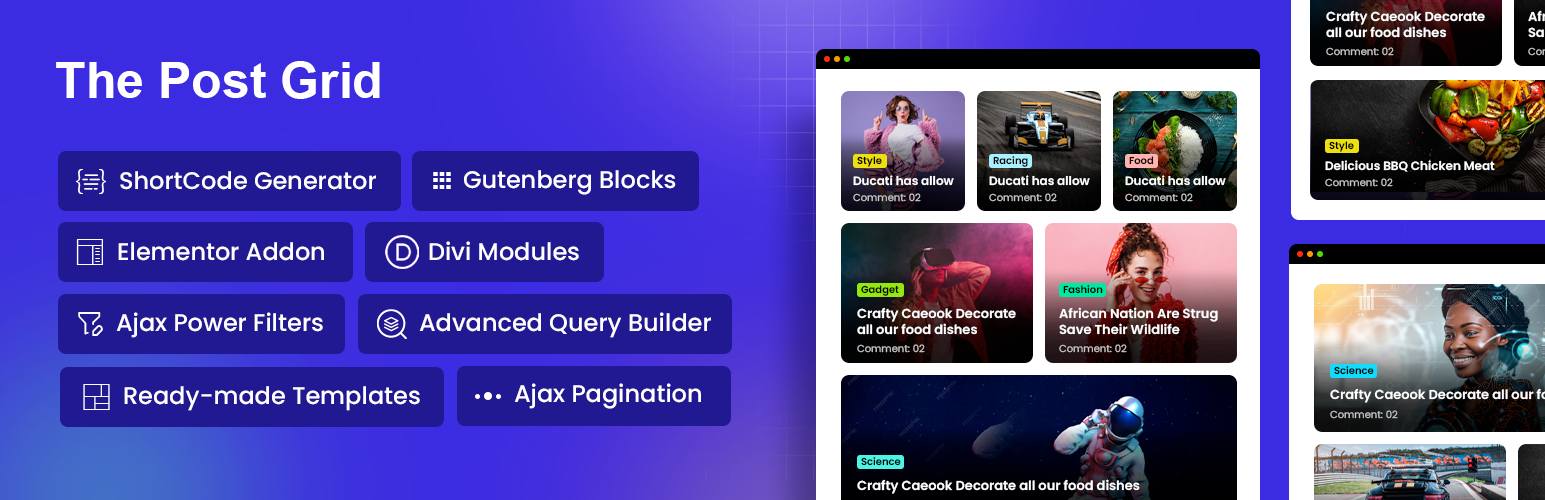
The Post Grid is a powerful WordPress plugin that transforms how you display blog posts, news articles, and custom content. Whether you’re building a news portal, magazine website, or personal blog, this plugin provides everything you need to create stunning post layouts that engage visitors and improve content discovery.
With native support for Gutenberg blocks, Elementor widgets, Divi modules, and a universal shortcode generator, The Post Grid works seamlessly with your preferred page builder. Choose from grid layouts, list views, hover effects, sliders, and filterable galleries—all fully responsive and optimized for every device.
👉 Plugin Demo | Elementor Demo | Gutenberg Demo | Documentation | Get Pro 👈
🎯 Try Admin Demo: Click Here
🌟 Why Choose The Post Grid?
Trusted by 100,000+ WordPress websites, The Post Grid combines flexibility with simplicity. Display your content exactly how you envision it—without touching a single line of code. The intuitive visual interface lets you configure layouts, select posts, and customize styles in minutes.
⭐⭐⭐⭐⭐ They solved my problem immediately When I had a problem with the plugin and asked for their help, they responded immediately and fixed the problem. The speed with which they responded and fixed the problem gave me confidence in their company. — athan43
⭐⭐⭐⭐⭐ Great plugin and great support I have used this to update a site and replace another grid system. This plugin and good and where I encountered problems the advice was prompt and good. — bobjgarrett
👉 Check out our great reviews!
⚙️ How The Post Grid Works
👉 Step 1: Select Your Content Use the built-in query builder to choose which posts to display. Filter by categories, tags, authors, or dates. Include or exclude specific posts with precision.
👉 Step 2: Choose Your Layout Pick from multiple layout styles including grid, list, masonry, hover effects, and sliders. Each layout adapts automatically to your theme and screen sizes.
👉 Step 3: Customize the Appearance Adjust colors, typography, spacing, and element visibility. Control which fields appear—title, excerpt, author, date, categories, and more.
👉 Step 4: Insert Anywhere Add your configured grid to any page, post, or widget area using Gutenberg blocks, Elementor widgets, Divi modules, or simple shortcodes.
🚀 Core Features
-
Universal Page Builder Compatibility: Works with Gutenberg (WordPress Block Editor), Elementor, Divi Builder, and any page builder that supports shortcodes.
-
Multiple Layout Types: Create grid layouts with even or masonry arrangements, horizontal list views, animated hover effects, and dynamic post sliders.
-
Responsive Design: Every layout automatically adjusts for desktop, tablet, and mobile screens. Your grids look polished on any device.
-
Advanced Query Builder: Display posts from specific categories, tags, custom post types, or custom taxonomies. Order by date, title, popularity, or random selection.
-
Shortcode Generator: Generate unlimited shortcodes for use anywhere on your site. Perfect for sidebars, footers, and custom page builder elements.
-
Performance Optimized: Clean, lightweight code ensures fast page loading. Lazy loading support and efficient asset management keep your site speedy.
🌟 Gutenberg Blocks for Post Grid
The Post Grid provides dedicated Gutenberg blocks that integrate directly into the WordPress block editor:
- Grid Layout Block – Display posts in responsive grid arrangements with 9 layout variations
- List Layout Block – Show posts in vertical list format with 7 style options
- Grid Hover Block – Create animated hover effects with 16 design variations
- Slider Block – Build dynamic post carousels with 13 slider styles
All blocks include live preview editing, letting you see changes instantly without leaving the editor.
🌟 Elementor Widgets for Post Grid
For Elementor users, The Post Grid delivers 4 powerful widgets:
- Grid Layout Widget (3 free layouts, 9 total in Pro)
- List Layout Widget (3 free layouts, 7 total in Pro)
- Grid Hover Widget (3 free layouts, 16 total in Pro)
- Slider Layout Widget (13 layouts in Pro)
Each widget includes full Elementor styling controls—adjust typography, colors, spacing, and animations using familiar Elementor panels.
🌟 Divi Builder Integration
The Post Grid now includes native Divi Builder modules with full Visual Builder compatibility. Create post grids directly within the Divi interface using:
- Grid Layout Module
- List Layout Module
- Grid Hover Module
- Slider Layout Module
All modules support Divi’s inline editing and design options.
💎 Pro Features Overview
The Post Grid Pro unlocks advanced capabilities for professional websites:
-
AJAX Filtering and Pagination: Let visitors filter posts by category or tag without page reloads. Implement smooth AJAX pagination, load more buttons, or infinite scroll.
-
Archive and Single Page Builder: Create custom templates for category pages, tag archives, author pages, and individual posts using Elementor or Gutenberg.
-
Custom Post Type Support: Display content from any custom post type—portfolios, products, events, testimonials, or any registered CPT.
-
Front-End Post Submission: Enable registered users to submit and manage posts from the front end with built-in login and registration forms.
-
AI Content Generation: Integrated ChatGPT and Gemini support within Gutenberg for generating post content and descriptions.
-
90+ Pre-made Sections & Layouts: Import professionally designed sections and complete page layouts for Elementor and Gutenberg.
👉 Compare Free vs Pro | View Pro Demo
REVIEW FROM WORDPRESS COMMUNITY EXPERT Mak
REVIEW FROM WORDPRESS COMMUNITY EXPERT Mr Web
🎯 Perfect For
✅ Bloggers – Showcase recent posts, featured articles, and related content in engaging layouts
✅ News Websites – Build magazine-style homepages with categorized news sections
✅ Agencies – Display portfolio items, case studies, and team posts professionally
✅ eCommerce Sites – Highlight blog content, announcements, and product-related posts
✅ Content Publishers – Organize large content libraries with filterable grids and search
🛠 Support and Documentation
Need help? Access comprehensive resources:
Join our Facebook Community to connect with other users and get tips.
🔥 WHAT’S NEXT
If you like The Post Grid Plugin, then consider checking out our other WordPress Plugins:
-
Classified Lisitng – Best Classified ads and Directory WordPress Plugin
-
Variation Swatches – Woocommerce Variation Swatches plugin converts the product variation select fields into radio, images, colors, and labels.
-
Variation Gallery – Woocommerce Variation Gallery plugin allows to add UNLIMITED additional images for each variation of product.
-
ShopBuilder – Elementor WooCommerce Builder Addons with 84+ widgets and 10+ modules.
-
Food Menu – Restaurant Menu & Online Ordering using WooCommerce.