
Food Menu – Restaurant Menu & Online Ordering for WooCommerce
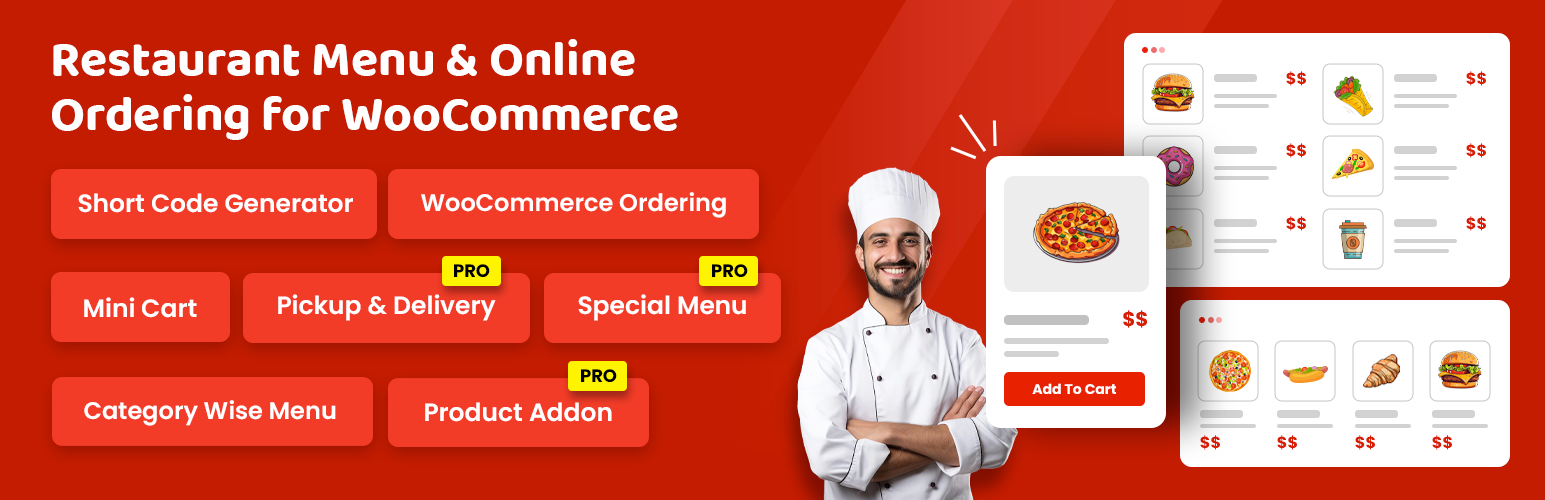
Food Menu is a powerful WordPress restaurant menu plugin that helps you create beautiful food menus and enable online ordering through WooCommerce integration. Perfect for restaurants, cafés, cloud kitchens, and catering services.
Food Menu is the complete WordPress restaurant menu plugin designed for food businesses that want to showcase their offerings beautifully and accept online orders seamlessly. Whether you run a fine dining restaurant, a busy café, a cloud kitchen, or a catering service, this food menu plugin gives you everything needed to create stunning menus and boost your online sales.
Built for both simplicity and power, Food Menu works as a standalone solution or integrates fully with WooCommerce for complete online ordering functionality. Display your dishes in eye-catching layouts, manage delivery and pickup schedules, and let customers reserve tables directly from your website.
👉 Demo | Documentation | Get Pro Version 👈
This Restaurant menu WordPress plugin has all the features to help restaurant website owners easily manage online food ordering, food delivery & pickup, and organize restaurant reservations!
Thus, enhance your restaurant’s operations and level up your food menu presentation using Food Menu’s powerful features.
👉 Click here to get Red Chili – WordPress Theme using FoodMenu Pro plugin 👉 Click here to get Panpie – WordPress Theme using FoodMenu Pro plugin
🌟 Why Choose Food Menu for Your Restaurant Website?
Running a successful food business online requires more than just listing menu items. You need a system that makes ordering effortless for customers while giving you complete control over operations. Food Menu delivers exactly that with its intuitive interface and comprehensive feature set.
The plugin supports two distinct modes to match your business needs. Use the Food Menu Post Type for a clean, visual menu display with images, descriptions, and pricing. Or activate WooCommerce integration to transform your menu into a fully functional online ordering system with cart management, checkout, and payment processing.
⭐⭐⭐⭐⭐ An excellent plugin backed by responsive and dedicated support! I purchased this plugin and needed some help customizing the CSS. I opened a support ticket and received a quick, detailed response. Thank you for the excellent support! — muhabas
⭐⭐⭐⭐⭐ The best of the best I had my website 10 years now. I used may different plugins. This is the best one. My conversion rate increased and customers use it easily. Their support is fantastic too. Highly recomended — efe84
👉 Check out our great reviews!
🌟 Multiple Data Source
This WordPress plugin for restaurant menu supports multiple data sources to power your restaurant menu.
Food Menu Post Type: This option lets you display a food menu in a visually appealing layout using menu name, image, shortdescription and pricing. However, it doesn’t offer any online ordering system.
WooCommerce: Select this feature when you want to integrate your food menu with WooCommerce to enable online food ordering. Set pricing, manage inventory, handle food delivery and pickup, allow tipping, and offer special menu items and discounts with ease!
🌟 Online Ordering Using Woocommerce PRO features
If you want to have online ordering functions on your website, all you need to do is use the WooCommerce data source then in the layout options. The “Add to Cart” button will be automatically enabled, and your users can place orders on your menu items using WooCommerce functionalities.
🌟 Flexible Layout Options for Every Restaurant Style
Present your food menu in ways that capture attention and drive orders. This WordPress restaurant menu plugin provides multiple professionally designed layout styles that adapt to your restaurant’s brand and your customers’ browsing preferences.
-
Grid Layout: Showcase menu items with appetizing images and essential details in an organized grid format. This layout works exceptionally well for visual menus where food photography takes center stage.
-
List Layout: Offer a traditional, clean menu presentation that customers find familiar and easy to scan. The list view puts focus on item names, descriptions, and prices without visual clutter.
-
Slider Layout: Create dynamic, engaging presentations with rotating menu carousels. Highlight daily specials, seasonal items, or featured dishes with this attention-grabbing display option.
-
Isotope Filter Layout: Empower customers to browse your menu interactively. Visitors can filter items by category, making it simple to find exactly what they want from extensive menus.
🌟 Food Menu Restaurant Management Solution
This WordPress Food menu plugin is more than just a menu plugin—it’s a complete restaurant management solution. Let’s glance at what it allows you to do.
-
Easy Menu Management: Easily create, update, and organize your restaurant menu and ensure your food menu remains always up-to-date and eye-catching.
-
Smooth Food Ordering: This best menu plugin for WordPress connects with WooCommerce and allows you to upload food menu items as products to sell online.
-
Food Delivery & Pickup Options: It helps you easily manage food delivery and pickup orders with customizable settings!
-
Restaurant Reservations: This plugin lets you simplify the restaurant reservations process while allowing customers to reserve tables directly from your restaurant website.
-
Flexible Customization: Display your food menu with various layout options (Grid, List, Slider, Isotope) to align with your restaurant site and increase dwell time.
-
Multiple Pagination: The free version of Food Menu only supports number pagination by default. However, the Pro version supports more pagination styles, including AJAX number, Load More, and AJAX auto-scroll pagination.
-
Page Builder Support: This restaurant menu plugin WordPress works with several page builders, including Gutenberg, Elementor, and WPBakery using shortcode. Thus, use them to easily create the best restaurant menus.
-
Translation Support: You can translate your menu content using the Loco Translate or WPML plugin to your own language.
🎯 Who Benefits from Food Menu?
✅ Restaurants of All Sizes: From neighborhood eateries to multi-location chains, Food Menu scales to accommodate any menu size with categorization and filtering.
✅ Cafés and Coffee Shops: Present beverages, pastries, and light meals with layouts designed for frequent menu updates and seasonal offerings.
✅ Cloud Kitchens and Virtual Restaurants: Delivery-focused operations benefit from streamlined online ordering without needing physical menus.
✅ Fast Food and Quick Service: High-volume operations use the efficient ordering interface to process more customers without confusion.
✅ Catering Companies: Showcase package options, pricing tiers, and specialty menus for events and corporate functions.
⚙️ How to use Food Menu Plugin?
You can generate Unlimited shortcodes by following 4 simple steps. Then call the shortcode in the page or post where you want to showcase your Food Menu
👉 First, go to WordPress Admin Panel > Food Menu > Shortcode Generator. Then, click “Add Post” button. Now, you’ll be under the ‘Layout’ tab.
Here, you need to choose your desired layout type and its style. Plus, work on other options, including pagination settings, image settings, and more.
👉 After that, press the ‘Filtering’ tab and select “Food item data source,” – choose “Food Menu” to display a simple food menu and select ‘WooCommerce’ to integrate the online ordering system.
👉 Next, jump on the “Field Selection” tab and choose which fields you want to activate for display in the menu list view page.
👉 Now, click the ‘Styling’ tab to stylize your food menu. You can select colors for the menu title, item price, etc.
Finally, publish the post, copy the shortcode, and embed it into your selected page. Read the documentation to understand the shortcode generator better.
💎 Addition Pro Features:
Upgrade to Food Menu Pro for enhanced capabilities that growing food businesses demand.
👉 Additional Layouts: The Food Menu Pro version offers 20+ additional layouts for your menus that include variations of grid, Slider, and Filter. You can display them by categories and different WooCommerce layouts.
👉 Detail Page Popup: The detail page supports displaying a single page and multiple page popup layout.
👉 AJAX Pagination: The Pro version of Food Menu supports additional paginations, including AJAX number pagination, AJAX Load More pagination, and AJAX auto scroll. You can control these paginations. It is important to note that for the Isotope Filter layout, you can only use AJAX pagination.
👉 Variable Price: The Food Menu Pro version supports variable pricing options for different items. For example, a pizza has different sizes, including small, medium, and large.
👉 Ingredients & Nutrition: You can add Ingredients and Nutrition details to your menu items and set the units. You can add these details by drag & drop!
👉 Different Price: The premium version of Food Menu lets you set different prices for the same items. You can set regular prices and selling prices.
👉 Review & Rating: You may want your users to review and rate your menu items. You can enable the review and rating functions with the Food Menu premium plugin.
💎 Online Ordering Using Woocommerce PRO features
👉 Mini Cart (Free): Include an attention-grabbing mini cart into your restaurant site, allowing customers to view their chosen food items, quantities, and total price at a glance.
👉 Product Addons: Increase sales by offering extra toppings, sides, or special requests with your food menu items. Easily add product options using Product Addons to elevate the customer experience and improve order personalization.
👉 Tipping: Integrate a tipping form into WooCommerce cart and checkout pages. Enable customers to show appreciation with extra amounts, enhancing satisfaction.
👉 Delivery & Pickup: Effortlessly enable order types by food location. Manage weekly schedules and holidays for seamless operations.
👉 Discount: Easily apply percentage discounts to products within specific menus and categories. Alternatively, set standard discounts for total purchases across all menus and categories.
👉 Special Menu: Enable and customize special menus effortlessly. Set discounts, durations, and button text for an engaging customer experience.
👉 Reservation: Allow customers to reserve tables, choose their preferred times, and request a booking with custom messages. On the other hand, you and your staff easily manage restaurant reservations while ensuring a remarkable booking experience.
👉 Visual Table Reservation: let customers select tables and chairs through an interactive layout of your restaurant’s seating arrangement and offer an engaging booking experience.
Fully translatable
- POT files included (/languages/)
🛠 Support and Documentation
Need help? Access comprehensive resources:
Join our Facebook Community to connect with other users and get tips.
🔥 WHAT’S NEXT
If you like The Post Grid Plugin, then consider checking out our other WordPress Plugins:
-
The Post Grid – Shortcode, Gutenberg Blocks and Elementor Addon for Post Grid.
-
Classified Lisitng – Best Classified ads and Directory WordPress Plugin
-
Variation Swatches – Woocommerce Variation Swatches plugin converts the product variation select fields into radio, images, colors, and labels.
-
Variation Gallery – Woocommerce Variation Gallery plugin allows to add UNLIMITED additional images for each variation of product.
-
ShopBuilder – Elementor WooCommerce Builder Addons with 120+ widgets and 25+ modules.