
Trackora – Shipment Tracker for WooCommerce
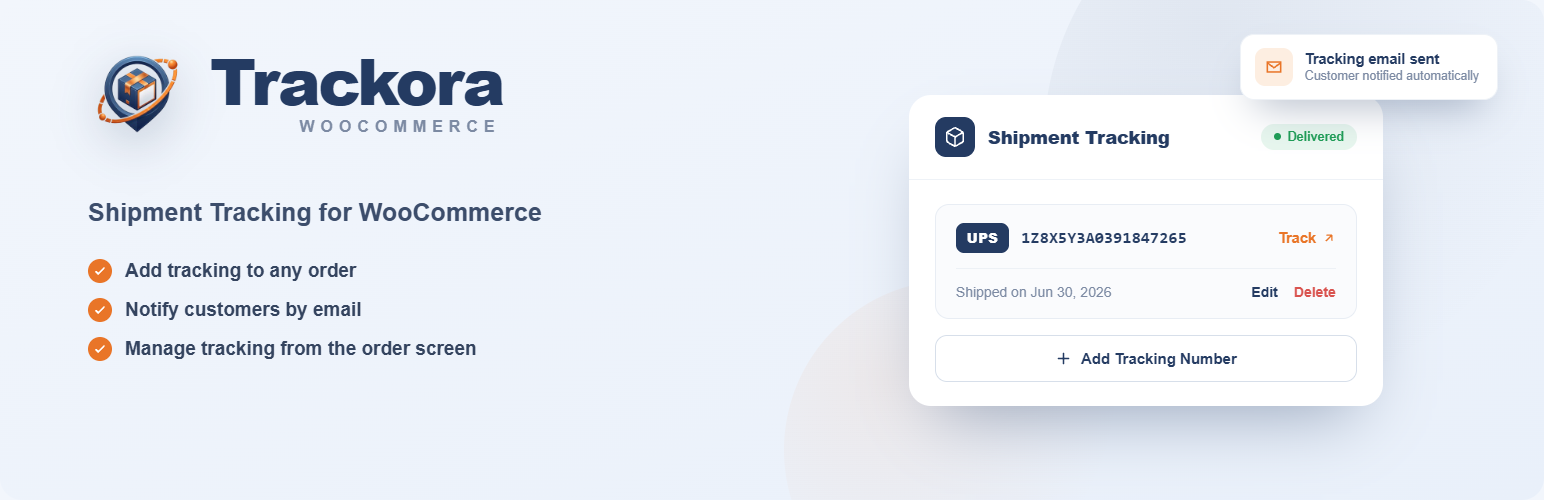
Trackora is a free, lightweight shipment tracking plugin for WooCommerce. Add a tracking number to any order and Trackora shows a one-click order tracking link everywhere your customer looks: the order confirmation email, the My Account order page, and a public Track Your Order page you create with a shortcode.
Stop answering “Where is my order?” emails. The moment you save a tracking number, the tracking link travels with the order automatically — no settings to configure, no account, no API keys.
Why Trackora?
- 100% free — every feature included. No premium tier, no locked settings, no upsells
- No account or API keys — install, activate, and add your first tracking number in under a minute
- Privacy-first — zero server-side calls to external services; tracking links only open when someone clicks them
- Lightweight — no bloat, no background processes
Add a tracking number in seconds
Open any WooCommerce order, pick the carrier, paste the tracking number and ship date — all from one Shipment Tracking meta box, without leaving the order screen.
Everything in one place
Saved shipments show one-click Track, Edit and Delete actions right on the order. Add several tracking numbers per order for split shipments and partial fulfillment.
Tracking that reaches your customer
The tracking number, carrier and a Track button are added automatically to the WooCommerce order email and to the order page in My Account the moment you save them.
A self-service Track Your Order page
Add the [wcst_tracking] shortcode to any page and customers look up their shipment with their order number and billing email — no login required. Works with sequential and custom order-number formats. Fewer support tickets, happier customers.
Key features
- Add multiple tracking numbers per order for split shipments
- 60+ pre-built carriers across 20+ countries — UPS, FedEx, USPS, DHL, Royal Mail, Australia Post, Correos, Estafeta, Servientrega, and many more
- Custom carrier support — use any carrier with a custom tracking URL, no coding
- Tracking column in the WooCommerce orders list, with copy-to-clipboard
- REST API — full CRUD (
wc-shipment-tracker/v1), compatible with thewc/v1andwc/v2namespaces - WooCommerce HPOS, Blocks and Subscriptions compatible (renewal orders never inherit a tracking number)
- Developer-friendly — helper functions and filter hooks for full customization
Supported carriers
United States: UPS, FedEx, USPS, DHL US, DHL eCommerce, FedEx Sameday, GlobalPost, OnTrac United Kingdom: Royal Mail, DHL, DPD, DPD Local, EVRi, ParcelForce, TNT Express, DHL Parcel UK, City Link Spain: Correos España, MRW, SEUR, GLS Spain, Nacex, DHL Spain, UPS Spain, DPD Spain, ASM, Correos Express, Zeleris, TNT Spain Mexico: DHL Mexico, FedEx Mexico, UPS Mexico, Estafeta, Paquetexpress, Redpack, Correos de Mexico, Coordinadora, J&T Express Colombia: Servientrega, Coordinadora CO, Deprisa, TCC, DHL Colombia, J&T Express CO, Interrapidisimo Germany: DHL Intraship, Deutsche Post DHL, Hermes, UPS Germany, DPD.de Australia: Australia Post, Fastway Couriers, Aramex Australia Canada: Canada Post, Purolator Netherlands: PostNL, DPD.NL, UPS Netherlands Sweden: PostNord, DHL.se, Bring.se, UPS.se, DB Schenker Poland: InPost, DPD.PL, Poczta Polska New Zealand: NZ Post, Courier Post, Aramex New Zealand Romania: Fan Courier, DPD Romania, Urgent Cargus Italy: BRT (Bartolini), DHL Express Ireland: DPD.ie, An Post Czech Republic: PPL.cz, Česká pošta, DHL.cz, DPD.cz France: Colissimo Belgium: bpost Brazil: Correios Austria: post.at, dhl.at, DPD.at South Africa: SAPO, Fastway, EPX Finland: Itella India: DTDC Global: Aramex
Don’t see your carrier? Add it as a custom provider with a custom tracking URL — no coding needed.
For developers
Trackora exposes a full REST API for shipment tracking automation:
GET /wc-shipment-tracker/v1/orders/{order_id}/trackings— list tracking itemsPOST /wc-shipment-tracker/v1/orders/{order_id}/trackings— add a tracking itemDELETE /wc-shipment-tracker/v1/orders/{order_id}/trackings/{id}— delete a tracking itemGET /wc-shipment-tracker/v1/providers— list all available carriers
Or add tracking programmatically and extend the carrier list with a filter:
wcst_add_tracking( $order_id, '1Z9999999', 'UPS' );

add_filter( 'wcst_get_providers', function( $providers ) {
    $providers['My Region']['My Carrier'] = 'https://mycarrier.com/track?id=%1$s';
    return $providers;
} );
Source code on GitHub: https://github.com/slbarriosdev/wc-shipment-tracker — bug reports and contributions welcome.
External services
This plugin generates tracking links pointing to carrier websites. When a tracking number is added to an order, the plugin builds a URL for the selected carrier and displays it to the store admin and customers.
The plugin does not make any server-side HTTP requests to carrier websites. Data is only transmitted when a user (admin or customer) actively clicks a tracking link — at that point their browser connects to the carrier’s website and the tracking number (and in some cases the shipping postcode) is passed in the URL as required by that carrier’s tracking system.
Each carrier operates its own website under its own terms of service and privacy policy. The external carrier services this plugin may link to include:
Global
- Aramex — Terms of service | Privacy policy
- DHL Express — Terms of service | Privacy policy
Argentina
- Correo Argentino — Terms of service | Privacy policy
- OCA — Privacy policy
- Andreani — Privacy policy
- DHL Argentina — Terms of service | Privacy policy
- FedEx Argentina — Terms of service | Privacy policy
- Urbano — Privacy policy
Australia
- Australia Post — Terms of service | Privacy policy
- Fastway Couriers — Terms of service | Privacy policy
- Aramex Australia — Terms of service | Privacy policy
Austria
- post.at — Terms of service | Privacy policy
- dhl.at — Terms of service | Privacy policy
- DPD.at — Terms of service | Privacy policy
Belgium
- bpost — Terms of service | Privacy policy
Brazil
- Correios — Terms of service | Privacy policy
Canada
- Canada Post — Terms of service | Privacy policy
- Purolator — Terms of service | Privacy policy
Chile
- Correos Chile — Terms of service | Privacy policy
- Chilexpress — Terms of service | Privacy policy
- Starken — Privacy policy
- DHL Chile — Terms of service | Privacy policy
- Blue Express — Privacy policy
China
- China Post / EMS — Privacy policy currently unavailable (provider website blocks automated access)
- YTO Express — Privacy policy
- ZTO Express — Privacy policy
- SF Express — Privacy policy
- Cainiao — Privacy policy
- 4PX — Privacy policy
- Yanwen — Privacy policy
- Yunexpress — Privacy policy
Colombia
- Servientrega — Terms of service | Privacy policy
- Coordinadora — Privacy policy
- Deprisa (operated by Avianca) — Privacy policy
- TCC — Terms of service | Privacy policy
- DHL Colombia — Terms of service | Privacy policy
- J&T Express CO — Privacy policy
- Interrapidisimo — Terms of service | Privacy policy
Czech Republic
- PPL.cz — Terms of service | Privacy policy
- Česká pošta — Terms of service | Privacy policy
- DHL.cz — Terms of service | Privacy policy
- DPD.cz — Terms of service | Privacy policy
Ecuador
- Servientrega EC — Terms of service | Privacy policy
- Laar Courier — Privacy policy
- Correos Ecuador — Privacy policy
- DHL Ecuador — Terms of service | Privacy policy
Finland
- Itella / Posti — Terms of service | Privacy policy
France
- Colissimo / La Poste — Terms of service | Privacy policy
Germany
- DHL Intraship / Deutsche Post DHL — Terms of service | Privacy policy
- Hermes — Terms of service | Privacy policy
- UPS Germany — Terms of service | Privacy policy
- DPD.de — Terms of service | Privacy policy
India
- DTDC — Terms of service | Privacy policy
Ireland
- DPD.ie — Terms of service | Privacy policy
- An Post (tracking portal: track.anpost.ie) — Terms of service | Privacy policy
Italy
- BRT (Bartolini) — Terms of service | Privacy policy
- DHL Express Italy — Terms of service | Privacy policy
Japan
- Japan Post — Terms of service | Privacy policy
- Yamato Transport — Privacy policy
- Sagawa — Privacy policy
Malaysia
- Pos Malaysia — Terms of service | Privacy policy
- J&T Express MY — Privacy policy
- Ninja Van MY — Privacy policy
- DHL Malaysia — Terms of service | Privacy policy
Mexico
- Correos de Mexico — Privacy policy
- Estafeta — Terms of service | Privacy policy
- Paquetexpress — Privacy policy
- Redpack — Privacy policy
- DHL Mexico — Terms of service | Privacy policy
- FedEx Mexico — Terms of service | Privacy policy
- UPS Mexico — Terms of service | Privacy policy
- Coordinadora — Privacy policy
- J&T Express Mexico — Privacy policy
Netherlands
- PostNL — Terms of service | Privacy policy
- DPD.NL — Terms of service | Privacy policy
- UPS Netherlands — Terms of service | Privacy policy
New Zealand
- NZ Post — Terms of service | Privacy policy
- Courier Post — Terms of service | Privacy policy
- Aramex New Zealand — Terms of service | Privacy policy
Nigeria
- DHL Nigeria — Terms of service | Privacy policy
- GIG Logistics — Privacy policy
Peru
- Serpost — Terms of service | Privacy policy
- Olva Courier — Terms of service | Privacy policy
- DHL Peru — Terms of service | Privacy policy
- Shalom — Privacy policy
Poland
- InPost — Terms of service | Privacy policy
- DPD.PL — Terms of service | Privacy policy
- Poczta Polska — Terms of service | Privacy policy
Portugal
- CTT — Terms of service | Privacy policy
- DPD Portugal — Terms of service | Privacy policy
- GLS Portugal — Terms of service | Privacy policy
- DHL Portugal — Terms of service | Privacy policy
Romania
- Fan Courier — Terms of service | Privacy policy
- DPD Romania — Terms of service | Privacy policy
- Urgent Cargus — Terms of service | Privacy policy
Singapore
- SingPost — Terms of service | Privacy policy
- Ninja Van SG — Privacy policy
- J&T Express SG — Privacy policy
South Africa
- SAPO / South African Post Office — Privacy policy
- Fastway SA — Privacy policy
- EPX — Terms of service | Privacy policy
South Korea
- Korea Post — Privacy policy
- CJ Logistics — Privacy policy
- Lotte Logistics — Privacy policy
Spain
- Correos España — Terms of service | Privacy policy
- MRW — Terms of service | Privacy policy
- SEUR — Terms of service | Privacy policy
- GLS Spain — Terms of service | Privacy policy
- Nacex — Terms of service | Privacy policy
- DHL Spain — Terms of service | Privacy policy
- UPS Spain — Terms of service | Privacy policy
- DPD Spain — Terms of service | Privacy policy
- ASM — Terms of service | Privacy policy
- Correos Express — Terms of service | Privacy policy
- Zeleris — Privacy policy
- TNT Spain — Terms of service | Privacy policy
Sweden
- PostNord — Terms of service | Privacy policy
- DHL.se — Terms of service | Privacy policy
- Bring.se — Terms of service | Privacy policy
- UPS.se — Terms of service | Privacy policy
- DB Schenker (tracking portal: privpakportal.schenker.nu for Privpak service) — Terms of service | Privacy policy
Thailand
- Thailand Post — Terms of service | Privacy policy
- Kerry Express (KEX) — Terms of service | Privacy policy
- Flash Express — Privacy policy
- J&T Express TH — Privacy policy
Turkey
- PTT — Privacy policy
- Aras Cargo — Terms of service | Privacy policy
- Yurtici Kargo — Privacy policy
- MNG Kargo — Privacy policy
United Kingdom
- DHL UK — Terms of service | Privacy policy
- DPD.co.uk — Terms of service | Privacy policy
- DPD Local — Terms of service | Privacy policy
- EVRi — Terms of service | Privacy policy
- ParcelForce — Terms of service | Privacy policy
- Royal Mail — Terms of service | Privacy policy
- TNT Express — Terms of service | Privacy policy
- DHL Parcel UK — Terms of service | Privacy policy
- City Link — Privacy policy
United States
- UPS — Terms of service | Privacy policy
- FedEx / FedEx Sameday (tracking portal: fedexsameday.com for Sameday deliveries) — Terms of service | Privacy policy
- USPS — Terms of service | Privacy policy
- DHL US / DHL eCommerce — Terms of service | Privacy policy
- GlobalPost — Terms of service | Privacy policy
- OnTrac — Terms of service | Privacy policy
Venezuela
- MRW Venezuela — Privacy policy
- Zoom — Terms of service | Privacy policy
- DHL Venezuela — Terms of service | Privacy policy