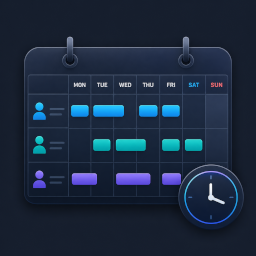
YPSupport Shift Scheduler
·
Collect staff shift requests via a unique link (no account needed) and automatically build your schedule. Ditch the spreadsheets.

YPSupport Shift Scheduler is a WordPress plugin that collects shift requests from your staff and automatically builds the schedule. It’s a simple, fast scheduling tool for stores and facilities that are still managing shifts manually with spreadsheets or Google Forms.
Does this sound familiar?
- Coordinating shifts takes longer as your team grows
- You’re still copying and compiling shift requests by hand every week
- You don’t want to keep paying monthly per-user fees for a dedicated SaaS tool
- Giving every staff member a WordPress account feels like too much overhead
Key Features (Free)
- Staff Management — Add, edit, and remove staff members
- Shift Registration & Editing — Create, edit, and delete shifts
- Calendar View — View the schedule in weekly or monthly calendar format
- Shift Request & Approval Flow — Staff submit requests; managers review and approve
- Account-Free Frontend Submission — Staff submit shift requests via a unique personal link — no login required. Each link is tied to one staff member, keeping submissions secure
- Basic Auto-Scheduling — Automatically build a shift schedule from collected requests
- Email Notifications — Send email notifications for shift-related events
- CSV Import / Export (Shifts) — Import and export shift data in CSV format
Your Server. One-Time Payment.
YPSupport Shift Scheduler runs entirely on your own WordPress site. Staff data never leaves your server. No monthly fees, no per-user charges.
Shortcodes
Add any of these shortcodes to a page or post. Then set those pages under Shift Management > Page Links so the plugin can link to them from emails.
[ypss_request_form]— Shift request form for staff. Works without a WordPress login when opened via a staff member’s personal link. Optional attribute:title. Example:[ypss_request_form title="Submit your shifts"][ypss_my_requests]— Shows the logged-in staff member’s own request history. (No attributes.)[ypss_schedule]— Displays the published (confirmed) schedule for staff to view. Optional attribute:title.[ypss_week_schedule]— Compact one-week view of upcoming shifts. Optional attribute:title.