
BCM Block Class Manager – Design System, Global Classes & Responsive CSS for Gutenberg
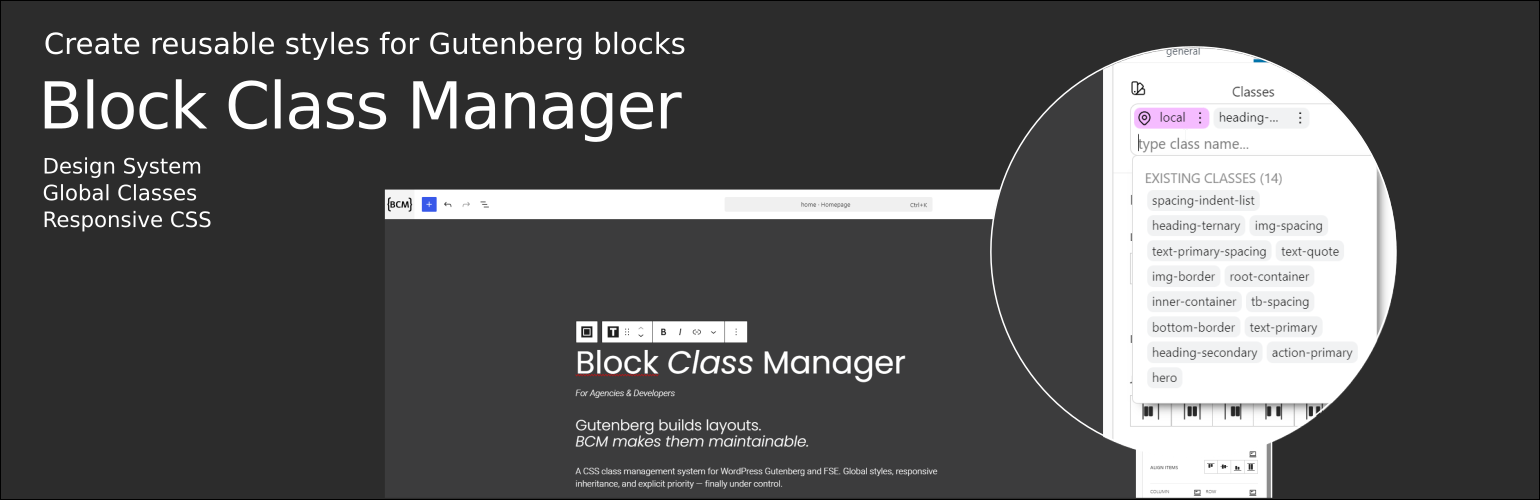
BCM Block Class Manager extends Gutenberg with a structured design system approach based on reusable Global Classes, foundation blocks, and responsive styling rules.
Instead of relying on inline styles or repeated block configurations, BCM introduces a centralized class-based workflow that improves consistency, scalability, and maintainability.
🧱 Foundation Block System
BCM introduces a set of lightweight foundation blocks – Container, Text, Media, and Button – designed to provide the essential building blocks for creating consistent and scalable Gutenberg layouts.
Unlike traditional page builder elements, BCM blocks are intentionally minimal. They focus on structure and clean markup, while styling is managed through BCM Global Classes, allowing you to create reusable components and maintain a consistent design system across your entire website.
BCM does not replace Gutenberg – it enhances it by adding a structured styling layer that gives developers and advanced users greater control over CSS, responsive behavior, and reusable design patterns.
✨ Features
- Create and manage up to 10 reusable Global Classes
- Control layout and styling of containers, text, media, and buttons
- Responsive styling for desktop, tablet, and mobile (aligned with WordPress editor breakpoints)
- Convert local styles into reusable Global Classes
- Visual interface fully integrated into the Gutenberg editor
- Automatic frontend CSS generation
- Support for HTML attributes (id, data-*, aria-*)
- Integration with Full Site Editing (FSE)
🔄 Free vs Pro
The free edition includes everything needed to build structured responsive design systems with Global Classes.
🆓 Free Edition
- Up to 10 Global Classes
- Core responsive styling workflow
- Local to Global Class conversion
- Automatic CSS generation
🚀 BCM Pro (Coming Soon)
BCM Pro will introduce advanced workflow features for professional Gutenberg projects.
Planned features include:
- Unlimited Global Classes
- Drag & Drop Global Class priority management
- Global Class usage counter
- Generated CSS Inspector (Global & Local CSS viewer)
- Style Origin Inspector (CSS cascade visualization)
- Enhanced responsive value indicators
- Global Class Engine for native WordPress Core blocks
- Enhanced “Additional CSS Class(es)” field with Global Class suggestions
🚀 Get notified about BCM Pro
BCM Pro is currently under development.
Subscribe to receive:
- BCM Pro launch updates
- New feature announcements
- Early access opportunities
👉 Join the BCM Pro early access list
⚡ Why BCM Block Class Manager
Most WordPress sites suffer from style fragmentation: inline styles, repeated settings, and inconsistent design rules.
BCM solves this by introducing a structured, reusable class-based system that brings consistency and scalability to Gutenberg workflows.
💡 Use Cases
- Build reusable design systems using Global Classes
- Standardize styling across pages and projects
- Create structured layouts with consistent rules
- Improve collaboration in agency workflows
- Reduce reliance on inline styles
⚙️ How It Works
- Select a BCM-enabled block (container, text, media, button)
- Apply local or global styling rules
- Assign reusable Global Classes
- Configure responsive values per device
- Generate optimized frontend CSS automatically
🔌 Integrations
-
Full Site Editing (FSE) Compatible with block-based themes and templates
-
WordPress Content Integration Supports pages, posts, and FSE template parts
-
Core & Third-Party Blocks Works with WordPress core blocks and most block libraries
📦 Installation
Requirements
- WordPress 7.0 or higher
- PHP 8.0 or higher
Installation Steps
- Upload plugin to
/wp-content/plugins/or install via WP installer - Activate plugin
- Start using Block Class Manager inside Gutenberg