Continue Shopping for WooCommerce
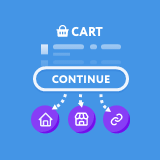
When a customer is redirected to the Cart page after the addition of a product, there is a ‘Continue Shopping’ button. As default, this button takes the customer back to your website Home Page.
This can be very annoying for customers who want a smooth flowing shopping process.
This can now be solved with the click of a button. This plugin adds a list of options into the WooCommerce Settings page that allows you to easily alter where this button will take your customers.
You can choose between the preset locations below:
– Homepage – Shop – Most recently visited Product – Most recently visited Category
Finally there is a fifth option of your own custom link. This can be used to allow you to push customers back to a custom Landing page, or your best selling product.