
Easy Tabs Block – Fast & Responsive Tabs with Built-in Smooth Accordion
🚀 Get Pro | 📖 Documentation | 👨💻 Support
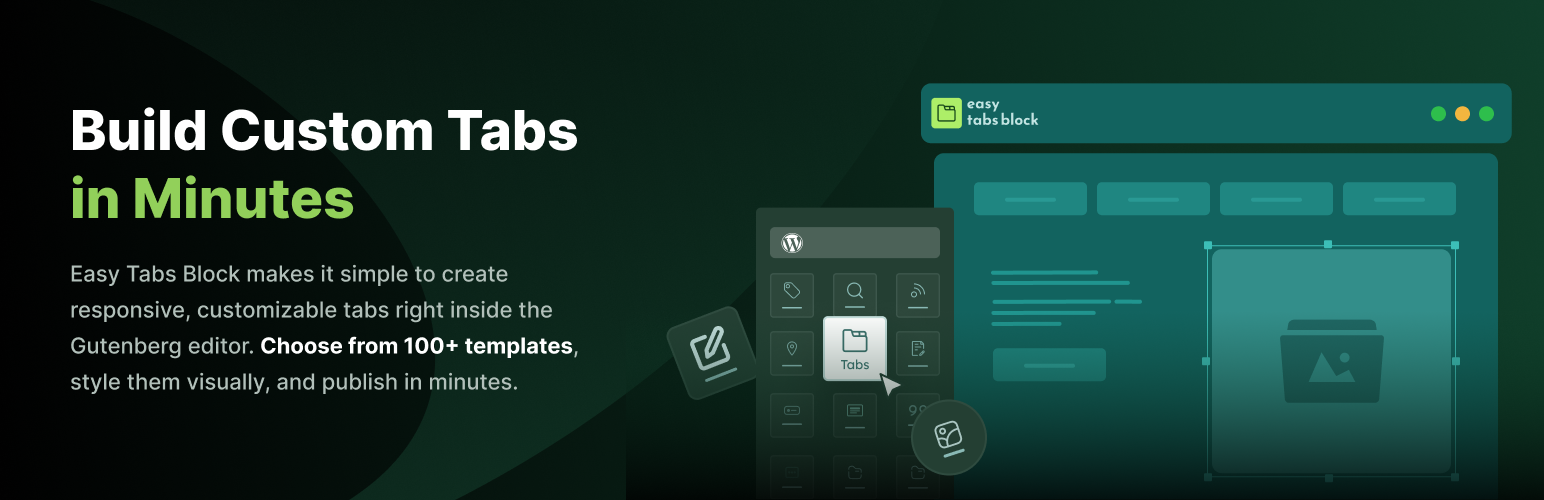
Easy Tabs Block is a clean and lightweight solution for creating responsive tabs inside the WordPress block editor. You can organize your content with horizontal tabs or vertical tabs, without writing a single line of code.
This Gutenberg tabs plugin is perfect for anyone who wants to build tabbed content inside posts, pages, or product pages. Whether you’re managing a blog, a business site, or an eCommerce store, you can display more information in less space using simple and flexible tab blocks.
Add images, text, videos, or even custom HTML inside your tabs. You can also insert any other Gutenberg block. Everything works smoothly inside the tab block system, and it’s fully responsive. Your responsive tab layout will look great on all screen sizes, mobile, tablet, or desktop.
If you’re using WooCommerce, you can build beautiful WooCommerce tabs for product descriptions, reviews, and specifications. With full styling controls and animation effects, it’s easy to create clean and interactive product tabs that match your brand.
The plugin comes with pre-built layouts, so you don’t need to start from scratch. Just choose a pattern, drop it into your page, and customize it in seconds.
So, Easy Tabs Block plugin comes with:
- 70+ ready patterns (30+ in free version) – add layouts with one click.
- Horizontal & vertical tabs – pick what fits your page.
- Insert any Gutenberg block inside a tab – images, videos, shortcodes.
- Lightweight – no jQuery, minimal footprint.
- Mobile-friendly & accessible – stacks and keyboard friendly.
✅ Free Features of the Best Gutenberg Tabs Block Plugin
The free version of Easy Tabs Block comes loaded with powerful tools to build flexible and responsive tabbed content. Here’s what you get:
- Multiple Layouts: Select from horizontal tabs, vertical tabs, or simple aligned styles. Ideal for product tabs, sidebars, and more.
- Drag-and-Drop Tab Content: Insert any Gutenberg block inside your tabs. Use text, images, videos, buttons, or shortcodes effortlessly.
- Full Style Control: Adjust colors, spacing, borders, fonts, and more directly from the block settings. No coding or CSS is required.
- Responsive Design: Your responsive tabs will look perfect on all screen sizes, automatically adapting for mobile and tablet devices.
- Tab Animations: Choose smooth transition effects like fade, slide, or zoom to enhance your tab-switching experience.
- One-Click Templates: Pick from 30+ free tab block patterns and add them instantly to your pages or posts.
- Lightweight and Fast: Easy Tabs Block is clean, optimized, and won’t slow down your website.
- Active and Hover Effects: Customize how tabs appear on hover or when active. Set different styles for normal, hover, and active states.
- Nested Tabs: Create tabs within tabs for complex content structures. Perfect for layered tabbed content like detailed product info or guides.
- Duplicate/Delete Tab and Content: Duplicate existing tabs with content or remove them with one click, speeding up your editing workflow.
All features work seamlessly inside the native WordPress block editor. No extra setup or additional tools are needed to create professional WordPress tabs.
🏆 Premium Features of the WordPress Tabs Block Plugin
Upgrade to Easy Tabs Block Pro and unlock advanced tools that take your tab layouts to the next level. These features help you create more dynamic, interactive, and user-friendly content in just a few clicks.
- Auto Play Tabs: Automatically rotate through tabs on a timer. Ideal for featured content, product highlights, slideshows, or announcements that deserve extra attention.
- Scrollable Tab Menu: Add horizontal scrolling to your tab list. It keeps your layout clean and easy to navigate, especially when you have many tabs or visitors on smaller screens.
- Expandable Tabs: Let users expand or collapse tab sections as they browse. It keeps long content organized and allows visitors to focus on one section at a time.
- Accordion Mode: Transform your tabs into a fully functional accordion layout with a single click. Perfect for FAQs, mobile-first designs, and content-heavy pages where vertical stacking improves readability and user experience.
- URL-Based Tab Activation: Link directly to a specific tab using a unique URL. Perfect for sharing precise content or guiding users to an exact section of your page.
- 70+ Premium Tab Patterns: Access a growing library of over 60 professionally designed tab patterns. Customize them freely to match your brand’s look and layout.
- Priority Support: Get fast, dedicated assistance from our team whenever you need help – from setup to advanced customization.
✅ Helpful Resources for Easy Tabs Block – The Ultimate Gutenberg Tabs Plugin
- Demo – See how responsive tabs and tabbed content work in real time.
- Documentation – Step-by-step guide to show you how to create and customize your tabs block layouts.
- Roadmap – Coming soon with upcoming features and improvements for WordPress tabs and WooCommerce tabs.
- Features – Explore all the powerful options available in Easy Tabs Block, including horizontal tabs, vertical tabs, and more.
- Official Support – Get help and answers from the Easy Tabs Block support team.
- Submit Issue / Feature Request – If you find any issues or want to submit feature requests, feel free to do so.
- Easy Tabs Block Community (FB Page) – Join other users and developers sharing tips, tricks, and ideas for Gutenberg tabs.
✅ Why Use the Ultimate WordPress Tabs Plugin – Easy Tabs Block?
Tabs are a smart way to organize content and save space on your pages. Easy Tabs Block makes creating responsive tabs simple for everyone.
Here’s what makes it stand out:
- No Coding Needed: All settings are visual and beginner-friendly. You don’t have to write a single line of code to build beautiful tabbed content.
- Fits Right Into Gutenberg: It works just like any other core block. Simply search for “Tabs” in the block inserter and start building your Gutenberg tabs quickly.
- Fully Responsive: Your tabs block automatically adjusts to fit mobile, tablet, and desktop screens without extra setup.
- Customize Everything: Pick your own colors, set font sizes, adjust spacing, and tweak borders, all from the block sidebar.
- Use Any Block Inside: Add videos, images, buttons, or any other Gutenberg block inside your tabs for flexible content layouts.
- Save Time with Templates: Don’t start from scratch, use the free tab block templates and edit them to fit your content.
- Lightweight and Fast: The plugin is clean and optimized, so it won’t slow down your WordPress site.
It’s ideal for feature comparisons, pricing sections, or any content that benefits from a neat, organized layout. Whether you’re building a single site or managing many, Easy Tabs Block keeps things simple and flexible.
✅ Who Should Use the Responsive Tabs Plugin?
Easy Tabs Block is perfect for anyone who wants to organize content neatly and make pages easier to navigate. It’s designed for beginners, bloggers, and professionals who use the WordPress block editor every day.
- Bloggers and Content Creators – Display tutorials, FAQs, or comparison content in a clean tab layout that keeps readers engaged.
- Business and Agency Owners – Create service pages, pricing sections, or team profiles that look polished and professional.
- eCommerce Store Owners – Add product descriptions, reviews, and specifications inside responsive tabs to improve the shopping experience.
- Developers and Designers – Build interactive pages faster with pre-built patterns and advanced customization options.
- Educators and Coaches – Present lessons, course content, or resources in structured tabs for easy access.
If you want your WordPress pages to look organized, interactive, and modern, Easy Tabs Block is built for you.