Export Order Items for WooCommerce
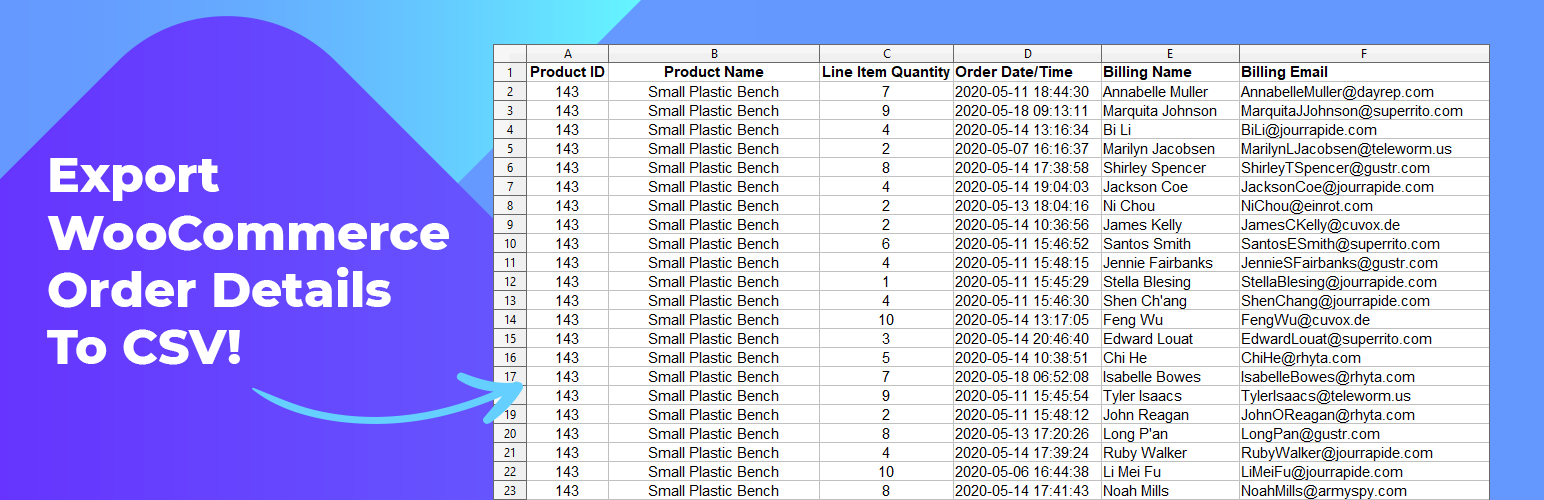
Export the order details for each sale in your WooCommerce store. Simplify order fulfillment, generate accounting reports in a few clicks, and download into CSV format for readability and universal compatibility with Export Order Items.
Export Order Items is simple to set up and works for generating order reports straight out of the box.
Order Reporting Features And Benefits
- Sort orders for pulling specific purchase details
- Pull reports based on common range selectors or custom start and end date and time
- Sort by order ID or Product ID in ascending or descending order
- Filter by order status (Pending Payment, Processing, Completed, Cancelled, etc.)
- 18 data fields that can be included in the report
- Export WooCommerce orders to CSV format
Here’s What You Get When You Upgrade To Pro
- Save your export settings as a preset and reuse your reports
- Conditional logic for setting what is included in your report
- Generate order reports for specific user roles
- Export all sales or sort by category, tag, product ID, and included field
- Exclude or include free items, refunds, and shipping information
- Set what shows on your reports including custom fields, order line item, and variation
- Additional formats including CSV-ASCII, XLS, XLSX, HTML, and HTML Enhanced
- Change field layout, titles, add rows, and set how decimals display
- Advanced compatibility and debug controls Want more? – check out our add-ons for expansion plugins
Faster Easier Report Creation
We wanted to make exporting WooCommerce orders a fast simple process so we streamlined the process with checkboxes, dropdowns, and toggles. Set your date range, choose how it should be sorted, pick what order status should be included, and set what fields you want to be added in your report.
⭐️⭐️⭐️⭐️⭐️
“All I needed was a way to pull customer information along with product sales. And this plugin did exactly that right out of the box. Thanks!”
-fiberlyone
⭐️⭐️⭐️⭐️⭐️
“The Export Order Items plugin has easy to use functions where you can select the categories you want to have in your report – awesome!”
-rist
Export And Share Anywhere
Customize your report with the toggle control settings, configure the formatting, and download your orders as a CSV spreadsheet. Email as an attachment, print it off for order fulfillment, or import it to your favorite spreadsheet software for analysis.
Is The Pro Version Right For You?
Over 95% of our users find the free version is perfect for their store. Upgrade to Pro if you need more targeted reporting, advanced options, other formats, and unlimited presets for saving all kinds of report layouts.
Addons & Integrations
Looking to automate your reports, share them on the frontend of your site, or create in-depth sales reports? We have more free and premium reporting tools for WooCommerce.
- Ninjalytics (Free and Pro – create sales reports for your store
- Scheduled Email Reports for WooCommerce – plugin to automate report sending
- Frontend Reports for WooCommerce – display reports on the frontend of your site
- Extra Product Options Addon – export fields from the WooCommerce Extra Product Options plugin
If you like this plugin, please consider leaving a comment or review.
BerryPress has built a range of powerful plugins for WooCommerce and WordPress. Check out some of our favorites below — and don’t forget to leave a ⭐⭐⭐⭐⭐ review to help others in the community discover them!
- Export Order Items for WooCommerce — Export detailed order data for every sale in your WooCommerce store. Simplify fulfillment, create accounting reports in just a few clicks, and download CSV files for easy sharing and compatibility.
- Inline Image Upload for BBPress — Add a TinyMCE WYSIWYG editor to BBPress forums and enable inline image uploads, so users can easily attach and display images within their posts.
- PhotoBerry Studio — Create beautiful, customizable product photo galleries directly in your WordPress dashboard.
- Automatic Product Categories — Available as a free version and Pro. Automatically assign products to categories based on custom rules, saving you time and keeping your store organized.
- Live Carts — Available as a free version and Pro. View and analyze live shopping carts in real time to understand user behavior and optimize conversions.
- Customer Address Change Notification for WooCommerce — Get instant notifications when customers update their shipping or billing address, helping you stay on top of changes and prevent delivery issues.
To view BerryPress’s premium WordPress plugins and themes, visit our WordPress products catalog page.
Enjoy!