
My Reads – a virtual bookshelf for tracking and reviewing your reads
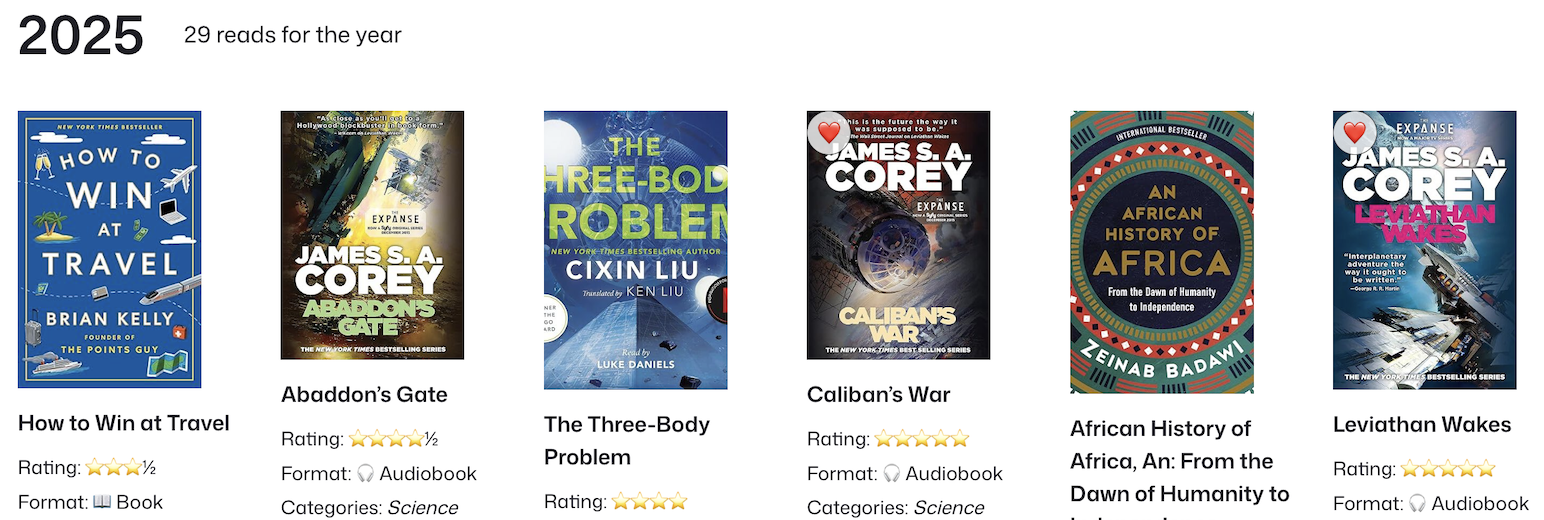
Track your reading with My Reads!
Before you install, some notes: – Currently this is only usable via the block editor, shortcode support is coming soon! – This plugin is actively being developed, and new features are being added frequently.
My Reads is a virtual bookshelf and reading tracker plugin for WordPress, allowing you to track and showcase your reading journey. Whether you’re reading books, audiobooks, comics, or articles, My Reads provides an intuitive way to log and display what you are reading these days.
Designed for both server rendered WordPress sites and static WordPress sites, My Reads includes custom blocks, search functionality, CSV import, and even Amazon integration to effortlessly fetch book details.
With My Reads, you can create a personalized reading list, rate what you read, and share your thoughts and notes with the world. It’s perfect for bloggers, book reviewers, and avid readers alike. This plugin allows you to share your reading journey in a visually appealing and organized format.
Whether you’re a casual reader or a dedicated bibliophile, My Reads is the ultimate tool to share your reading journey.
Key Features
- 📚 Custom Post Type: My Reads creates a dedicated post type to store and display your reading list.
- 🏗 Gutenberg Blocks Included:
- Listing “Bookshelf” Block – Display your reading list by year. This is your virtual bookshelf!
- Star Rating Block – Easily rate each read.
- Media Format Block – Specify the format (book, audiobook, comic, etc.).
- 🔍 Search & Filter: Quickly find books by title, category, year, and more.
- 📥 CSV Import: Bulk import your reading list, including title, author, rating, format, and personal thoughts.
- 🔗 Amazon Integration: Enter an Amazon link (including affiliate links), and the plugin fetches the book title and cover image.
- 🎨 Customizable Layouts: Each entry loads with a pre-designed pattern that you can customize and save.
Upcoming Features
- 🔗 Interact Activity API Integration – Sync with external activity tracking.
- ⭐ Prioritize Favorites – Move your favorite reads to the top of the list.
- 🧰 Shortcode – ability to add the My Reads listing via shortcode and not just a block.
A note on caching
To optimize performance, My Reads generates a JSON file containing your reading list data. This file is used to quickly render the bookshelf on your site. You can choose to regenerate this JSON file manually or set it to regenerate automatically whenever you add or update a read.
If you are using a caching plugin or service, ensure that the JSON file is not cached to avoid displaying outdated information. Please exclude these URL patterns from your caching rules:
/wp-content/uploads/my-reads/reads.json
/wp-json/my-reads/v1/all-the-reads
Have a feature request or feedback? Reach out via the WordPress support forums or GitHub!