
Rewrite Rules Inspector
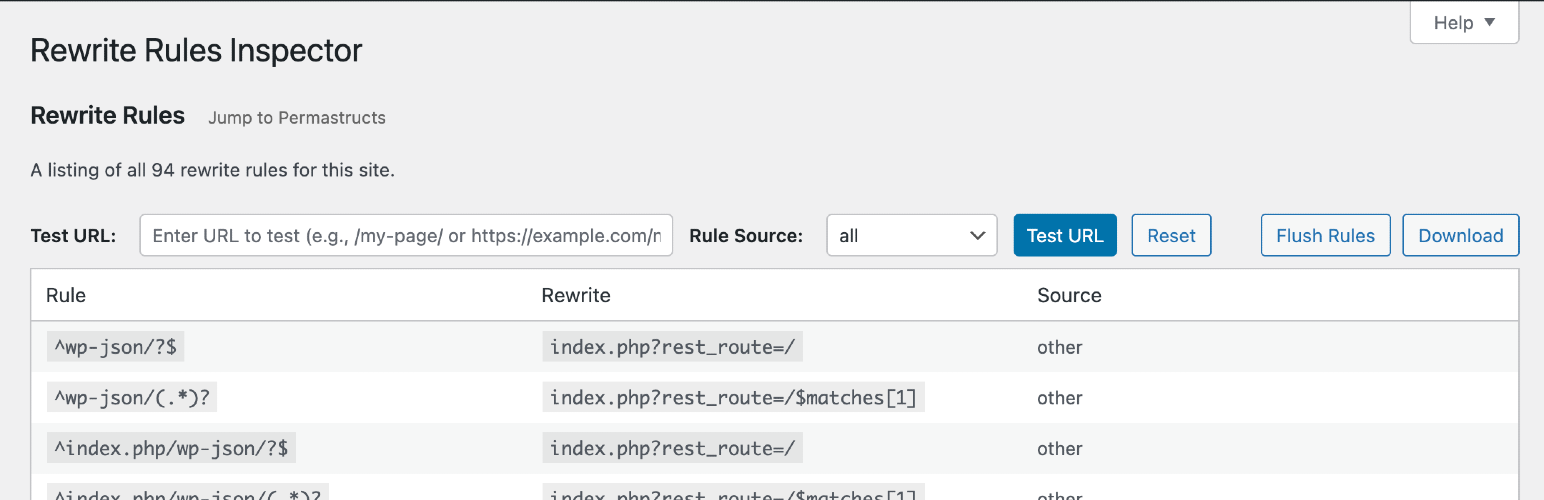
A simple WordPress admin tool for inspecting rewrite rules. View a listing of all your rewrite rules, see which rewrite rules match a given URL (and the priorities they match in), or filter by different sources of rewrite rules. Perform a soft flush of your rewrite rules to regenerate them.
Developed on GitHub — pull requests are always welcome. Please leave feedback, questions, bug reports, and feature requests in the GitHub issues.
Where to find it
Go to Tools → Rewrite Rules in the WordPress admin.
URL Tester
Quickly test any URL (or path) against your site’s rewrite rules:
- See whether the URL would be a 404 or which rule would match first (the one WordPress uses).
- View the list of all matching rules, in match priority order.
- Inspect the query variables extracted from the match and the resulting final query WordPress would run.
Works with full URLs or paths and automatically handles sites installed in a subdirectory.
Permastructs
Browse a table of all permastructs that WordPress is aware of, including:
- Name — the permastruct key (e.g. for posts, taxonomies, authors).
- Structure — the permalink structure pattern used to generate rules.
- Description — a human-friendly summary of what the permastruct controls.
Flush Rules
The “Flush Rules” button allows you to regenerate your site’s rewrite rules. Here’s exactly what happens when you click it:
What the Flush Rules Button Does
When you click the “Flush Rules” button, the following sequence occurs:
-
Security Check: The system verifies you have the proper permissions (
manage_optionscapability) and validates the security nonce to prevent unauthorized access. -
Cache Clearing: WordPress deletes the cached rewrite rules from the options cache using
wp_cache_delete('rewrite_rules', 'options'). -
Rule Regeneration: WordPress calls
flush_rewrite_rules(false)to regenerate all rewrite rules based on:- Current permalink structure settings
- Custom post types and taxonomies
- Any custom rewrite rules added by themes or plugins
-
Hook Execution: The
rri_flush_rulesaction hook is fired, allowing other plugins to perform additional cleanup or actions after the flush. -
Success Feedback: You’re redirected back to the Rewrite Rules Inspector page with a success message confirming the rules have been flushed.
When to Use Flush Rules
Use the “Flush Rules” button when:
- Missing Rules: You see rules marked as “missing” (red background) in the inspector
- Custom URLs Not Working: Your custom permalinks or post type URLs aren’t working properly
- After Plugin Changes: You’ve activated/deactivated plugins that register custom rewrite rules
- Permalink Structure Changes: You’ve modified your site’s permalink structure
- Custom Post Type Issues: New custom post types or taxonomies aren’t generating proper URLs
Important Notes
- Soft Flush: This performs a “soft” flush (using
flush_rewrite_rules(false)), which is safer than a hard flush as it doesn’t force regeneration of all rules unnecessarily. - Permissions Required: Only users with
manage_optionscapability can flush rules. - No Data Loss: Flushing rules doesn’t delete any content or settings, it only regenerates the URL routing rules.
- Immediate Effect: Changes take effect immediately after flushing.