WordPress.com
Products
WordPress Hosting
WordPress for Agencies
Become an Affiliate
Domain Names
AI Website Builder
Website Builder
Create a Blog
Newsletter
Professional Email
Website Design Services
Commerce
WordPress Studio
Enterprise WordPress
Features
Overview
WordPress Themes
WordPress Plugins
WordPress Patterns
Google Apps
Resources
WordPress.com Support
WordPress News
Business Name Generator
Logo Maker
Discover New Posts
Popular Tags
Blog Search
Plans & Pricing
Log In
Get Started
Menu
Close the navigation menu
Get Started
Sign Up
Log In
About
Plans & Pricing
Products
WordPress Hosting
WordPress for Agencies
Become an Affiliate
Domain Names
AI Website Builder
Website Builder
Create a Blog
Newsletter
Professional Email
Website Design Services
Commerce
WordPress Studio
Enterprise
Features
Overview
WordPress Themes
WordPress Plugins
WordPress Patterns
Google Apps
Resources
WordPress.com Support
News
Business Name Generator
Logo Maker
Discover New Posts
Popular Tags
Blog Search
SM – SQL logs
By
Mi7oSz
·
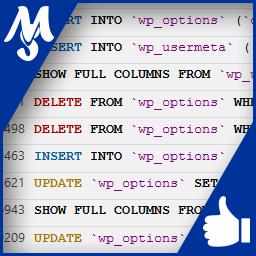
Record and view all SQL queries that your WordPress is requesting. Browse formated and highlighted syntax queries for debug and speedup your site.
logs
mysql
query
Ratings
5
Version
1.1.1
Active installations
10
Last updated
Nov 10, 2017
Installation
Installation
Changelog
FAQs
Extract all files from the ZIP file, and then upload the plugin’s folder to /wp-content/plugins/.
Activate the plugin through the ‘Plugins’ menu in WordPress.
Free
on paid plans
Get started
By installing, you agree to
WordPress.com Terms of Service
and
Third-Party plugin Terms
.
Tested up to
WordPress 4.8.28
This plugin is
available for download
for your site.
Download
WordPress.com
Please enable JavaScript in your browser to enjoy WordPress.com.