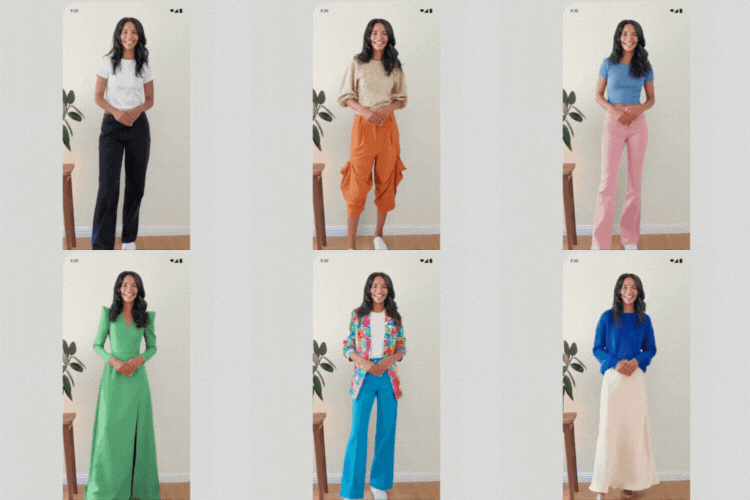

The #1 Problem Facing Fashion Retailers: “Will this look good on me?”
Finally, there’s an answer. Tryly.ai Virtual Try-On lets your customers see exactly how your clothes will look on their body before they buy.
🚀 Results Fashion Brands Are Seeing: * 3x Higher Conversions – Customers who try-on are 3x more likely to purchase * 64% Fewer Returns – When customers see the fit, they keep what they order * Higher Average Order Value – Confident customers buy more items * Better Customer Satisfaction – No more sizing surprises
Watch It In Action: See the LIVE DEMO – Watch how virtual try-on transforms the shopping experience!
Perfect For Fashion Retailers
- Clothing Brands – Tops, bottoms, dresses, outerwear
- Online Boutiques – Stand out from competitors
- Fashion Designers – Showcase your creations perfectly
- Apparel Stores – Any fashion e-commerce business
How It Works (So Simple!)
- Install & Activate – Download from WordPress plugins
- Connect to Tryly.ai – One-click OAuth connection
- Choose Your Plan – Start free or pick what fits your store
- Go Live – Try-on buttons appear automatically on all products
Key Features
- Zero Setup Required – Works automatically on all products
- Mobile-First Design – Perfect experience on phones and tablets
- Lightning Fast – Won’t slow down your store
- Fully Customizable – Match your brand colors and style
- Real-Time Analytics – Track try-on rates and conversions
- Multiple Plans – From small stores to enterprise solutions
The Fashion Retailer’s Dream
Stop Losing Sales to Uncertainty Every day, potential customers leave your store thinking “I’m not sure how this will look on me.” With virtual try-on, they can see exactly how your clothes fit their body.
Turn Browsers into Buyers When customers can visualize themselves in your products, hesitation disappears. They go from “maybe” to “add to cart” instantly.
Slash Return Rates Returns are killing your profits. When customers see the perfect fit before ordering, they’re confident in their purchase and keep what they buy.
Privacy Policy
This plugin connects to Tryly.ai’s service to provide virtual try-on functionality.
What Data is Used: * Product images from your store * Customer photos during try-on (processed securely and deleted within 72 hours) * Basic connection settings
Privacy Promise: * Customer photos are never stored permanently * No personal data is collected or shared beyond try-on processing * All processing happens securely and privately * Full details: https://www.tryly.ai/privacy