
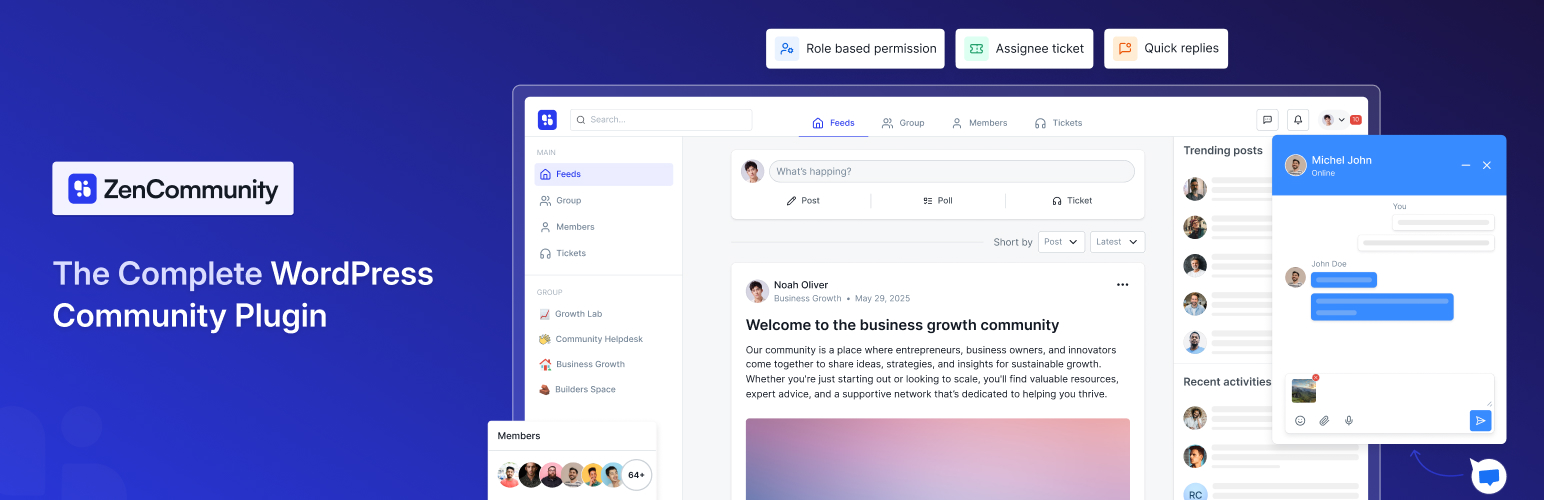
The All-in-One WordPress Community Plugin for Groups, Social Feeds, Real-Time Chat, and Support
ZenCommunity is the first WordPress community plugin that unifies groups, posts, support ticketing, and live chat into one native powerhouse. Build social, Facebook-style communities with real-time chat and posts, convert community posts into tracked support tickets, and offer instant live help — all inside your WordPress site.
👉 ZenCommunity Site 👉 Unlock Premium Features 👉 Join Our Official Community
Core Features at a Glance
Community Tool
- User-friendly UX
- Unlimited groups/spaces
- User profiles
- Activity feeds
- Member controls
- Feeds
- Comments & reactions
- Real-time chat
- Notifications
- Privacy controls
- Mentions
- Hashtags
- Polls and surveys (Coming soon)
- Leaderboard (Coming soon)
- Bookmarks
- Branding options
- Welcome message
- Custom slugs
- Search
- Member directory
- File uploads
- GIF
- Emoji
- Media storage
- Role manager
- User approval
- Email summaries
- Dark & light mode
Support Ticketing [PRO]
- Convert feed to tickets
- Ticket status tracking
- Ticket assignment
- Ticket stages (ongoing, solved, etc.)
- Ticket notifications
- Auto replies (Coming soon)
Live Chat [PRO]
- Customizable website live chat widget (Cross domain also supported)
- Multi-session handling
- Instant visitor support
- Real-time notifications
- File sharing
- 24/7 support system
ZenCommunity isn’t just another community plugin. It’s the first WordPress solution that combines the three strongest engagement systems — Community, Real-Time Chat, and Support Tickets — together in one place.
Most WordPress websites use 3–5 different tools to achieve what ZenCommunity does alone. That creates scattered conversations, missed messages, and poor user experience. ZenCommunity removes that problem completely.
By keeping community posts, chats, and support inside one system, your users stay connected, engaged, and supported without ever leaving your site. Below are the core sections that show how ZenCommunity stands out.
Community Features — Your Full Social System Inside WordPress
ZenCommunity gives you everything needed to build a full, social-style community inside WordPress — no third-party platforms, no separate plugins.
Advanced Community Groups
Build public or private groups with full admin control. Groups can be used for LMS classes, client spaces, internal teams, membership circles, or interest-based communities. Each group has its own feed, members, and settings.
Facebook-Style Posting & Engagement
Your members can publish posts, attach media, use @mentions, comment, reply, react, and follow discussions. The interface feels familiar, simple, and fast — encouraging users to talk and stay active.
Real-Time Community Chat
ZenCommunity includes built-in chat inside groups. Members can start private one-to-one chats or chat as a group with typing indicators, read status, file sharing, and notifications. Conversations stay active without page reloads.
User Profiles & Activity Tracking
Each user gets a profile with activity, groups, posts, and engagement. This makes your community feel more personal and interactive.
Community Growth Features
Hashtags, polls, surveys, leaderboards, bookmarks, and email summaries help keep engagement high. Members always have a reason to come back.
Admin Control & Community Safety
Moderators can manage posts, approve members, customize branding, set privacy rules, and control roles. You decide how open or private each group should be.
Support Ticketing — Full Helpdesk Inside Your Community
ZenCommunity includes a complete support ticketing system connected directly to your community and chats.
Convert Posts Into Support Tickets
If a user posts a question that needs deeper help, convert it into a ticket with one click — no platform switching.
Clear Ticket Assignments
Assign each ticket to a responsible team member so the right person handles the issue. This reduces confusion and improves response time.
Status Tracking
Each ticket has clear stages (new, ongoing, solved, etc.) so both sides can follow progress. Your support team stays organized, and users always know what’s happening.
Personal Support Chat on Each Ticket
Tickets include an instant one-to-one chat. Users don’t need email or external help desks — everything is live and inside your site.
Smart Notifications
Both users and team members get notifications when ticket updates happen. Nothing gets lost.
Auto Replies
Helpful for off-hours, acknowledgment messages, or routing requests.
Live Chat — Instant Help That Converts Visitors
ZenCommunity includes a built-in real-time live chat widget for your entire site.
Customizable Widget
Add your supporter’s name, photo, availability status, and greeting message. This makes your support feel personal and trustworthy.
Instant Visitor Support
Visitors can start chatting immediately. Control visitor login or anonymous chat.
Multi-Session Handling
Support agents can handle multiple conversations at once without losing track.
Real-Time Notifications & File Sharing
Send and receive files instantly, get notified when new messages arrive, and keep the conversation going smoothly.
24/7 Support System
The widget stays active at all times, so users always have access to help.
Who ZenCommunity Helps
ZenCommunity fits a wide range of websites and business types:
- LMS websites (students + instructors)
- Membership sites
- Local groups & communities
- Agencies
- SaaS companies
- E-commerce stores
- Service providers
- Creators & educators
- Internal teams & organizations
🔥 Deep Academy LMS Integration
ZenCommunity connects directly with Academy LMS to automate all your course activities inside your community — without any extra work from the admin. When this integration is enabled, key Academy LMS events automatically create posts in your ZenCommunity groups. This means your learners stay updated, active, and informed without any manual posting.
What Automatically Gets Shared
ZenCommunity can post updates in your community when any of the following events happen inside Academy LMS:
- Course Enrolled
- Course Complete
- Course Announcements
- User Question
- Question Answer
- Lesson Update
- Quiz Start
- Quiz End
This makes ZenCommunity the perfect LMS community plugin.
Extended LMS Integrations
ZenCommunity now supports multiple popular WordPress LMS plugins, making it easy to add community, discussion, chat, and support features to your learning website.
Tutor LMS Integration with ZenCommunity
ZenCommunity integrates with Tutor LMS to bring key course activities directly into your community groups, helping learners stay informed and engaged inside WordPress.
This integration turns Tutor LMS course progress into visible community updates, encouraging discussion around learning milestones.
Tutor LMS Events Shared in ZenCommunity
When Tutor LMS integration is enabled, the following course activities are automatically posted in ZenCommunity group feeds:
- Course Enrollment
- Topic Complete
- Course Complete
- Quiz Start
- Quiz End
Each event appears inside the selected community group, allowing students and instructors to interact around real course progress in real time.
LearnPress Integration with ZenCommunity
ZenCommunity integrates with LearnPress to connect course activity, learner questions, and progress updates directly with your community groups.
This integration helps LearnPress users turn learning actions into shared discussions, keeping students active and connected inside WordPress.
LearnPress Events Shared in ZenCommunity
When LearnPress integration is enabled, the following course activities are automatically posted in ZenCommunity group feeds:
- Course Enrollment
- Course Complete
- Lesson Completion
- User Question
- Question Answer
- Quiz Start
- Quiz End
These updates appear inside the selected community groups, allowing learners and instructors to interact around real learning progress in one place.
MasterStudy LMS Integration with ZenCommunity
ZenCommunity integrates with MasterStudy LMS to connect course progress, learner questions, and completion updates directly with your community groups.
This integration helps MasterStudy-based learning sites turn course activity into shared discussions, keeping learners engaged inside WordPress.
MasterStudy LMS Events Shared in ZenCommunity
When MasterStudy LMS integration is enabled, the following course activities are automatically posted in ZenCommunity group feeds:
- Course Enrollment
- Course Complete
- Lesson Completion
- User Question
- Question Answer
- Quiz End
These updates appear inside the selected community groups, allowing students and instructors to interact around real learning progress in one place.
Lifter LMS Integration with ZenCommunity
ZenCommunity integrates with Lifter LMS to bring course activity, learner questions, and progress updates directly into your community groups.
This integration helps Lifter LMS websites keep students engaged through shared discussions and real-time updates inside WordPress.
Lifter LMS Events Shared in ZenCommunity
When Lifter LMS integration is enabled, the following course activities are automatically posted in ZenCommunity group feeds:
- Course Enrollment
- Course Complete
- Lesson Completion
- User Question
- Question Answer
- Quiz End
These updates appear inside the selected community groups, allowing learners and instructors to interact around real course progress in one central place.
LearnDash Integration with ZenCommunity
LearnDash integrates with ZenCommunity to connect course activity directly with your community groups, helping learners stay active and engaged inside WordPress.
This integration turns LearnDash progress into shared community updates, encouraging discussion, motivation, and peer interaction around learning milestones.
LearnDash Events Shared in ZenCommunity
When LearnDash integration is enabled, the following course activities are automatically posted in ZenCommunity group feeds:
- Course Enrollment
- Course Complete
- Topic Complete
- Quiz End
Each event appears inside the selected community group, allowing students and instructors to interact around real course progress in real time.
This makes ZenCommunity a strong companion for LearnDash-based learning sites that want to combine structured courses with active community engagement.
⚡ Performance & Reliability
- ZenCommunity is built for speed:
- No external tools
- No outside servers
- No extra apps
- Everything loads inside WordPress
- Real-time updates with lightweight scripts The plugin is optimized for both small sites and enterprise-level communities.
🛠 Admin Tools
Site admins get:
- A single dashboard for groups, posts, tickets, and chats
- Role-based permissions
- Community moderation controls
- Branding settings
- Full visibility into engagement and support activity