
Pimi Admin Agent
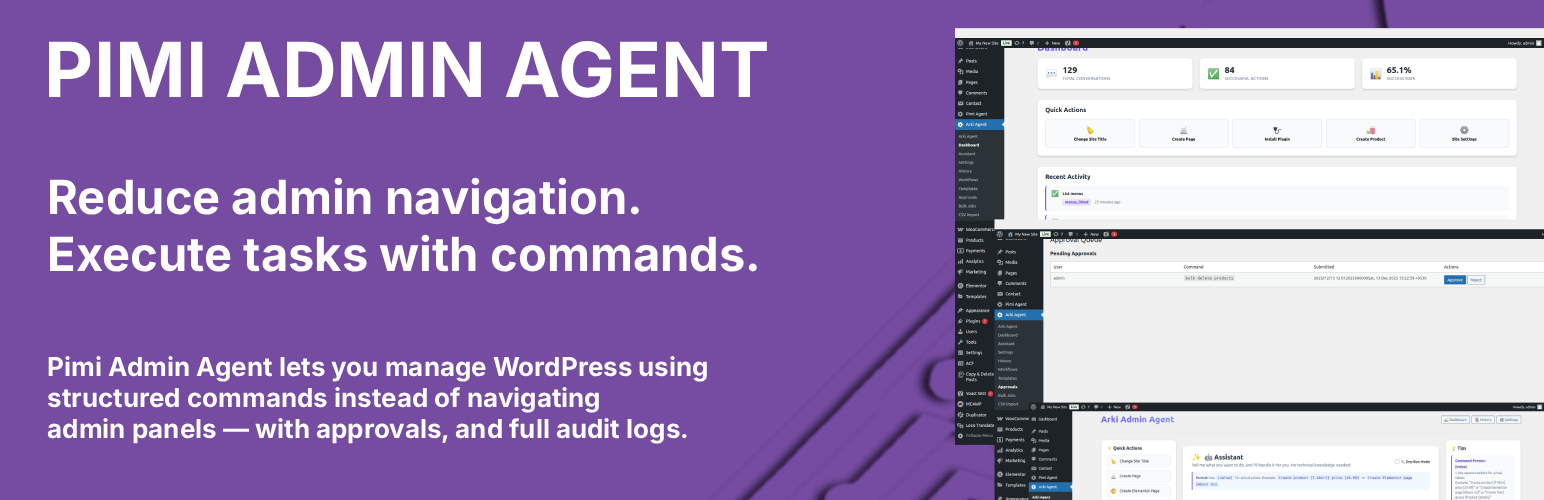
Pimi Admin Agent is a powerful WordPress assistant plugin that allows administrators to manage their WordPress site through commands. Built with safety and usability in mind, it provides a reliable, auditable, and scalable solution for WordPress administration.
Instead of navigating through multiple WordPress admin screens, administrators can use commands to safely execute supported actions with full preview and confirmation.
The plugin is designed with predictability, transparency, and safety as first-class principles.
Key Features
- Command Interface – Control your WordPress site using commands
- WordPress Core Management – Create, update, delete pages, posts, and users
- Media Library Operations – Upload, delete, and list media files
- Menus & Navigation – Create menus, add items, assign to locations
- Widgets Management – Add, remove, and list widgets in sidebars
- Elementor Integration – Create Elementor pages and assign templates
- Plugin Management – Install and update plugins (activation/deactivation must be done manually through the Plugins page)
- Approval Queue – Automatic approval for high-risk commands
- Workflows – Multi-step command sequences
- Bulk Operations – Process multiple items at once
- CSV Import – Import products, pages, posts from CSV files
- Command Templates – Save and reuse commands
- Full Audit Log – Complete command history with timestamps
- Safety Features – No dangerous operations (wp-config editing, SQL execution, etc.)
What This Plugin Does NOT Do
- Does not activate or deactivate plugins (must be done manually through Plugins page)
- Does not delete plugins via command
- Does not change user passwords
- Does not create or update administrator users
- Does not edit wp-config.php
- Does not execute arbitrary SQL
- Does not edit core WordPress files
- Does not modify role capabilities
- Does not execute arbitrary or free-form commands
- Does not bypass WordPress permissions or plugin security
Requirements
- WordPress 5.0 or higher
- PHP 7.4 or higher
- MySQL 5.6 or higher
- Administrator privileges required
- Optional plugins (for specific features):
- Elementor (for Elementor features)
Automatic Installation
- Go to Plugins → Add New
- Search for “Pimi Admin Agent”
- Click “Install Now”
- Click “Activate”
Manual Installation
- Download the plugin ZIP file from your purchase
- Log in to your WordPress admin panel
- Navigate to Plugins > Add New
- Click “Upload Plugin”
- Choose the downloaded ZIP file
- Click “Install Now”
- Click “Activate”
Usage
- Navigate to Pimi Admin Agent → Assistant in WordPress admin
- Enter a command
- Confirm the action (if required)
- Review the result in the activity log
Example commands:
WordPress: * Create page [About Us] content [Welcome to our site] * Create post [Welcome Post] content [This is my first post] * Create user [email@example.com] role [editor] * Upload image [https://example.com/image.jpg] * Create menu [Main Menu] * Add widget [text] to sidebar [sidebar-1]
Elementor: * Create Elementor page [Home] * Assign Elementor template [Homepage Template] to page [Home]
Plugins: * Install plugin [contact-form-7] * Update plugin [contact-form-7] * Note: Plugin activation and deactivation must be done manually through the WordPress Plugins page
Security
- Administrator-only access (manage_options capability required)
- WordPress nonce validation on all AJAX requests
- Whitelisted actions only
- No dangerous operations (wp-config editing, SQL execution, etc.)
- Administrator user protection (cannot create/update/delete admin users)
- Password changes disabled (use WordPress admin)
- Approval queue for high-risk commands (>50 items)
- Complete audit logging
- Role-based permissions