
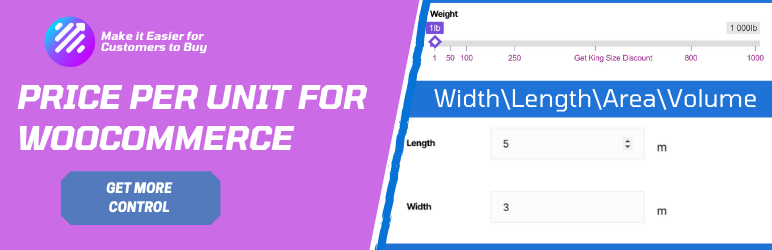
Sell product price per unit with the easiest to set up and more configurable Plugin with WooCoommerce.
This plugin allows you to sell your product depends on the unit ( Weight, length, area, and volume). You can change the price depends on the unit with this plugin. This plugin can help you to depict the price difference very clearly to your audience.
Basic Version Features
- Support Multiple views (Numeric and Slider)
- Tiered pricing — different prices for different quantity ranges
- Work with Weight, Length, Area, and Volume basis
- Stock management per unit with WooCommerce integration
- Stock validation — cap slider at stock level or show error on cart
- Unit-aware availability text (e.g., “50 meters available”)
- Price Info tab in the product description
- HPOS (High-Performance Order Storage) compatible
- Touch support for mobile devices
- Translation ready (WPML, Polylang, Loco Translate compatible)
- Easy to install and configure
- Supports Simple Products
Pro Version Features
- Support Multiple views ( Numeric and Slider)
- More Visible with Pricing Slider
- Price difference easily noticeable
- Work With Weight, length, area, or volume basis
- Price Info tab in the description
- Easy to install
- Touch Support for mobile device
- Sell Only the desire amount
- With Custom labels make the price difference more visible to buyers.
- Get Premium Support.
- Support Simple and variable Products
OFFICIALLY TESTED PLUGINS
- Loco Translate
- WPML
- Polylang
Setting-up Process
We have developed the plugin remembering in our mind; it should be easy to set up. Enter your product page from the admin panel. You will get a set of the input fields with proper descriptions called “Price Per Unit metaboxes.” You need to fill those fields. That’s it. To get more info about this field, I will suggest you follow this link. Documentation
To check the demo, Please Visit this link. Price Per Unit Details
If You Have Any Suggestions, let us know, please. Feature Request. This way, you can help us to improve the plugin in every way.
Changelog
1.4.0 Fixed version constant mismatch (was 1.0.0, now matches plugin header) Added HPOS (High-Performance Order Storage) compatibility for WooCommerce Fixed undefined array key warning for range_slider_view Fixed wp_localize_script deprecated usage for currency symbol Removed leftover debug var_dump and error_log calls Fixed translation loading by moving textdomain to init hook Deferred metabox initialization to prevent early translation loading Fixed repeater_field_support parameter order in Custom Metabox Updated plugin description and author URI in header Fixed activator translation calls (removed __() from wp_die during activation) Raised minimum requirements: WordPress 6.0+, PHP 8.0+, WooCommerce 7.0+ Tested up to WordPress 6.8 and WooCommerce 9.0 1.1 Fixed Major bug update settings panel 1.2 Add Numeric View 1.3 Fix Mobile touch issue for the Numeric view By default, active status changed to deactivate Translatable. Fix small issues. 1.3.1 Fixed tranlation related issue 1.3.2 Fixed Jquery Ready issue Price display according to WooCommerce Currency options settings Fixed Nurmice View Decimal point increment 1.3.3 Fixed Order Data issue