
FYP News Ticker — Scrolling News Banner & Announcement Bar for WordPress
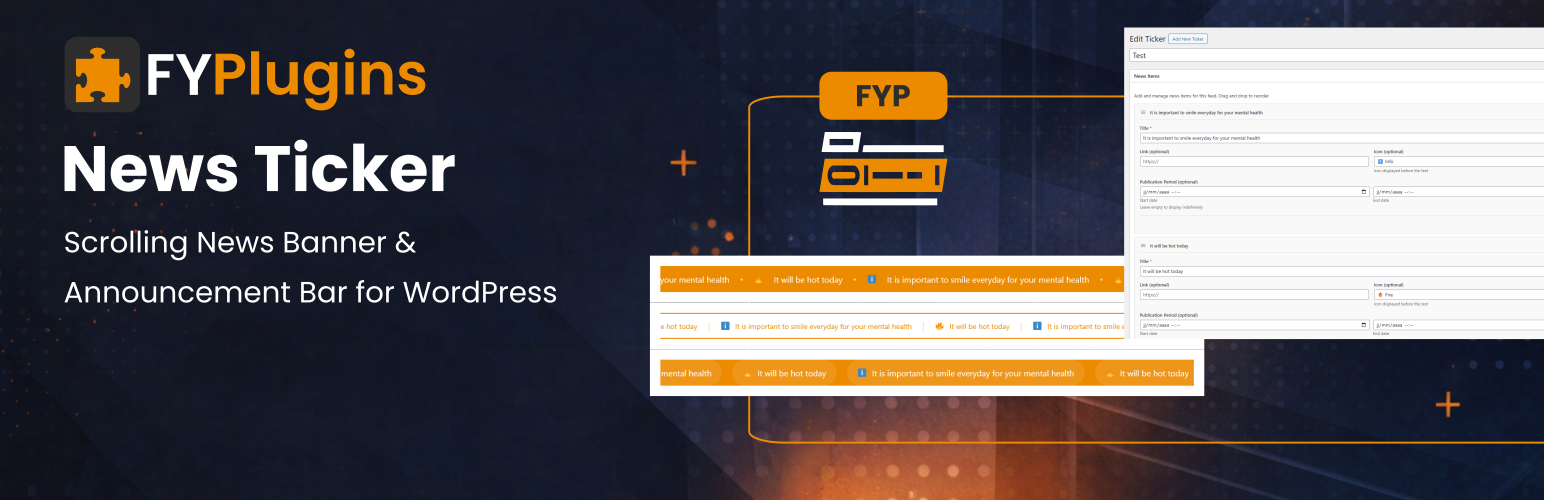
Stop Important News from Getting Buried — Grab Attention Instantly!
Your visitors miss 90% of static announcements. FYP News Ticker creates eye-catching scrolling banners that capture attention and ensure your important messages get seen — perfect for promotions, breaking news, and urgent updates.
What You’ll Get (Real Benefits, Not Technical Features)
✓ Impossible to Miss — Scrolling movement naturally draws eyes better than static banners ✓ Increase Conversions — Perfect for displaying limited-time offers and promotions that drive action ✓ Keep Visitors Informed — Announce events, updates, and important information without interrupting their experience ✓ Professional Appearance — Beautiful animated banners make your site look dynamic and modern ✓ Save Time — Schedule announcements in advance and they appear/disappear automatically ✓ No Page Slowdown — Lightweight animation with zero performance impact ✓ Works Everywhere — Display at top, bottom, or anywhere in your content
Why Choose FYP News Ticker Over Others?
VS Free Alternatives: — 3 Beautiful Templates — Others give you 1 basic scrolling text — Drag-and-Drop Builder — Free plugins require manual coding — Scheduled Publishing — Others show everything all the time — 9 Custom Icons — Most plugins are text-only
VS Premium Plugins ($39-$79): — Same Features — Multiple templates, icons, scheduling, drag-and-drop — Just as Beautiful — Professional animations and modern designs — Easier to Use — Simple interface vs complex configuration — Regular Updates — Actively maintained and WordPress compatible
VS Custom Coding: — Save 10+ Hours — Ready in 5 minutes vs days of development — No Animation Hassles — We handle smooth scrolling, pause on hover, responsive design — Maintenance Free — We keep it compatible with WordPress updates — Tested & Reliable — Works across all browsers and devices
Real-World Use Cases
🛍️ E-Commerce Sites — «🔥 Flash Sale: 50% Off Everything — 24 Hours Only!» 📢 Business Websites — «New Office Hours | Holiday Schedule | Important Update» 🎓 Educational Sites — «Registration Opens Monday | Exam Schedule Posted» 📰 News & Media — «Breaking News | Latest Updates | Live Coverage» 🎉 Event Websites — «Early Bird Tickets Available | Only 50 Spots Left!» 🏢 SaaS & Tech — «System Maintenance Tonight 10PM-2AM | New Feature Released»
3 Professional Templates
No design skills needed — each template is professionally crafted:
- Default — Classic scrolling banner perfect for any announcement
- Modern — Stylish card design with icon highlighting
- Minimal — Clean text-only layout for professional sites
Key Features
✓ Unlimited news tickers (create as many as you need) ✓ Drag-and-drop to reorder announcements ✓ 9 attention-grabbing icons (megaphone, bell, star, fire, gift, warning, info, check, arrow) ✓ Schedule start and end dates for auto-display ✓ Control scroll speed and direction ✓ Pause on hover for readability ✓ Make items clickable (link to product pages, posts, etc.) ✓ Custom colors to match your brand ✓ Fully responsive on mobile ✓ Show/hide specific items temporarily ✓ Limit how many items display ✓ SEO-friendly with proper HTML ✓ Translation ready
Simple to Use
- Create new ticker from News Tickers menu
- Add announcements with drag-and-drop builder
- Choose template and customize colors
- Copy shortcode and paste anywhere
- Done! Scrolling banner appears automatically
No configuration required — smart defaults work perfectly, customize only when you want specific behavior.
Part of the FYPlugins ecosystem – professional WordPress solutions trusted by thousands of websites.
Usage
Getting Started (3 Minutes)
- Create Ticker — Go to News Tickers → Add New
- Add Items — Click «Add News Item» and enter your announcements
- Customize — Choose template, icons, colors (optional)
- Display — Copy shortcode and paste in any page, post, or widget
- Done! — Scrolling banner appears on your site
Common Use Cases
Simple announcement banner: [fyplugins_news_ticker id=»123″]
Fast-scrolling promotions: [fyplugins_news_ticker id=»123″ speed=»100″]
Modern template with right scroll: [fyplugins_news_ticker id=»123″ template=»modern» direction=»right»]
Show only 3 most recent items: [fyplugins_news_ticker id=»123″ limit=»3″]
Custom styled banner: [fyplugins_news_ticker id=»123″ template=»minimal» class=»top-banner»]
No pause on hover (continuous scroll): [fyplugins_news_ticker id=»123″ pause_on_hover=»false»]
Shortcode Parameters
Main Shortcode: [fyplugins_news_ticker id="123"]
The id parameter is required — get it from the ticker edit screen in admin.
Display Options
- template – Visual style:
default(classic banner),modern(card style),minimal(text only) - show_icons – Show icons:
trueorfalse(default: from ticker settings) - class – Add custom CSS classes for styling
Animation Control
- speed – Scroll speed in pixels per second (default: 50, try 100 for faster or 25 for slower)
- direction – Scroll direction:
leftorright(default: left) - pause_on_hover – Pause when hovering:
trueorfalse(default: true)
Content Selection
- limit – Maximum items to display (default: -1 for all active items)
Real-World Examples
Flash sale banner (fast, attention-grabbing): [fyplugins_news_ticker id=»123″ speed=»100″ template=»modern»]
Event countdown (right to left): [fyplugins_news_ticker id=»456″ direction=»right» template=»modern»]
Breaking news (continuous scroll): [fyplugins_news_ticker id=»789″ pause_on_hover=»false» speed=»75″]
Subtle updates (minimal, slow): [fyplugins_news_ticker id=»321″ template=»minimal» speed=»30″]
Top banner (show 5 items only): [fyplugins_news_ticker id=»654″ limit=»5″ class=»header-banner»]
Multiple tickers on same page: [fyplugins_news_ticker id=»111″ template=»modern» class=»promo-ticker»] [fyplugins_news_ticker id=»222″ template=»minimal» class=»info-ticker»]
Building Your News Ticker
Creating Announcements
- Add Item — Click «Add News Item» button
- Enter Title — Your announcement text (e.g., «50% Off Everything Today!»)
- Choose Icon — Select from 9 icons or leave empty (megaphone, bell, star, fire, gift, warning, info, check, arrow)
- Add Link — Optional URL to make announcement clickable
- Schedule — Set start/end dates for automatic display (leave empty for always visible)
- Status — Check «Active» to show immediately
Managing Items
Reorder: Drag and drop items to change display order Edit: Click item to modify text, icon, link, or dates Hide: Uncheck «Active» to temporarily hide without deleting Delete: Remove permanently using delete button
Scheduling Tips
Limited-time offer: Set start date (today) and end date (Friday) Upcoming event: Set start date (next week) with no end date Holiday hours: Set start (Dec 24) and end (Jan 2) dates Flash sale: Set precise times with start and end dates