
iPanorama 360 — усовершенствованный конструктор виртуальных туров
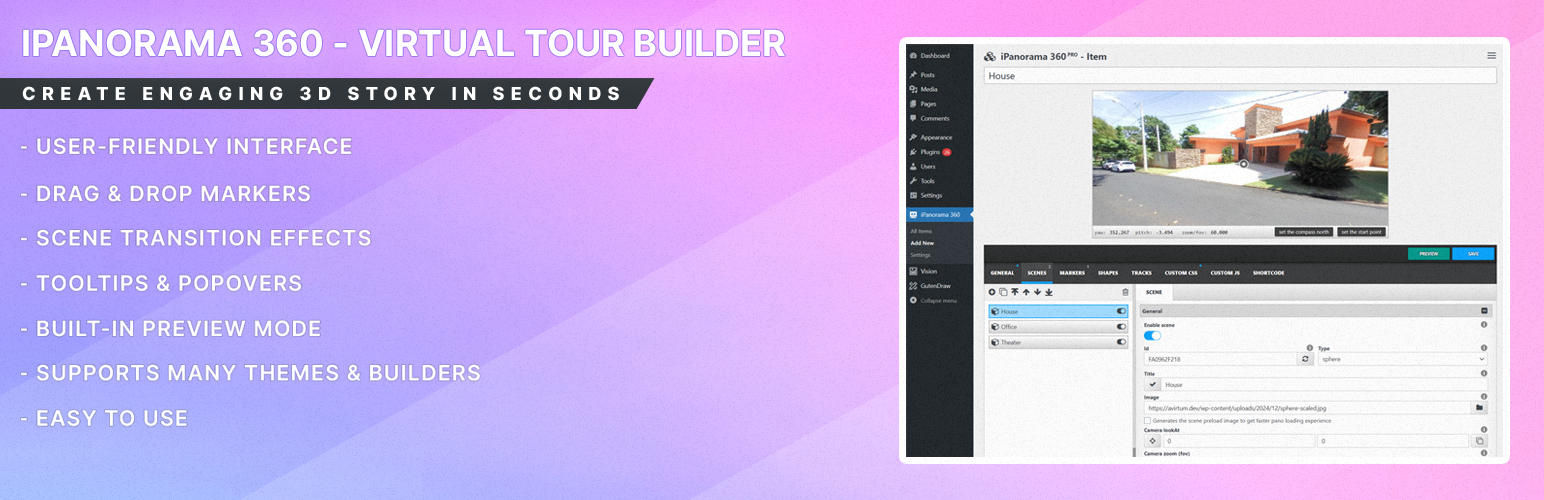
iPanorama 360 is the WordPress plugin out there that lets you create excellent virtual tours for clients from directly inside the WordPress admin in seconds. The plugin supports markers for providing information about any part of the scene or for navigation to other rooms/areas. With a well-builded tooltip system, you can enrich a scene with text, images, video, and other online media resources. Use this plugin to create interactive & virtual tours, maps, presentations.
Just upload 360 panoramic images, and this plugin will help you to transform them into a good realistic virtual tour.
iPanorama 360 supports the classic shortcode, plus it’s fully compatible with Gutenberg Block Editor and has iFrame embed feature that help to share your tour on a third-party web resources.
Why use iPanorama 360?
This plugin has all features that are needed for your deployed a good virtual tour without any problem.
Powerful Builder Interface To Create Virtual Tours Easily
iPanorama 360 has a modern web interface, created to help you build an interactive virtual tour quick and easy.
Just imagine, you can create your first virtual tour in seconds!!!
The plugin supports the preview mode, it will help you to see all your changes before the publish. Isn’t that a good feature?)
Create A Realistic Tour From Scene to Another
You can create several scenes from 360 degree images and connect them using markers. The user can click on a marker to go previous or next scene. The walking to another scene can be styled by using a special transition effects (fade, zoom, twist and etc). Plus you can set tooltips & popovers for markers on each scene to show additional information to a viewer.
Shortcode Support
Inside the classic editor you can simply embed a virtual tour using this [ipano id=»123″] shortcode. Just set your virtual tour ID and your tour is ready to publish.
Gutenberg Block Support
Внутри редактора блоков Gutenberg вы можете найти блок iPanorama 360, смотрите общий раздел. Этот блок используется для быстрого встраивания вашего виртуального тура на страницу или в пост. Выберите идентификатор виртуального тура из списка, установите ширину и ширину. высота, если это необходимо, и тур готов к работе.
IFrame Embed Feature Support
Вы можете поделиться своим туром на других веб-сайтах, используя HTML iframe. Для этого вам нужно зайти в конструктор туров, выбрать раздел «шорткод» и скопировать/вставить код iframe для встраивания.
Control Permissions for Authors and Editors
Плагин дает вам возможность редактировать права доступа для ролей wp для создания виртуальных туров. Только выбранные роли могут изменять виртуальные туры. Каждая выбранная роль может иметь одно состояние из этого списка: «личное», «групповое», «все».
- private — you can create & edit only your items
- group — you can create & edit the group items
- all — you can create & edit all items (from any group, including admin items)
Who Should Use iPanorama 360?
- Stores
- Schools
- Museums
- Showrooms
- Travel Agency
- Art Galleries
- Real Estate Agency
и многое другое…
List of features
- Easy To Use Builder
- Gutenberg block support
- Create Multiple Scenes (5 types)
- Flat Scene
- Sphere & Cube Scene
- Little Planet Scene
- Google Street View Scene
- Create Markers & Tooltips & Popovers
- Two Popover Styles (inbox, lightbox)
- Marker Style Creator
- Customization with Custom CSS
- Tooltips Show & Hide Animations (50+)
- Popover Show & Hide Animations (50+)
- Connect Scenes via Special Markers
- Duplicate Tour on One Click
- Scene Transition Animation
- Live Preview Virtual Tour Before Publish
- Gyroscope & Keyboard Navigation
- Auto Rotation (play, stop, speed)
- Audio Background (play, stop, volume)
- Normal & Stereo View
- Thumbnails Preview
- Embed iframe Feature
- Responsive Default Design
- Export & Import Config
- Two Themes (light & dark)
- Permission System For WP User Roles
- Great Customization
- Powerful API